
How to create a process people won’t hate using starts with one rule: document the real work, not the version you wish people performed. A useful process defines the outcome, trigger, owner, inputs, steps, decisions, exception paths and evidence required to show the work was done.
Teams create processes so recurring work can move between people without losing context. The process should be detailed enough to guide someone who knows the role, but clear enough that it does not switch their brain off. Start with the task as it happens, test the instructions with a real user and improve the process from what the run reveals.
We’ve all had conversations like this:
You: Hey, I’m going to be writing three posts a week now, so I’m handing off newsletter writing to you.
Them: Okay, what do I do?
You: Go into Mailchimp, make the newsletter, check that it looks right and send it to everyone. Let me know if you have questions.
Later that week: one million questions, a terrible newsletter and hundreds of complaints about broken links.
The informality of shooting off a few instructions over Slack and saying “let me know if you have any questions” can kill productivity. The person receiving the work has no definition of done, no examples, no decision rules and no way to tell which details matter.
A proper process is essential for anything beyond a simple one-action task. It captures how the work moves, who owns each handoff and what to do when the normal path breaks. That is why written processes help teams delegate work, train new hires and keep standards consistent as the business changes.
Leaders often start by doing everything themselves, then gradually train the people they hire to do more and more. In effect, they keep firing themselves from work that new hires grow into. A written process makes that transfer deliberate instead of forcing each person to reconstruct the task through questions and mistakes.
A process is broader than a checklist. A checklist can help someone execute known steps, but the process also needs scope, ownership, inputs, outputs, decisions, controls, evidence and a review cycle. It should help people think at the right moments, not bury judgment under instructions.
Once processes are written, new hires can use them, add to them and update them as the business evolves. They still need more than a few spot checks, but the organization no longer has to invent the operating method from scratch every time the work changes hands.
The wrong way to create a process people will follow
I’ve made plenty of incomplete processes in my time, mostly because I learned how to do the task I was formalizing before there was a process in place. A lot of what I did was in my own head, not in the process. I left out details like login information, screenshots and links, as well as decision criteria and exception paths. The processes looked complete to me and were total non-starters for everyone else.
The Checklist Manifesto makes the central point well: bad checklists are vague, too long, impractical and written without enough awareness of the conditions in which people use them. A process should support the person doing the job, not treat them as a machine.
That means the person documenting a task needs to understand it. If you have not done the work, pair with someone who has. Watch the task from trigger to finish, ask why each decision is made and capture what happens when the obvious path does not apply. Otherwise you risk formalizing an unusable process.
Here is a Rube Goldberg machine showing how efficient a badly designed process can be:
The biggest problem with first-draft checklists
The most impractical checklists do not begin at the repeatable task’s real starting point. Imagine writing a checklist for making a cup of coffee. You need beans, a cup, a grinder and a coffee machine, but that does not mean every coffee run should begin by buying beans.
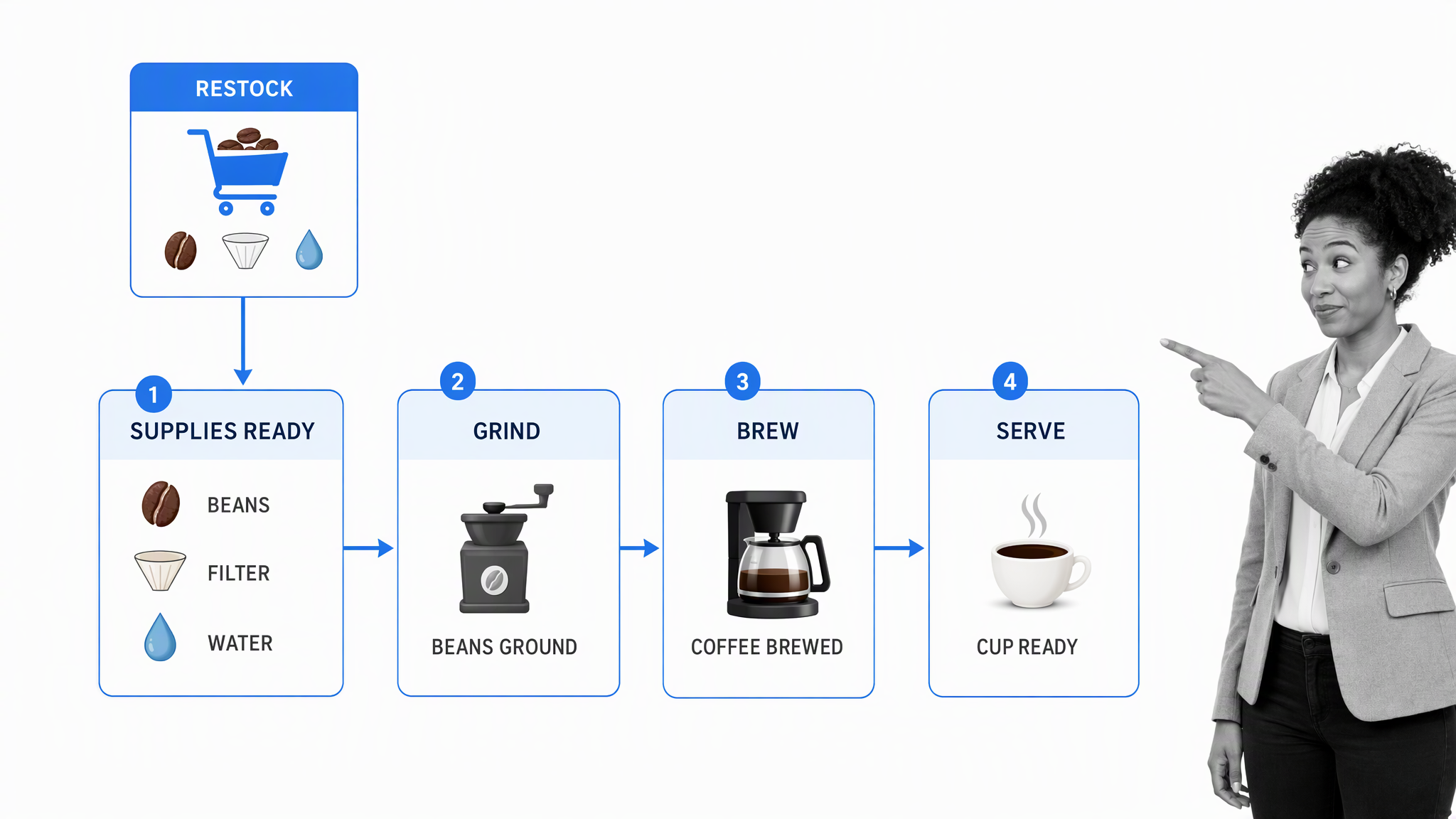
Buying supplies is a separate replenishment process. Making coffee starts when the required supplies are available and ends when the drink is ready. If one set of instructions mixes both jobs together, the user has to skip irrelevant steps every time. That is how people learn to ignore the process.
You do not need to buy new beans and grind them every time you want coffee. If the checklist started that way and you referenced it each time you went to get a cup, you would get sick of it because those steps are not even relevant. Getting in this mindset helps you catch yourself when you are accidentally disguising two processes as one.
Define the boundary before you write the steps. State the trigger, required inputs and expected output. If the work cannot be executed from that starting point to that finish repeatedly, you may be disguising two or more processes as one.
The right way to create a process people will use
Good processes are specific, usable and repeatable without pretending every run will be identical. They guide the normal path, show where judgment belongs and make exceptions visible. Use three phases: creation, testing and optimization.
CREATION
- Define the outcome and why the process exists.
- Name the trigger, start point and finish point.
- Assign a process owner and identify everyone involved in the work.
- List the required inputs, systems, permissions and reference material.
- Do or observe the task and record the real sequence without filling gaps from memory.
- Group the work into clear high-level stages, then break each stage into actionable tasks.
- Document decision rules, exception paths and escalation points.
- State what evidence proves each critical step happened.
- Add only the images, videos and external resources that make the instruction easier to follow.
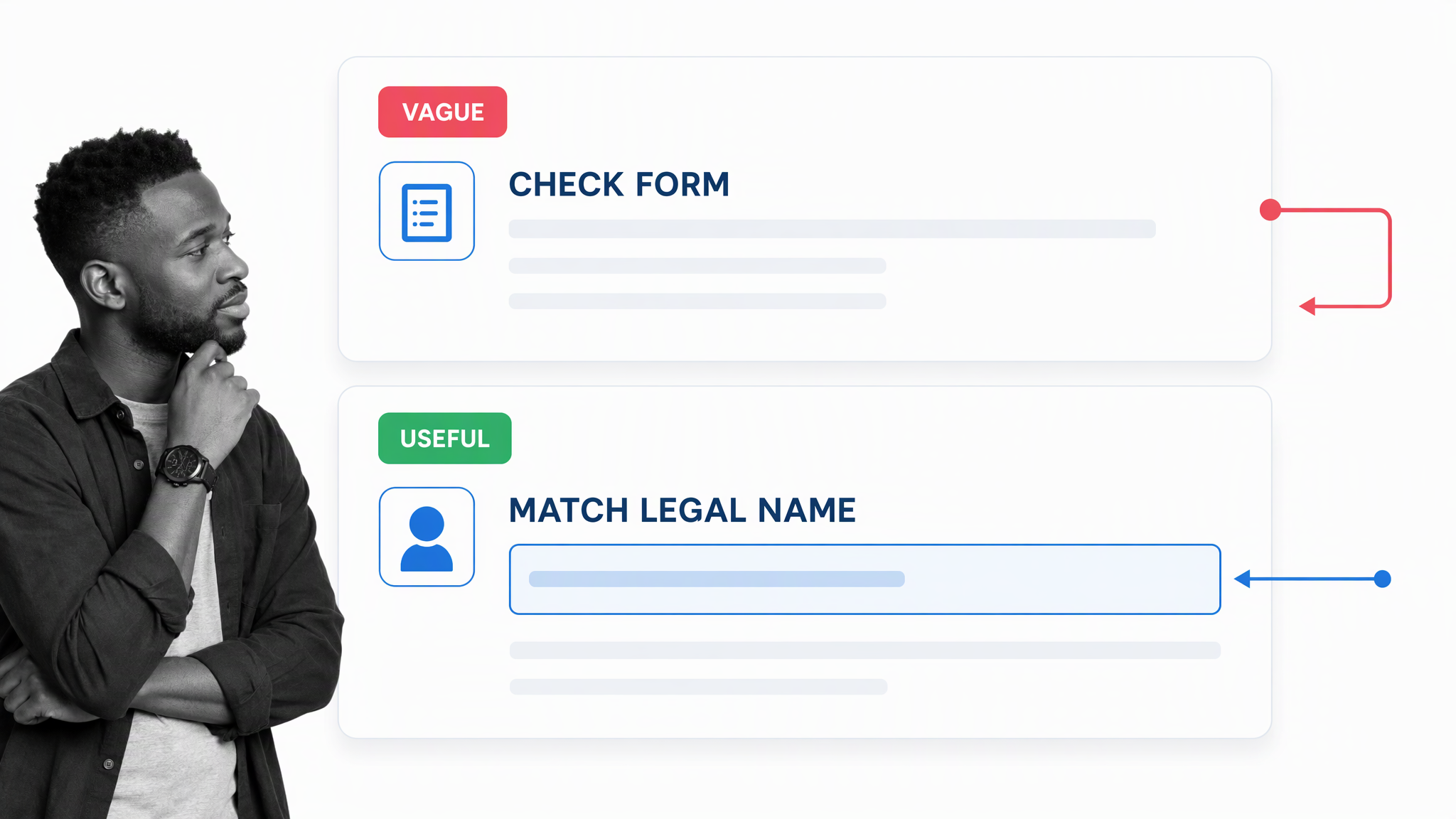
Write task names as actions. Put the information needed to perform the action inside the task, not in a separate document the user has to hunt down. If the task has multiple possible outcomes, say how to choose and where each route leads.
TESTING
- Follow the process exactly without using knowledge that is not written down.
- Record unclear instructions, missing inputs, blocked permissions and unnecessary steps.
- Give the process to someone representative of the intended user and watch them run it.
- Check the work produced against explicit acceptance criteria.
- Revise the instructions, controls and evidence requirements.
- Run it again until another qualified person can complete the work successfully.
The test is not whether the author can follow the process. The test is whether the intended user can produce the expected result without asking the author to translate hidden knowledge.
OPTIMIZATION
- Give users a clear way to report friction and suggest improvements.
- Keep a named owner responsible for reviewing changes.
- Use version control and approval when the process affects quality, compliance or customer outcomes.
- Review completed runs, exceptions, delays and rework for patterns.
- Set a review cadence so the process changes with the work.
- Remove steps that do not improve the outcome, and strengthen controls where failures repeat.
The people using the process will often know more about its day-to-day reality than the original author. Their feedback should improve the instructions, but important changes still need ownership and review. A process is a maintained operating method, not a document you write once and forget.
How to implement your shiny new process in practice
You can implement a simple process in a shared document, but execution becomes harder to govern as soon as the work needs owners, due dates, approvals, evidence, automation or reporting. Process Street is a single Compliance Operations Platform with Docs and Ops capability areas plus built-in AI. It connects governed process knowledge to executable workflows so the instructions, action and proof stay together.
Start with one recurring task where inconsistency causes real pain. Create a workflow from the process you just documented, then make the title recognizable to anyone who might need to run or review it.
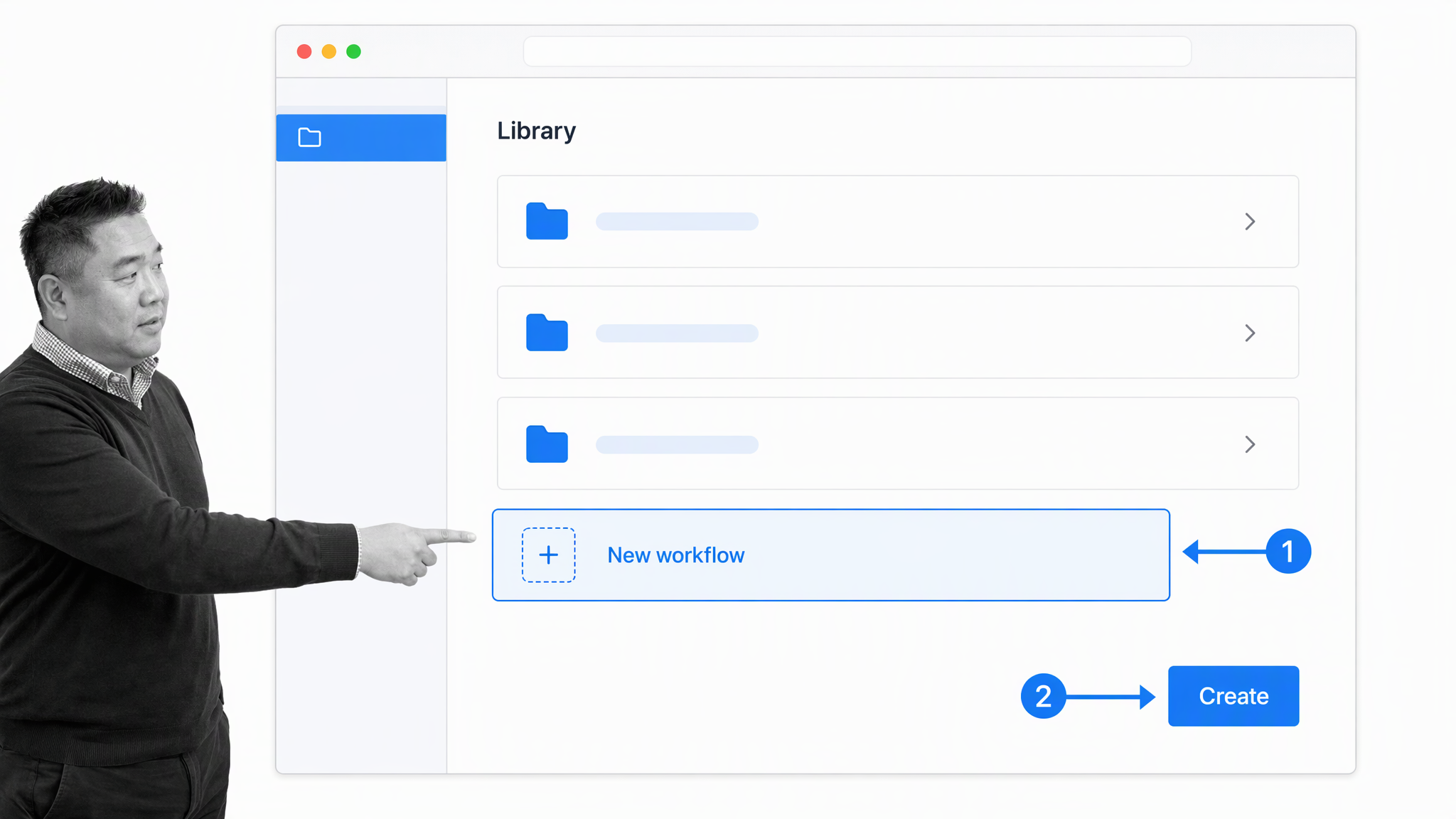
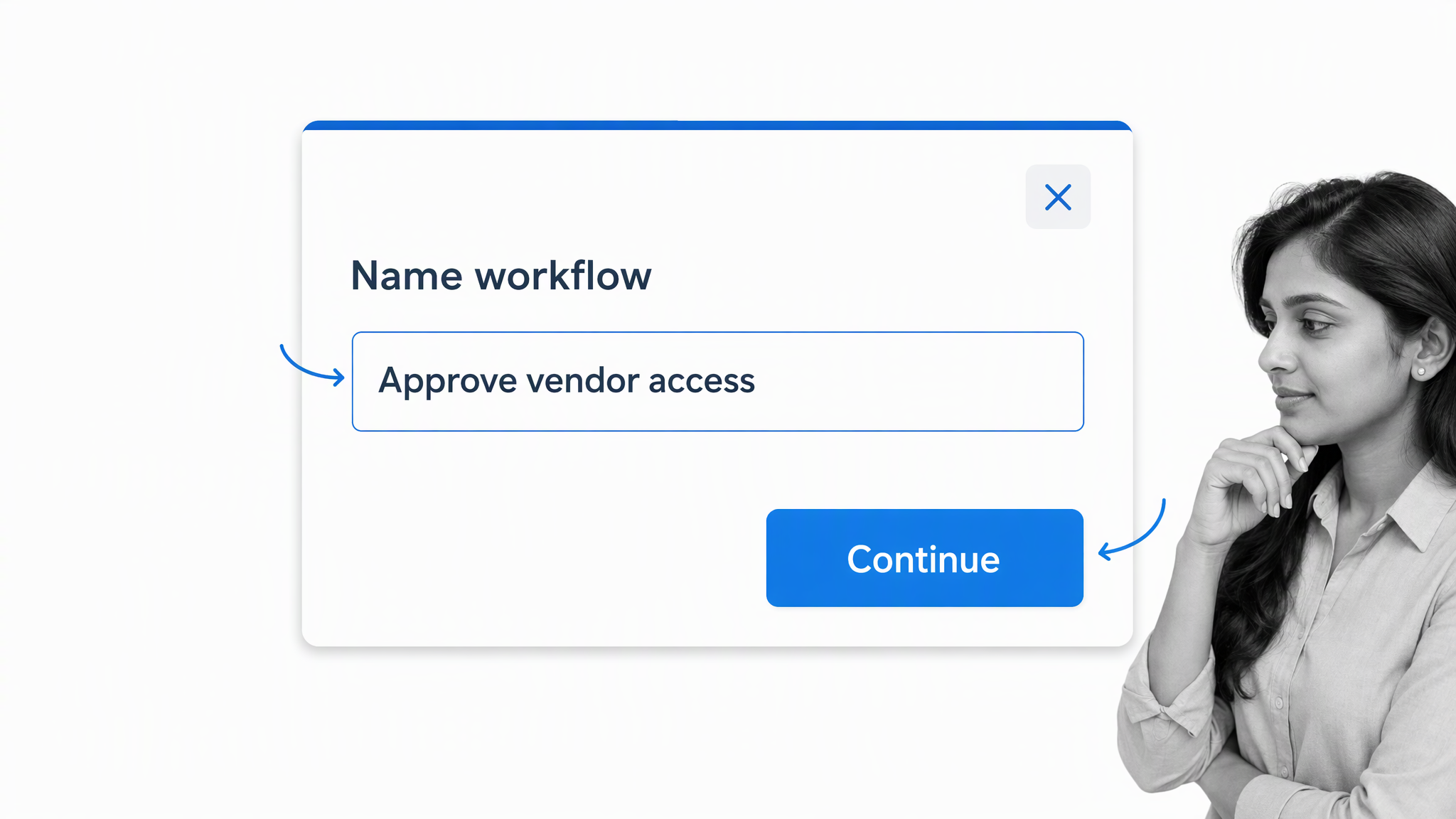
Name the workflow for the outcome, not the department that happens to own it. “Approve vendor access” is clearer than “IT process.” A precise name makes the workflow easier to find and reduces the chance that someone starts the wrong one.
Give it an easily recognizable title that anyone can understand. A descriptive name should work as a guide to the task being done, even for someone who did not create the workflow.
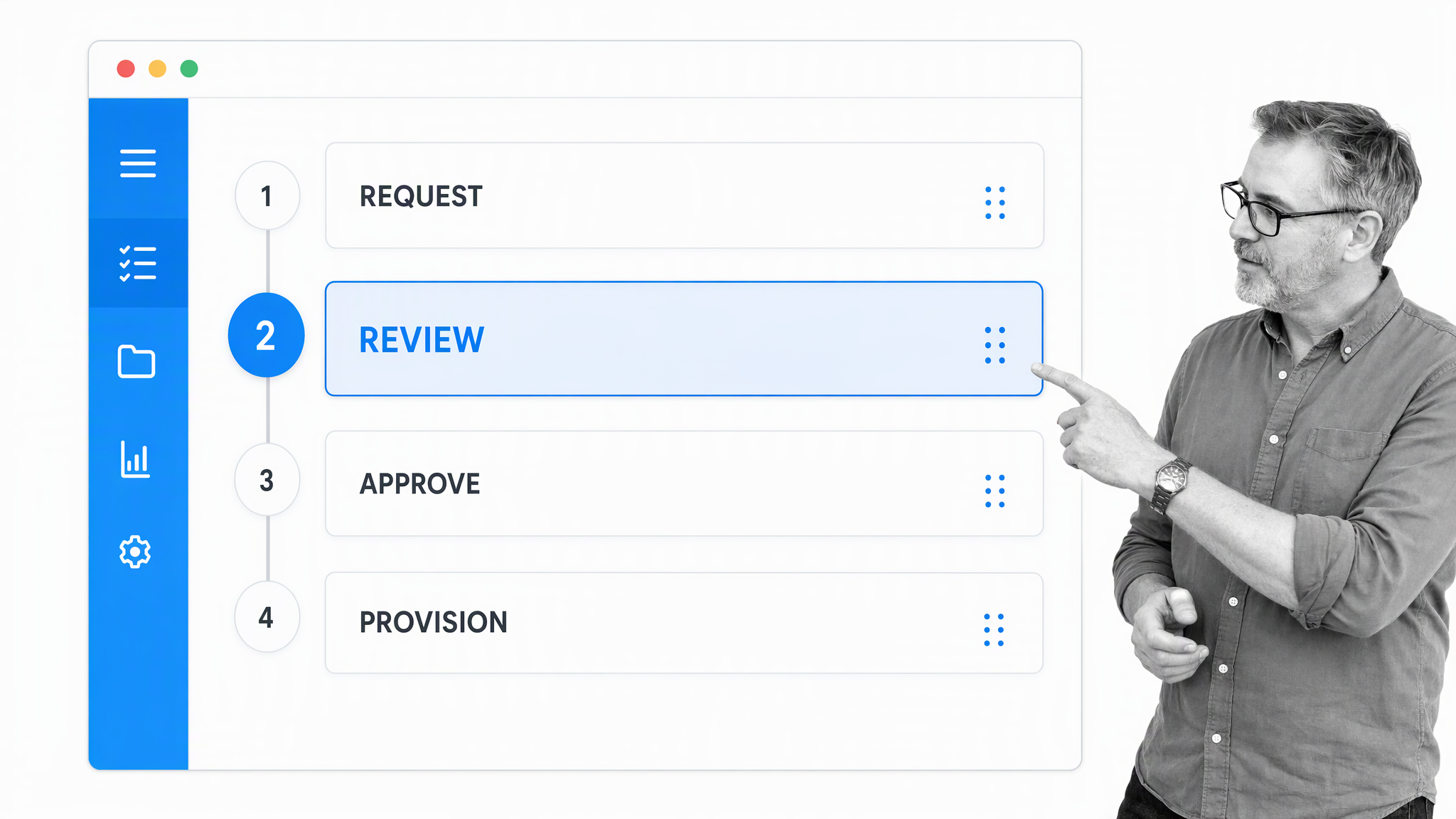
Turn the high-level stages into ordered tasks. Keep each task focused on one action and make dependencies explicit. Use stop conditions when work should not continue without a required answer or piece of evidence.
Add the instructions, fields and decision rules needed at the moment of action. Good task content explains what to do, what a good result looks like and where to go when the normal path does not fit.
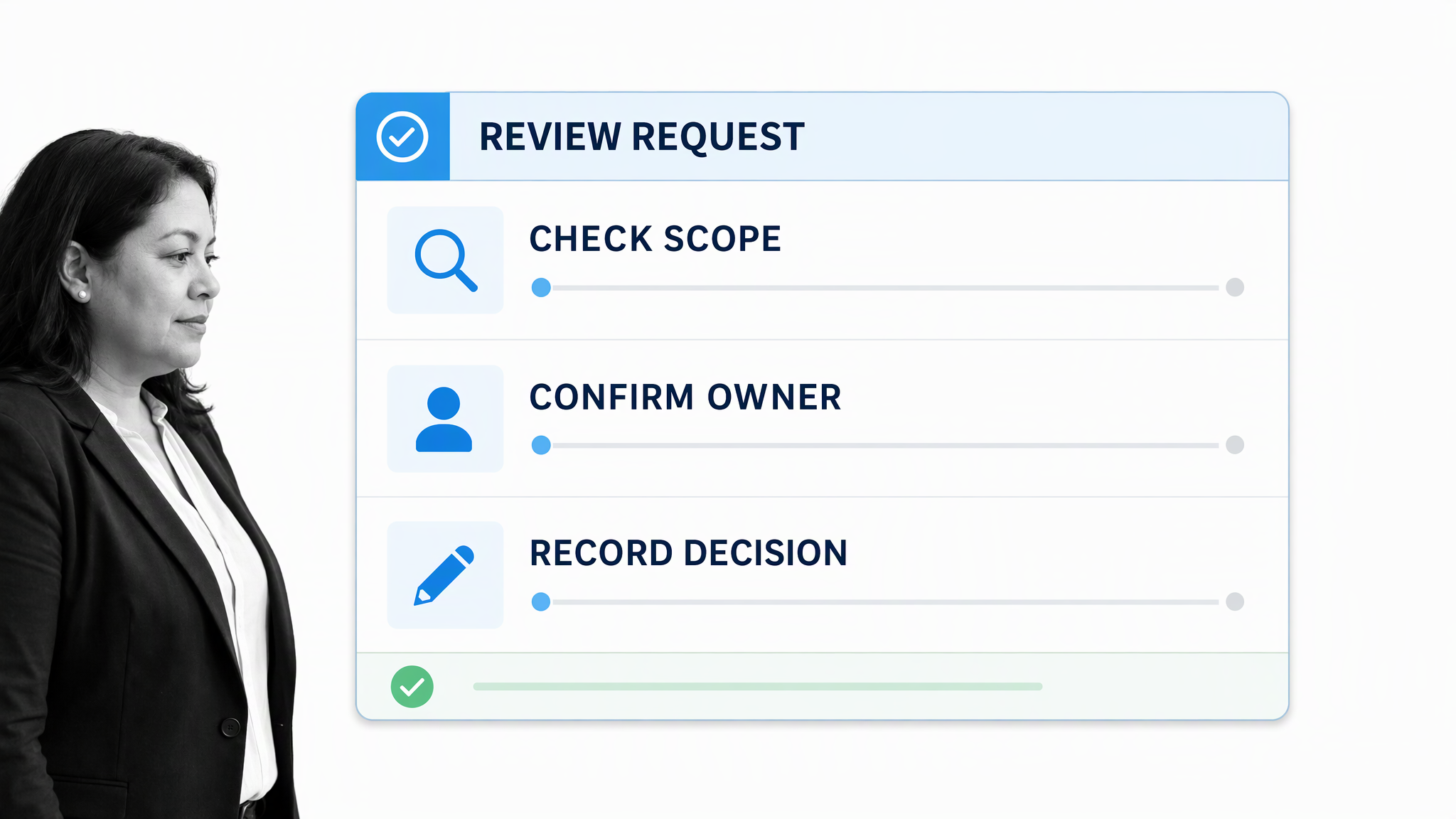
Use visual guidance where words alone create ambiguity. A current screenshot, short example or diagram can show what “complete” means, but it should support the instruction rather than repeat it.
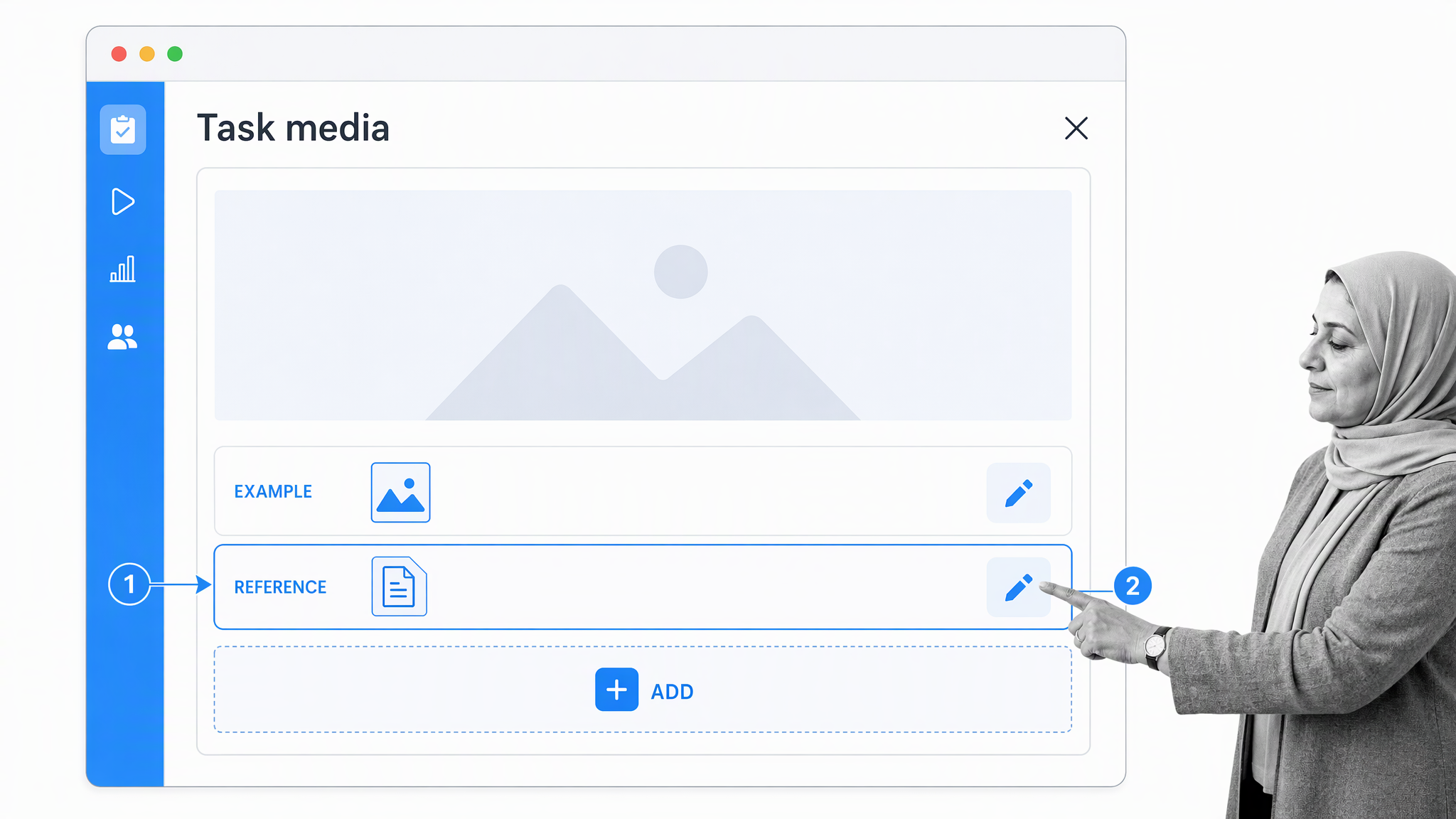
Embed supporting media and source material inside the relevant task. This keeps the user in the flow of work and makes the process easier to maintain than a trail of links scattered across messages.
If a step needs a little more explanation, use the task’s content fields to explain it or embed resources such as files, videos and images. The point is to put the help beside the action instead of making the user search for it elsewhere.
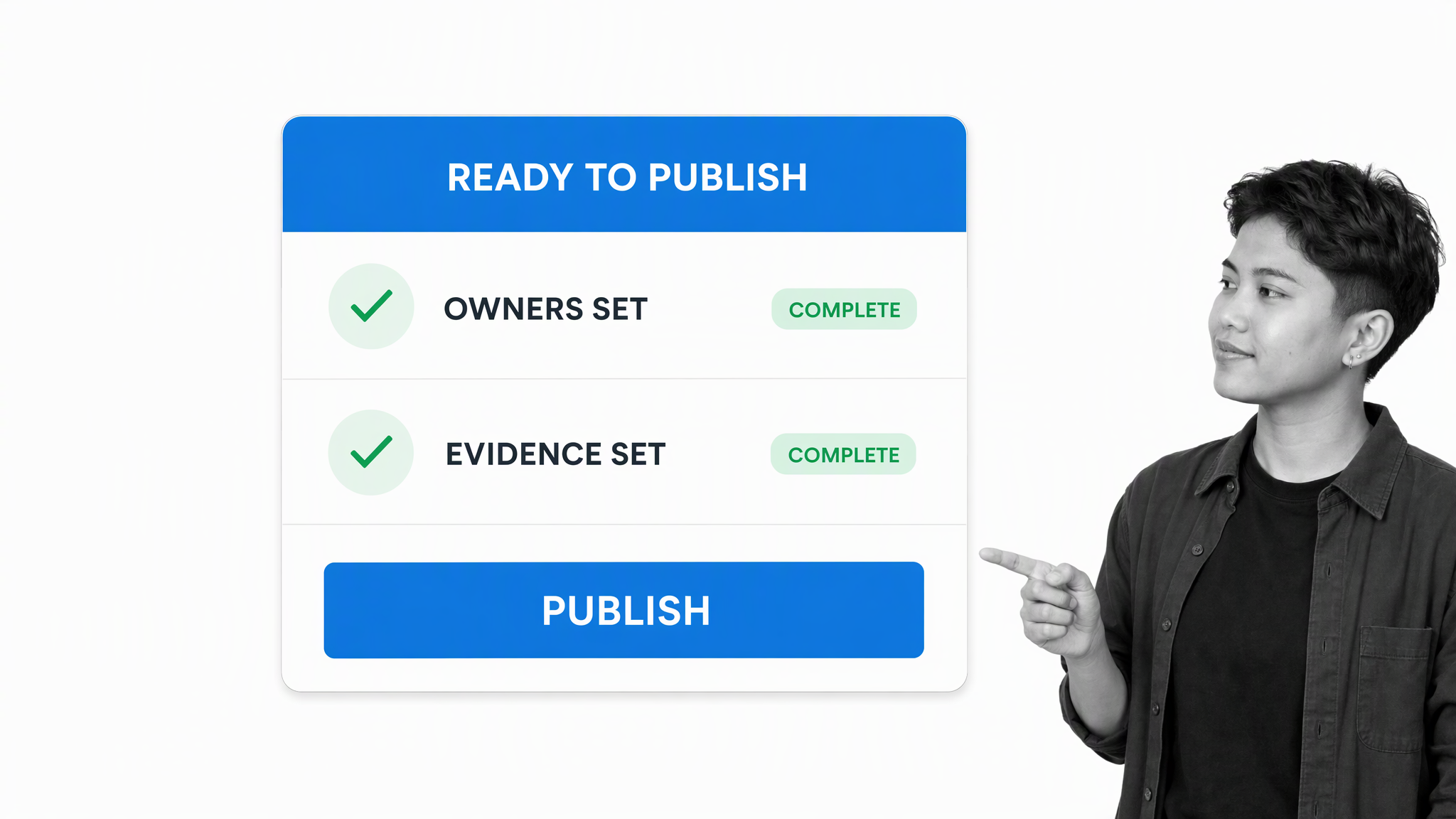
Review the workflow before releasing changes. Confirm that owners, permissions, approvals, evidence requirements and exception routes are correct. For high-stakes work, a second reviewer should approve material changes.
Run the workflow for each real instance of the process. A workflow run gives that instance its own owners, due dates, decisions, evidence and activity history.
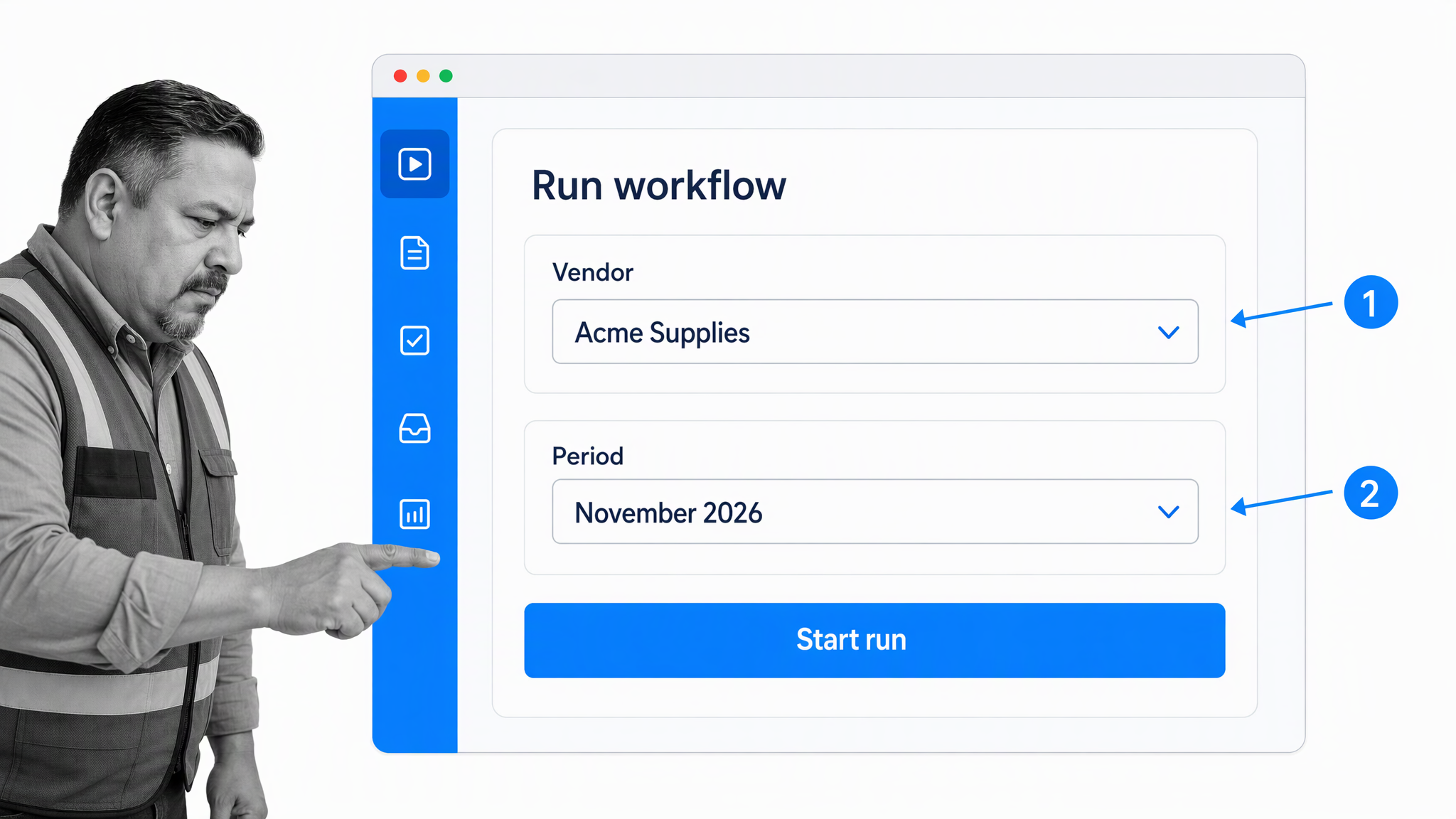
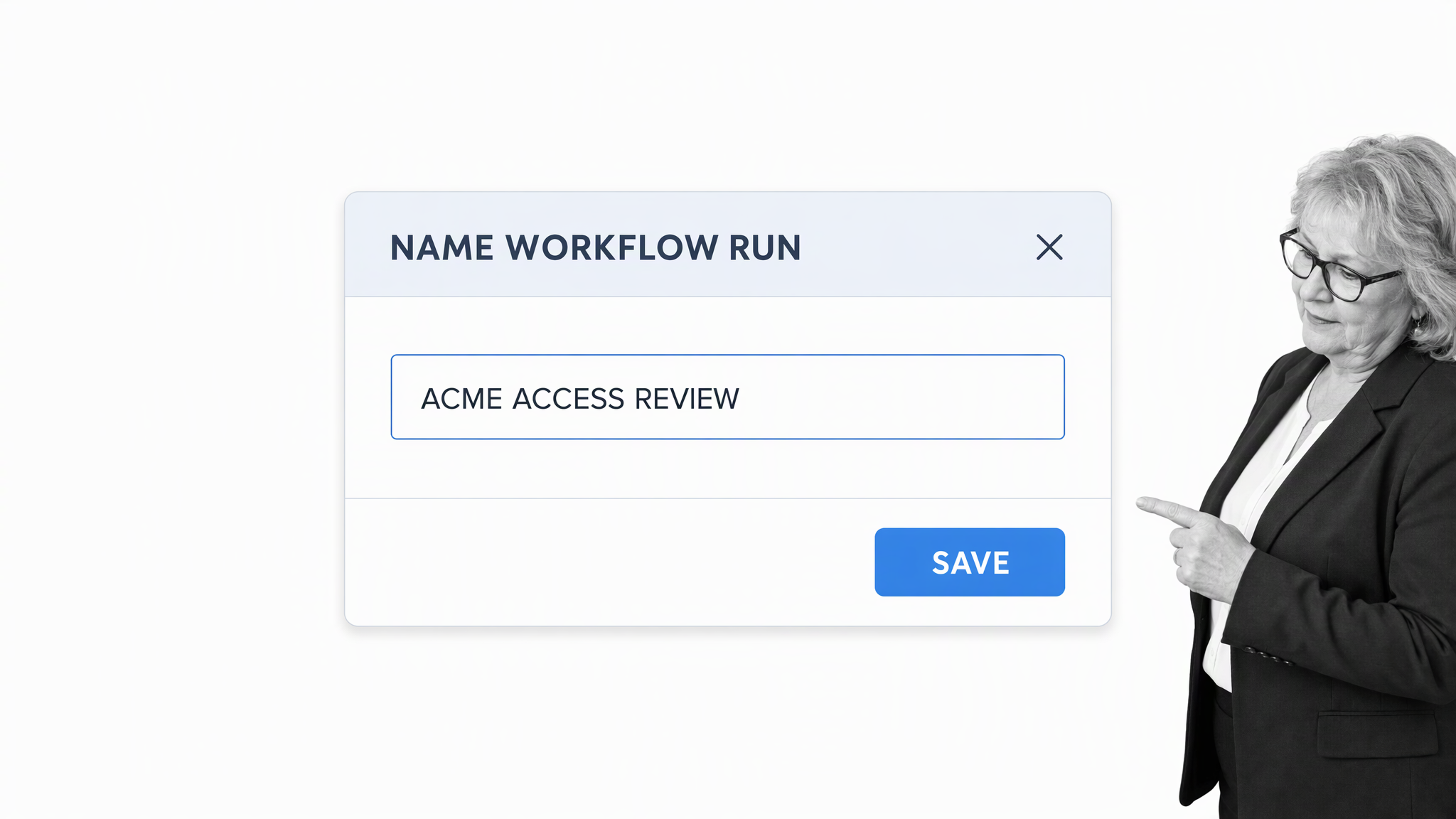
Name the workflow run so people can identify the work without opening it. Include the customer, vendor, employee, reporting period or other durable identifier that distinguishes one run from another.
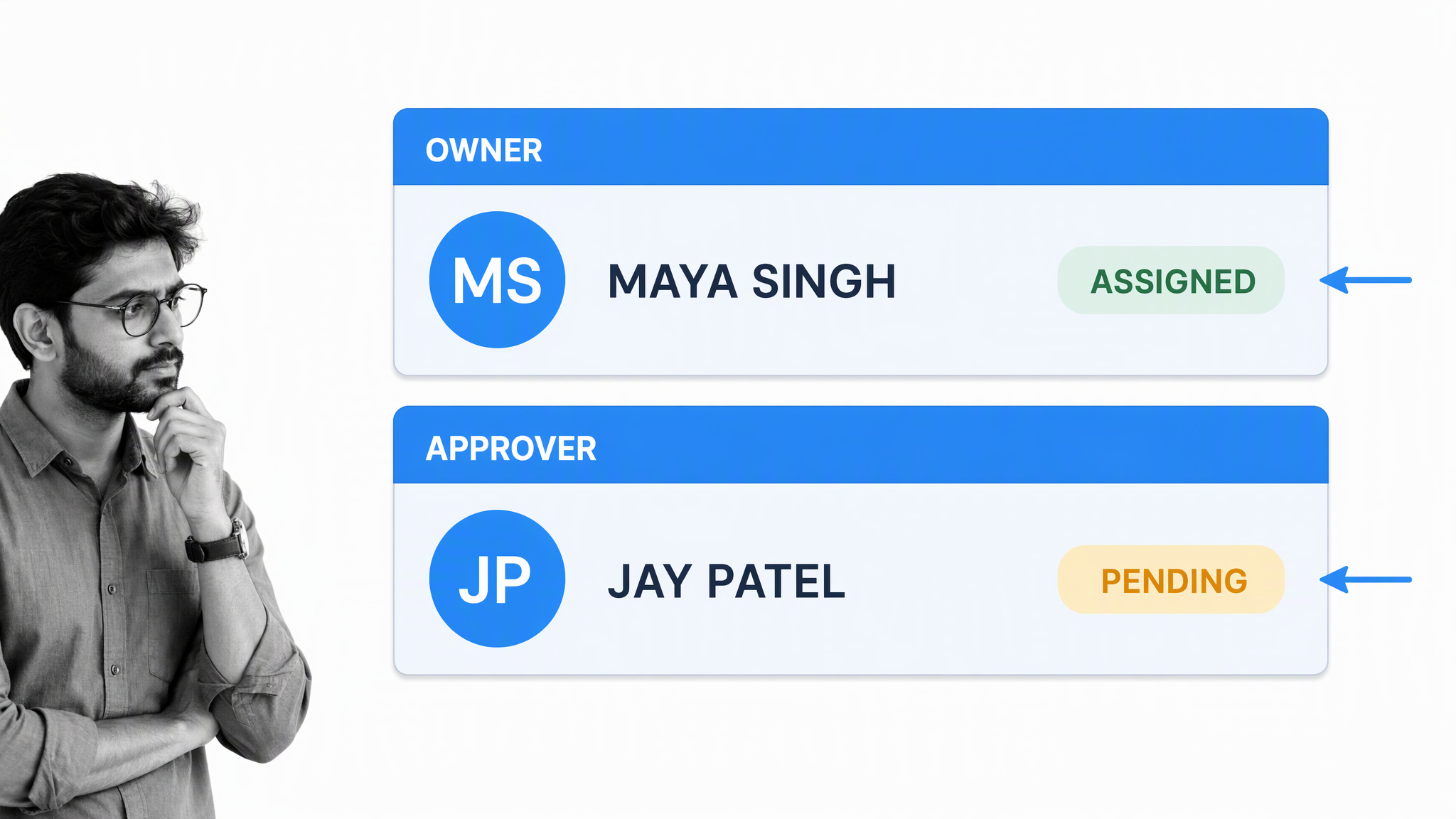
Assign collaborators to the work they own and route approvals to the people accountable for risk. Process Street can automate handoffs, collect evidence and use built-in AI to support the work while keeping required human review in the process.
This is only the beginning. Once the workflow is running, review completed runs for delays, skipped steps and recurring exceptions. Improve the instructions and controls from evidence, then approve and release the next version.
This is just the surface of what you can do with Process Street. The same operating pattern can support client onboarding, employee onboarding, IT processes, content marketing and other recurring work where ownership, evidence and review matter.
If you want to go deeper, use this business process management template to structure the process and explore workflow automation when the manual path is stable.
Create a process FAQ
What should a business process include?
A business process should include its outcome, trigger, scope, owner, inputs, ordered tasks, decision rules, exception paths, required evidence, definition of done and review cadence.
How detailed should a process be?
Make it detailed enough that the intended user can produce the right result without hidden knowledge. Do not explain basic professional knowledge they already have, but do include system-specific steps, decision criteria, examples and exceptions.
Who should write a process?
The author should understand the work, but the best process is built with the people who perform and review it. One person can draft it, then representative users should test it before the owner approves it.
How often should processes be reviewed?
Review a process whenever the work, system, policy or risk changes, and on a regular cadence based on impact. High-risk processes may need frequent review, while stable low-risk work can use a longer cycle.
Choose one recurring task today. Document the real path, test it with someone who performs the work, assign an owner and set the first review date. That is how you create a process people will actually use.
Think of this as a beginner’s guide for creating processes. Start with one repeatable task, then build from the evidence each run gives you.
The post How To Create a Process People Won’t Hate Using first appeared on Process Street | Compliance Operations Platform.


0 Commentaires