
Creative workflow management gives creative teams enough structure to deliver better work without turning the process into bureaucracy.
When briefs, feedback, approvals, and handoffs are managed in one repeatable workflow, creative teams spend less time chasing status and more time producing work that is clear, reviewed, and ready to ship.
In this article, we’ll be looking at:
- Why you need good creative workflow processes
- What is creative workflow management?
- Stages of creative workflow management
- The importance of approvals for creative workflow management
- Creative workflow process templates
- Using Process Street for creative workflow management
First things first; if you just want the free process templates for creative workflow management, then you can find them right here:
- Invoice Approval Workflow Checklist Template
- Blog Content Approval Checklist Template
- Graphic Design Approval Checklist Template
- WordPress Security Audit Checklist Template
- Video Content Approval Workflow Checklist Template
- Information Security Checklist Template
- Application Security Audit Checklist Template
- Content Marketing Workflow Management Checklist Template
- Enterprise Password Management Checklist Template
- Enterprise Video Content Management Checklist
If you’re unsure what a Process Street workflow looks like, start with this blog content approval workflow:
If you want these templates, choose one and adapt it to your creative approval process.
Now let’s start with the basics of effective creative workflow management.
Why you need good creative workflow processes
A good creative workflow process saves you and your employees time and money.
Having to meet deadlines is unavoidable at any creative company, but it can feel impossible to meet those deadlines when there isn’t a process in place for beginning, developing, and approving the work.
Everyone needs to be on the same page about what the project entails, how the work is delegated among the team, and whether it’s going to be delivered on time. This will help streamline your performance and manage everyone’s expectations, and that’s key.
When there’s no creative workflow process in place, it’s more likely that the project ends up being bounced back and forth with contradicting and difficult edits that could end up freezing the project and preventing you from meeting the deadline.
A creative workflow process will serve as the bumper, keeping everyone’s work on track and helping the company become more efficient overall.
What is creative workflow management?
Creative workflow management refers to the process of starting, developing, and finalizing creative projects.
Implementing effective creative workflow management helps make sure that your creative projects are up to standard and submitted on time.
It can also aid in managing communication and expectations between the administrative team and the creative team, to make sure both are on the same page and working together as effectively as possible.
Stages of creative workflow management
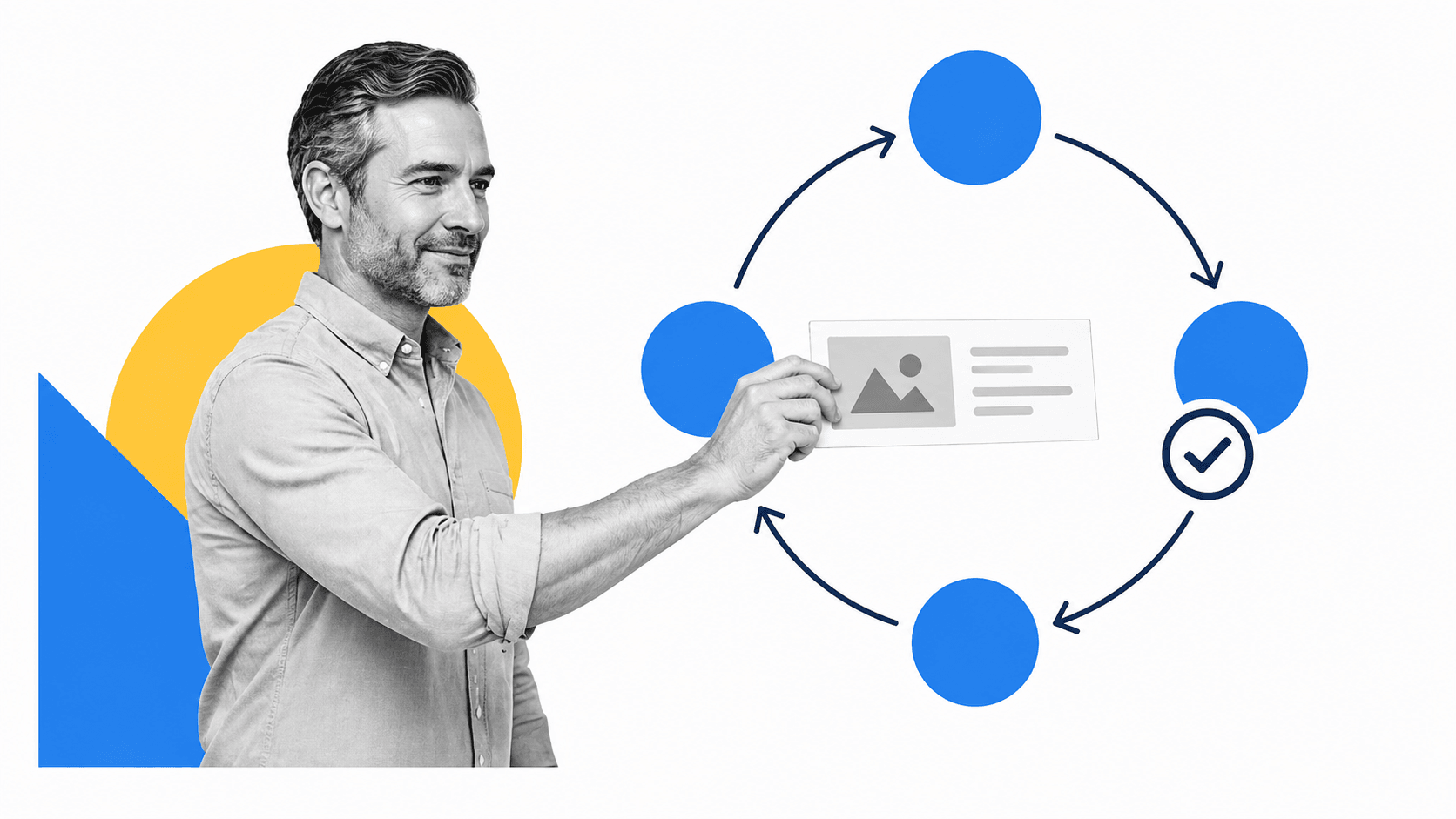
The image above represents the kind of sequence of stages you might find in a typical creative workflow process; granted, it’s a little on the product development side of things, but the general process will look something like that for anyone managing or doing creative work.
The thing is, this image also trivializes one of the biggest pain points of the creative workflow process: Finalization.
More often than not, the “Develop & Adjust” stage is stuck in a chaotic feedback loop with the “Finalize” step. It might look like a pretty process on paper, but in reality, things are rarely so simple.
That’s why having a clear system in place for approving or rejecting work is important.
Process Street’s Approvals feature lets you automate creative workflow approvals by setting up a simple approval task in a checklist.
With this in mind, I’ve hybridized the stages in the image above to what I consider to be a more streamlined (and automatable) process for creative workflow management.
Stage 1: Define
The first stage involves drawing up the general product idea, defining the demand for the product, and lay out a plan to move forward with the creation of the product.
This stage could involve objectives such as:
- Detail problems the product aims to solve, its target audience, the budget, timeline, and any other foundational information.
- Host a meeting with the team that will be involved in the project to get everyone on the same page.
- Set measurable, attainable goals for the project and use these as milestones to keep track of the project’s success
- Delegate objectives and responsibilities among your team members and make sure the team’s framework is clear to everyone, so there’s no overlap in responsibility.
- Pinpoint potential risks that could get in the way of the project’s completion and plan accordingly as best as you can to avoid these issues.
- Work with your team and clients on a mood board to convey a rough idea of the product’s final result to lock down on a concept you’re sure your client approves of without spending too much time on the nitty-gritty.
- Manage your client’s product expectations to ensure their satisfaction in the end.
Stage 2: Create
The second stage is where the actual creation of the product takes place.
This stage could involve objectives such as:
- Team brainstorming and documenting everyone’s ideas.
- Researching your client’s potential competitors in the market and coming up with ways to improve upon them to offer an advantage.
- Keep the team’s drive up by having regular check-up meetings to reassess goals and work through potential hurdles.
- Maintain communication with your client as the project moves forward and make sure to receive regular feedback from them ensuring you’re both on the same page throughout the process.
- Make sure your team is meeting their milestone deadlines along the way to ensure everything will be finished on time.
- Keep a record of time spent working on the project to later provide to your client in the invoice.
It’s critical that your team regularly shares the product’s progress with your client to check in and make sure they’re on the right path. This not only helps the client feel at ease, but it also helps avoid any potential surprises at the end that could get in the way of the project’s completion.
There’s nothing worse than spending your company’s valuable time and resources to have to scrap it all and start from scratch because your client didn’t end up liking the result.
Stage 3: Modify, finalize and approval
This stage entails applying feedback towards modifications to the product until ultimately, the client gives their final approval.
This stage could involve objectives such as:
- Review the team’s final product and send it off to the client if you approve it.
- Establish the framework for the product reviews and make sure there is a limit set in place so that the reviews don’t end up being bounced back and forth for longer than it needs to.
- Encourage your client to see the product from the audience’s perspective rather than personal taste.
- Compile all the feedback from the client and organize it in a way that allows for efficient modifications.
- Keep track of the severity of the changes that your client is asking for and determine whether you may have to bill them for extra time.
- Obtain final product approval from your client.
Stage 4: Launch and close project
The final and most rewarding stage is the product launch. The launch could take many forms depending on your product: digital or print materials, for example.
But there’s still a couple loose ends to tie up after the product launches:
- Make sure to send your client the invoice.
- Don’t completely cut off communication with your client after the launch. Follow up with them to ensure they’re satisfied with everything.
The importance of approvals for creative workflow management
In any company, work typically moves through a sequence of approvals before it’s considered complete. To ensure consistency and efficiency, many companies utilize particular approval processes that determine how the work should be approved each time.
Introducing your company to an approval process can help regulate your team’s work and save a significant amount of time overall by developing a reliable system that can be repeated when needed. This ensures that the quality of your team’s work will be up to the same standard each time because it’s being approved the same way each time.
Manual approval processes, as opposed to automated processes, are often arduous and prolonged and can defeat the purpose of implementing an approval process to begin with. Manual processes tend to be counter-intuitive and could result in employees struggling to comply with the processes simply due to lack of understanding.
Because of this, numerous companies have changed over to automated approval processes. An automated process involves using a software to develop a customized approval process that can be used to guide users along the process to make sure their work is being completed up to the same standard every time.
Automated approval processes augment efficiency, regulate processes, and save time overall. It can be an incredibly valuable tool if you’re looking to better manage the creative workflow within your company.
Creative workflow management templates
We’ve built up these creative workflow management templates to help you get your creative work done more efficiently.
Here’s a list of the templates:
- Invoice Approval Workflow Checklist Template
- Blog Content Approval Checklist Template
- Graphic Design Approval Checklist Template
- WordPress Security Audit Checklist Template
- Video Content Approval Workflow Checklist Template
- Information Security Checklist Template
- Application Security Audit Checklist Template
- Content Marketing Workflow Management Checklist Template
- Enterprise Password Management Checklist Template
- Enterprise Video Content Management Checklist
Invoice Approval Workflow Checklist Template
At the end of the day, if you’re doing creative work, you need to know how to generate an invoice.
For smaller companies like SMBs and startups, it makes sense to involve a bookkeeper in the invoice generation process, to streamline things and save time in the long run.
For example, this checklist uses the role assignment feature to automate the approval process. That way, you can be sure accounts are as they should be and nothing slips through the cracks.
Click here to get the invoice approval workflow checklist
Blog Content Approval Checklist Template
For any content production engine, it’s important to incorporate approval tasks.
Content managers and editors need a quick and easy way to approve or deny revisions and edits to content of any sort.
This process is a simple production checklist for creating blog content that incorporates an approval task at various points of completion.
Click here to get the blog content approval checklist
Graphic Design Approval Checklist Template
One of the more difficult aspects of a design process is getting final approval on your work. That’s as true for graphic designers as it is for project managers.
This process makes sure work is automatically flagged for approval as soon as it’s ready. The graphic designer can simply check a task in the checklist and the project manager is notified instantly.
Work can then be approved or denied straight from the manager’s inbox.
Click here to get the graphic design approval checklist
WordPress Security Audit Checklist Template
If you’re running a content team, you probably need to consider the security of your company’s sensitive data.
WordPress accounts can be compromised if not properly managed and audited regularly.
This process makes it easy for you to run a WordPress security audit should you need to reinforce the security of your site.
Click here to get the WordPress security audit checklist
Video Content Approval Workflow Checklist Template
Content comes in all shapes and sizes. It’s not just about blog posts. This process, for example, is all about video content approvals.
As with any piece of content, it’s crucial that you get the right eyes on your work-in-progress so that feedback can be given, and ultimately, the work can be signed off on.
This process outlines clear steps for preparing and approving video content, including script, storyboard, voice-overs, drafts, and the final product.
Click here to get the video content approval workflow checklist
Information Security Checklist Template
Information security should not be neglected in any organization. That’s just as applicable to creative workers as it is to anyone.
This routine infosec checklist will make your life easier by including all of the common tasks and checks involved with tightening up your team’s information security.
Simply run this process once every six months to ensure you’re doing what you can to reduce information security risk.
Click here to get the information security checklist
Application Security Audit Checklist Template
Every application becomes vulnerable as soon as it’s open to the internet, but luckily there are many ways you can protect your application and it’s security when your app is being developed.
Application security should be an essential part of developing any application in order to prevent your company and its users’ sensitive information from getting into the wrong hands.
This checklist will outline all of the common tasks and checks needed to tighten up your team’s application security and can easily be repeated whenever you might need.
Click here to get the application security audit checklist
Content Marketing Workflow Management Checklist Template
Content marketing managers have to wear many hats; one of them is often the hat of the sprint planner.
Having a solid process that unifies content strategy with creative production and distribution is the foundation of any successful content engine.
You also want to make sure content strategy is aligned with wider business goals – which is why incorporating approval tasks for certain parts of sprint planning is important. You can pull in whoever needs to sign off on your content strategy and have them quickly and easily approve.
Click here to get the content marketing workflow management checklist
Enterprise Password Management Checklist Template
Enterprise risk management depends on good security protocol. That’s part and parcel of having good processes for all types of organizational security – and one of the most important processes for enterprise companies is password management.
You may be contracting a fleet of graphic designers, all of whom need access to your internal systems – Slack, WordPress, Google Suite, etc.; all of these pose a risk of compromise. That’s why you need a good process for enterprise password management.
This checklist template makes that easy for you; a simple process that you can run to stay on top of password management.
Click here to get the enterprise password management checklist
Enterprise Video Content Management Checklist
If there’s one thing that enterprise content management shares with any other variety of content management, it’s the need for an approval process to keep things running smoothly.
This is a simple process for keeping track of video content production, from script, to storyboard, to VO, to the final finished draft; you will save a bunch of time with this automated approval process.
Click here to get the enterprise video content management checklist
Using Process Street for creative workflow management
Process Street is a Compliance Operations Platform that helps teams turn creative procedures into governed, repeatable workflows. Creative briefs, review steps, approvals, handoffs, and launch checks can live in one workflow instead of scattered across docs, email threads, and project comments.
For creative teams, that means the process is not just documented. It runs. Ops coordinates the steps, assignments, due dates, stop tasks, task permissions, automations, and approvals that keep each project moving. Docs gives teams a governed place to maintain SOPs and creative standards. Cora helps monitor execution and surface process gaps before they become missed steps.
Using Process Street’s approval features in your creative workflows can help you:
- Route creative work to the right reviewer at the right step.
- Keep approvals, comments, and task history attached to the workflow.
- Use role assignments and task assignments so ownership is clear.
- Set dynamic due dates for time-sensitive production and launch tasks.
- Use stop tasks and permissions to keep sensitive or incomplete work from moving forward too early.
- Build repeatable creative workflows without waiting on IT.
If you are comparing platforms, this guide to workflow automation software can help you evaluate how approval workflows, automation, and recurring processes fit together.
More ways you can automate your workflow:
- The Ultimate Guide to Business Process Automation
- What is Form Automation Software? How to Pick the Best Form Software
- Form Automation: Turning Your Checklists Into Databases
- Ultimate Guide to Small Business Automation with Zapier
- The Complete Guide to Business Process Management
Check out our other template packs:
- 20 Free SOP Templates to Make Recording Processes Quick and Painless
- 13 Web Design Process Templates to Make Every Design Amazing
- Simple Checklist Templates to Use Every Day: Advice from Top Executives
- 7 Construction Templates to Improve Processes, Standards, and Client Relations
- What is Fleet Management? The Beginner’s Guide (Free Templates!)
Creative workflow management FAQs
What is creative workflow management?
Creative workflow management is the system a team uses to move creative work from request to brief, production, review, approval, and launch. A good workflow makes ownership, deadlines, feedback, and final approval clear.
Why do creative teams need approval workflows?
Creative teams need approval workflows because most delays happen during review, not during the first draft. A repeatable approval workflow makes sure the right stakeholder reviews the right version, records the decision, and keeps the project moving.
What should a creative workflow template include?
A creative workflow template should include intake details, owners, production tasks, review steps, approval tasks, deadlines, handoff instructions, and a final launch or archive step.
How does automation help creative workflow management?
Automation helps creative workflow management by assigning tasks, sending reminders, routing approval requests, enforcing required steps, and keeping a record of what happened. That reduces manual follow-up and makes the process easier to repeat.
The post 10 Templates to Optimize Creative Workflow Management first appeared on Process Street | Compliance Operations Platform.


0 Commentaires