Workflow management software is a system that gives teams one place to define recurring work, assign ownership, route approvals, automate handoffs, and track whether every required step happened. The right system turns a process from a document people are expected to remember into work that runs with control and produces proof.
This guide explains the essential features, benefits, use cases, selection criteria, implementation steps, and automation patterns behind modern workflow software. It also shows how Process Street compares with Qntrl and adjacent tools, and links to a broader review of the best workflow management tools for buyers who need a wider shortlist.
Workflow management software definition
A workflow connects a trigger to a repeatable series of tasks, rules, owners, outputs, and evidence. It can be a simple sequence or a conditional route that changes according to the information collected and decisions made.
Workflow management software is the centralized digital system used to design, run, and monitor those workflows. Instead of asking people to interpret a static procedure, it presents the right instruction, form, deadline, and decision at the point of work.
Some buyers search for workflow programs, process tracking software, or a workflow management platform. The important distinction is whether the system only records status or supports end-to-end workflow process management: instructions, ownership, rules, approvals, automation, evidence, and improvement.
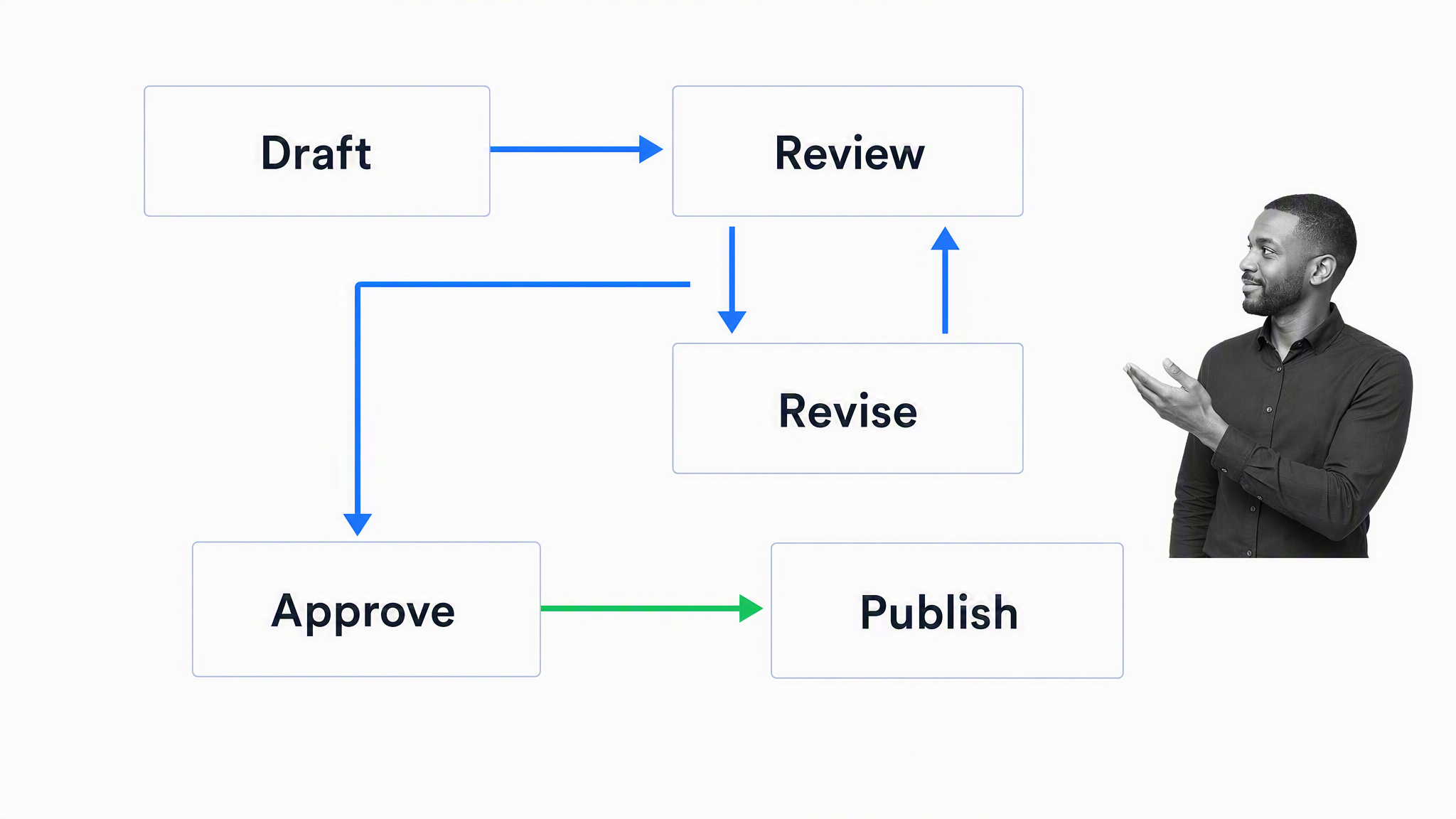
Workflows can be a basic progression of steps or a complex series of events with dependencies, rules, and requirements. In either case, running a workflow for recurring work makes the expected route visible and gives the team a consistent way to reach the desired outcome.
The software supports three connected activities:
- Setup: Map the process, define tasks and decision rules, identify owners, and start from a customizable workflow template when that is faster than building from scratch.
- Execution: Start a workflow run, assign tasks, collect structured data, collaborate, route approvals, and complete the work without avoidable handoff delays.
- Monitoring: Give each participant a clear view of current work while managers track progress, bottlenecks, exceptions, and evidence across many runs.
These three activities turn process documentation into controlled execution. They also create the operating data needed for process standardization and continuous improvement.
Core workflow management software features
The best feature set depends on the work, but six capabilities matter across most recurring operational processes. Evaluate how the features work together in a real run, not only whether each one appears on a product checklist.
No-code workflow creation
Process owners should be able to translate their expertise into an executable workflow without waiting for a software team. A no-code editor lets them arrange tasks, add instructions and forms, define rules, and publish controlled changes. Permissions still matter: broad participation should not mean that anyone can alter a critical process without review.
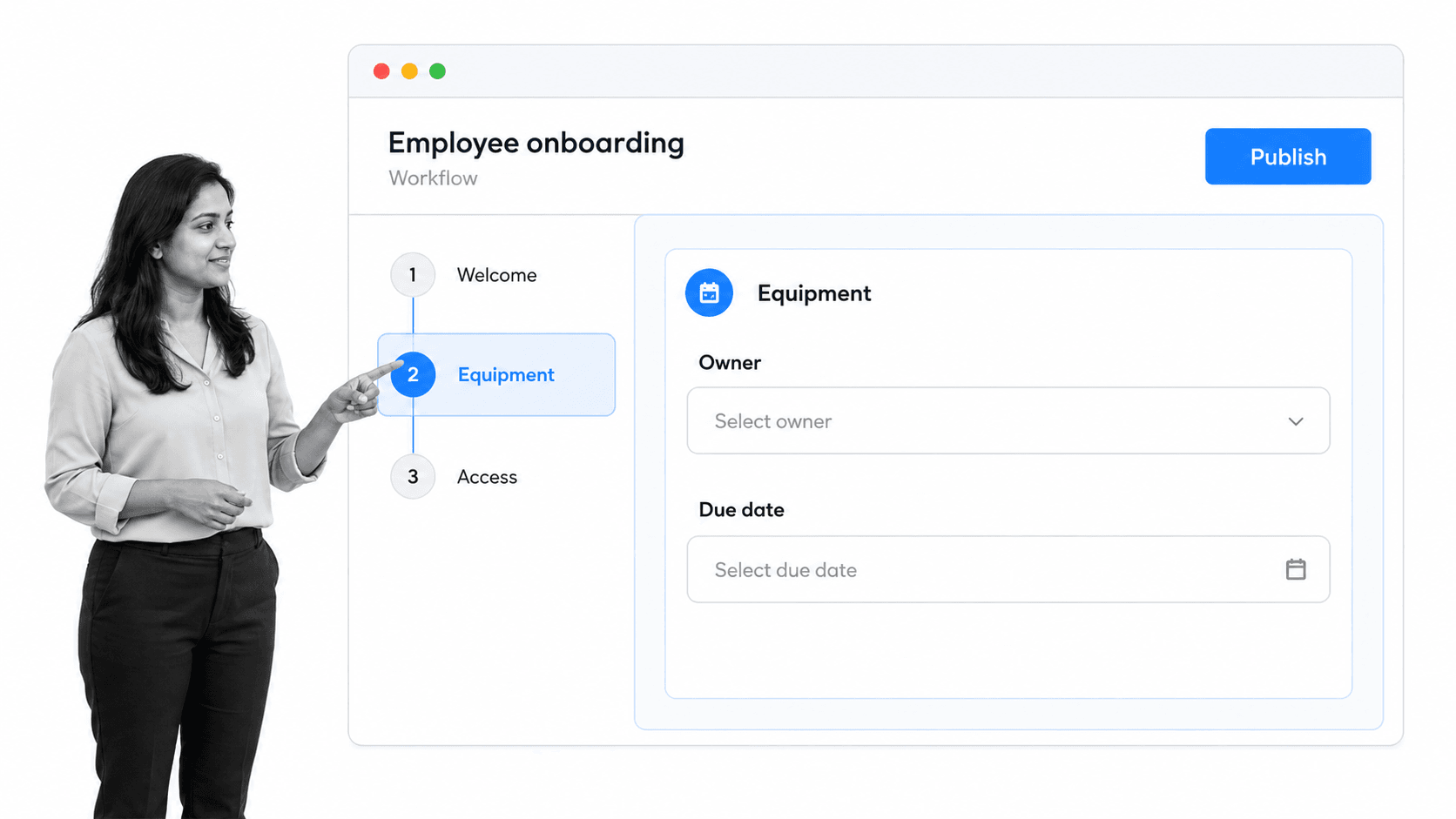
An HR director, for example, should be able to build employee onboarding around the real requirements of the business. The workflow can include equipment requests, account access, policy acknowledgement, manager check-ins, and the evidence required before onboarding is complete. That access supports a collaborative culture while keeping responsibility with the people who understand the process.
Process and task assignment
Workflow runs and individual tasks need clear owners. Look for assignments to named people, groups, or dynamic roles, plus due dates that can be calculated from a trigger or earlier step. External contributors, such as clients or job candidates, may also need a safe way to complete selected tasks.
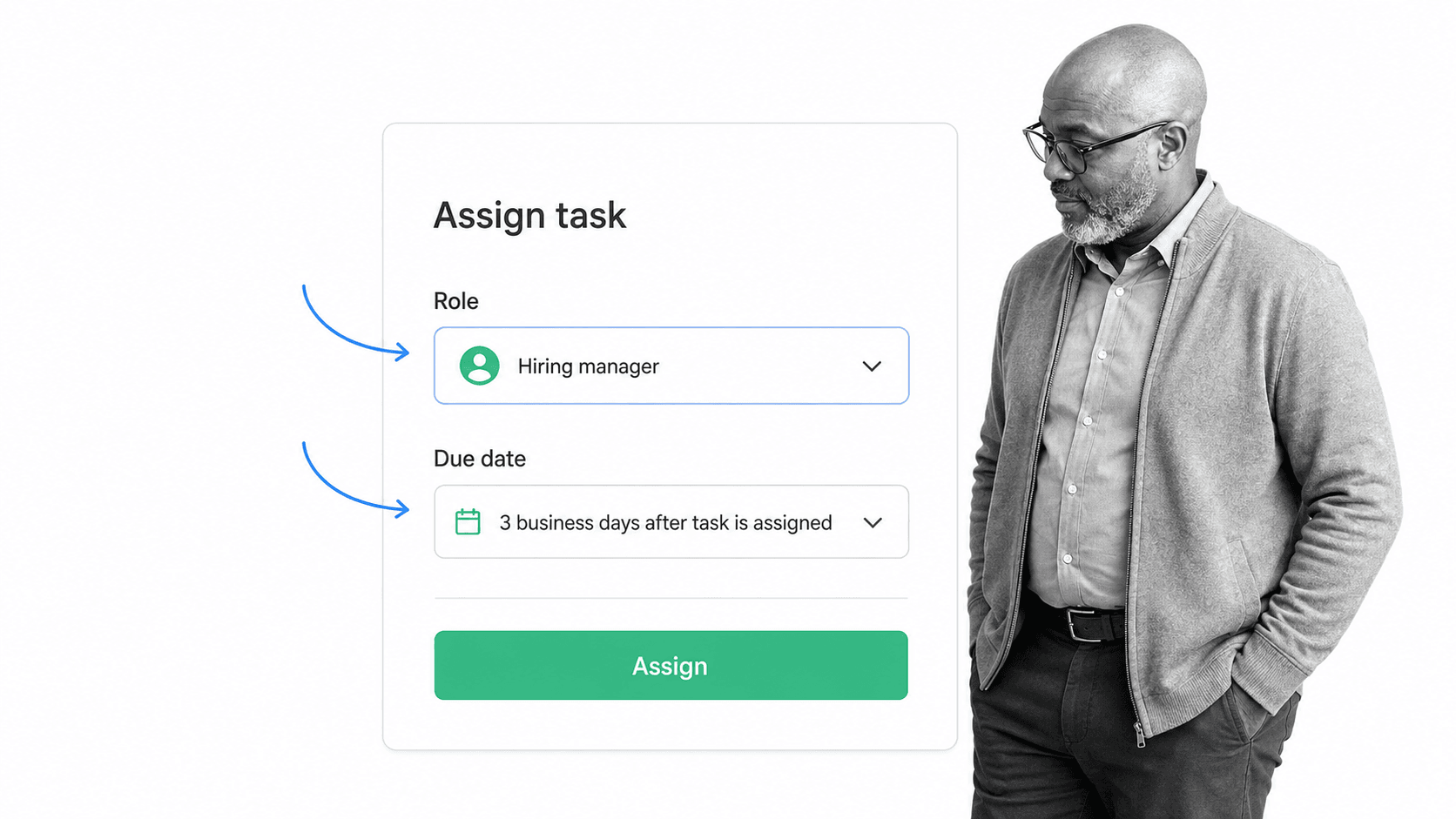
Task assignments create accountability and improve tracking. Contributors know what they own and when it is due. Managers can see where work is waiting, distinguish a capacity problem from a process problem, and intervene before one delayed approval blocks the rest of a workflow.
Notifications, reminders, and escalation
Assignments only work when people see them at the right time. Useful workflow software sends targeted notifications, reminds owners about approaching deadlines, and escalates overdue work without flooding everyone with noise.
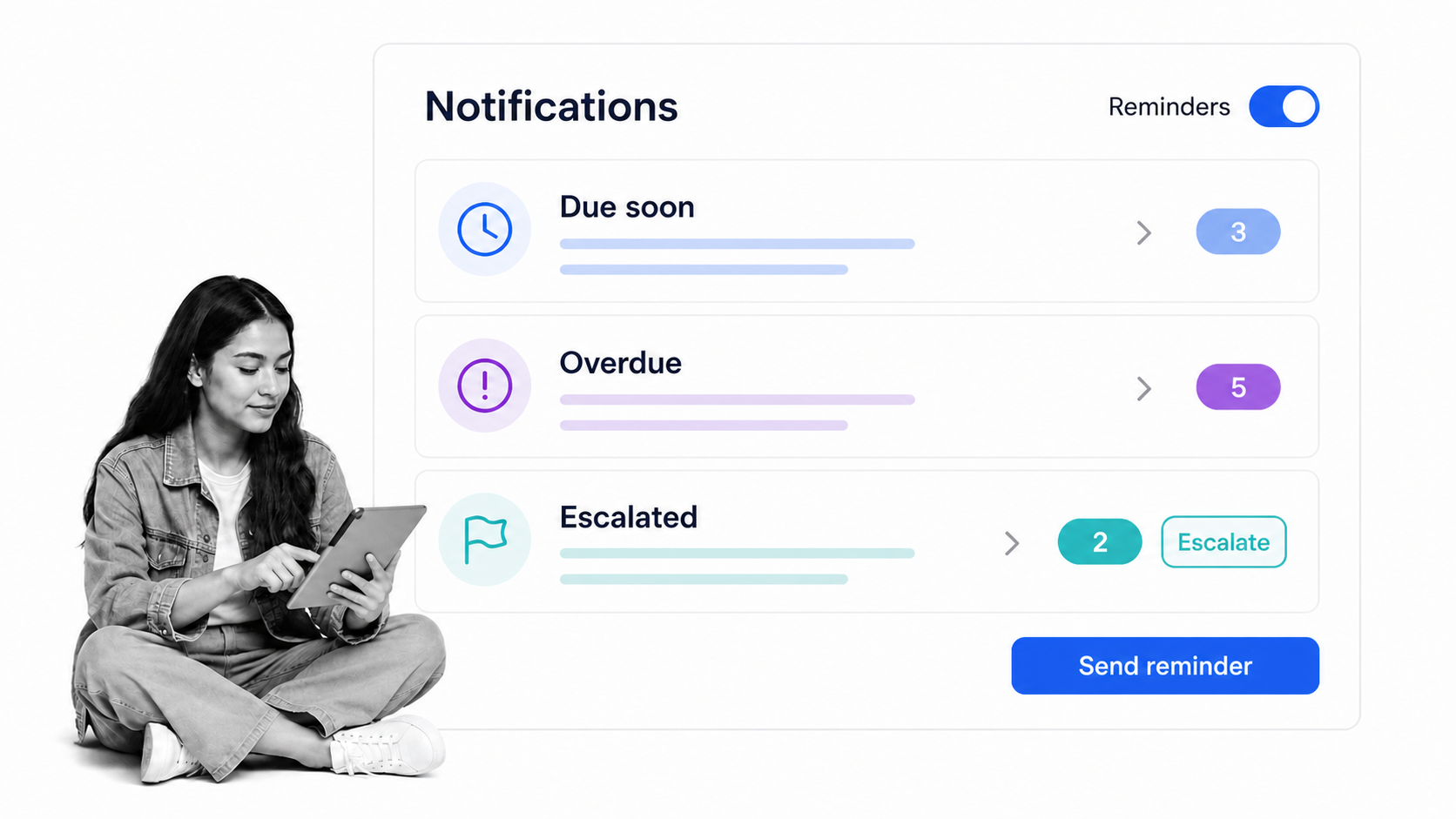
Consider a content approval process. Writing may finish on schedule, but publication still depends on design review, legal review, and a final approval. Alerts tied to those exact handoffs help the workflow progress while preserving a visible record of who was asked to act.
Flexible routing and conditional logic
Real processes rarely follow one path in every case. A purchasing workflow may require a manager approval above one threshold and a security review when a vendor handles sensitive data. A system with conditional logic can show the right task for the facts collected during the run.
This kind of process flexibility prevents teams from creating separate copies for every exception. It also reduces the chance that a contributor skips a control because the standard route did not fit the case.
Integration, automation, and agentic action
Business process automation should remove repetitive transfers while leaving consequential decisions visible. A trigger can start a workflow, system data can prefill a form, an AI task can classify a request, and an approved result can update the system of record.
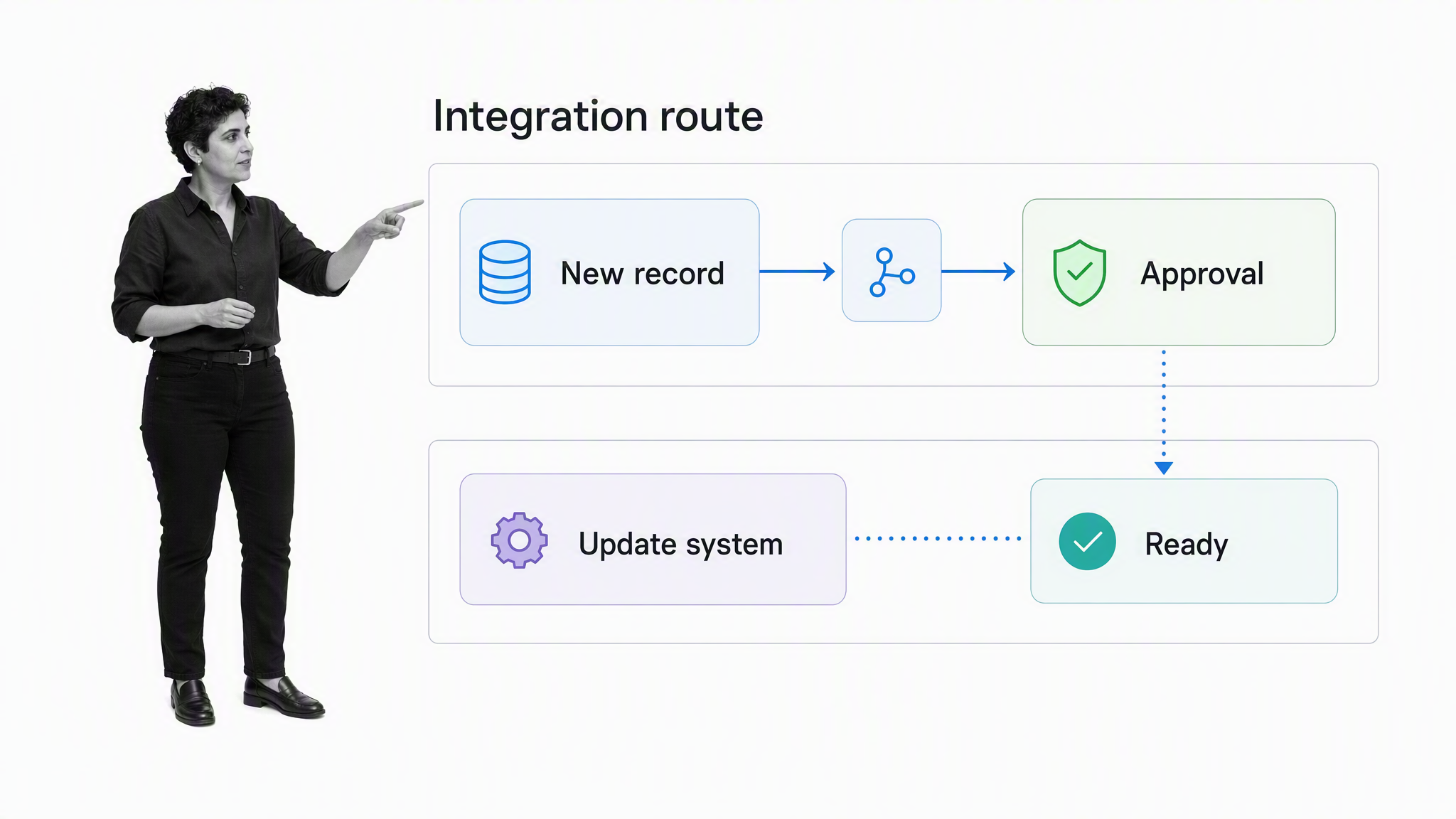
Process Street has direct, universal integrations to 5,000+ systems. Need a new one? An AI agent builds it on the fly.
For other connection patterns, teams can use process integrations, webhooks, the API, or an automation platform. Variables should carry known values into instructions, fields, emails, subtasks, and connected actions rather than asking people to copy information manually.
Clear reporting and execution history
Reporting must show more than whether a workflow was opened. Buyers should look for run status, task status, owners, due dates, completion time, approval outcomes, and the evidence submitted. Filters should make recurring bottlenecks and exceptions visible across teams.
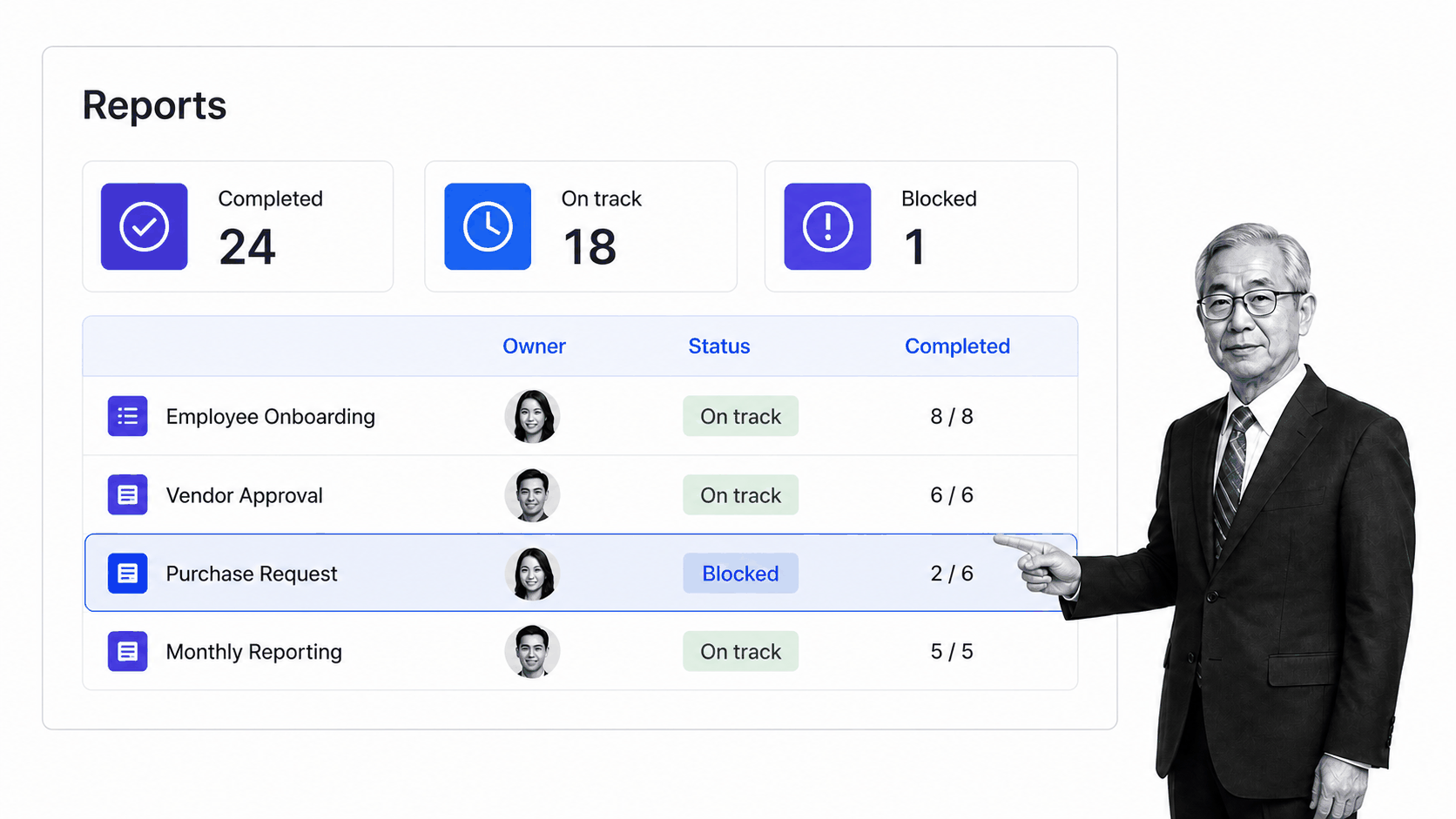
The Reports Dashboard gives managers an operating view of work in progress. When instructions, approvals, structured data, and history live together, the record can support process review, internal controls, and audit preparation without reconstructing events from email and chat.
Near-term and long-term workflow management benefits
The value of workflow management software appears first in daily coordination and later in the operating system the team builds from repeated execution. Set a baseline before implementation so improvements can be separated from normal variation in volume or staffing.
Near-term benefits
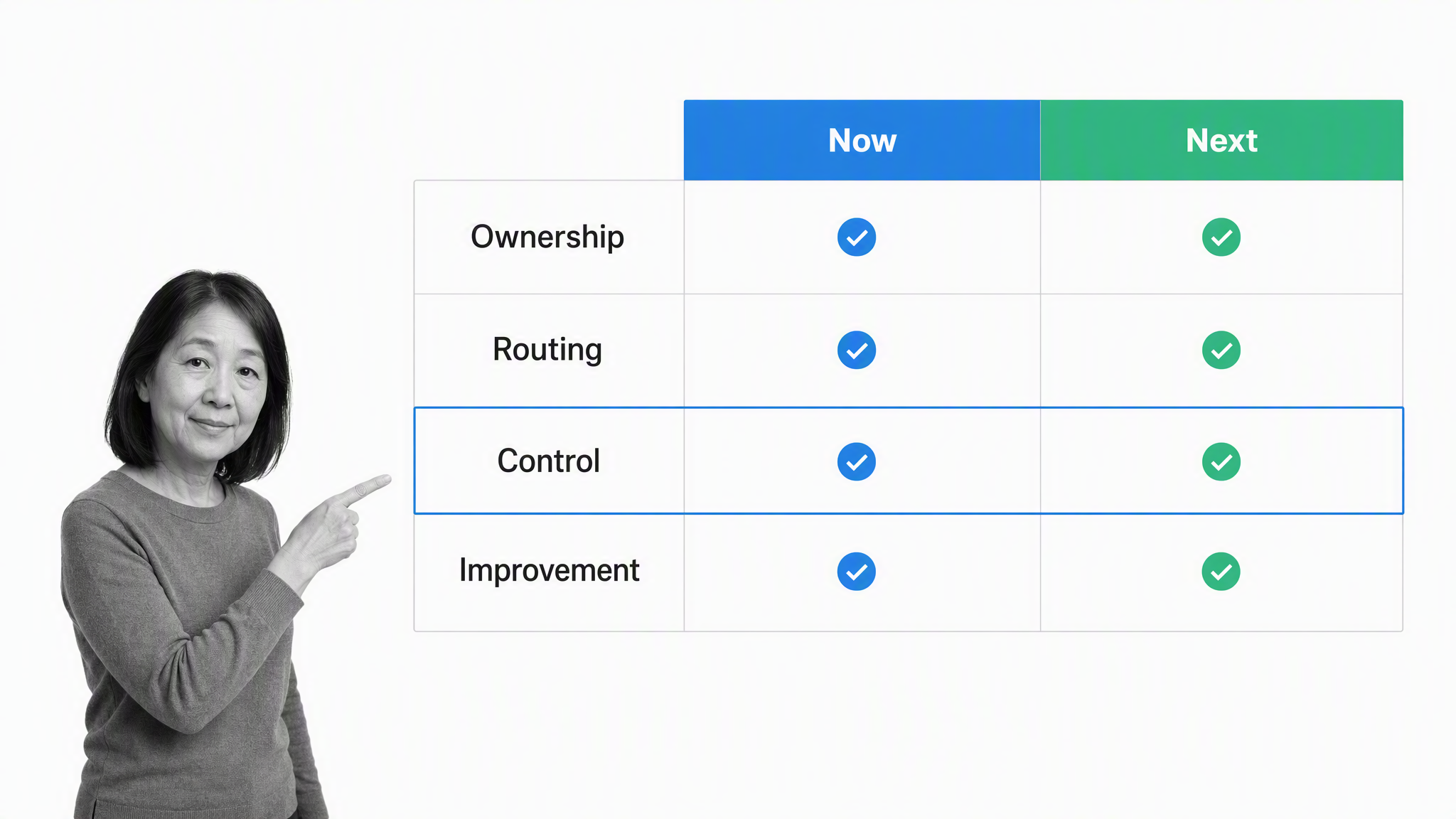
- Clear ownership: Contributors see their current and upcoming assignments, while managers can identify unassigned or overdue work.
- Consistent routing: Tasks, approvals, and exceptions follow defined rules instead of depending on someone remembering the next handoff.
- Faster follow-up: Notifications and escalation make blocked work visible before a missed deadline becomes a customer or compliance issue.
- Less repetitive work: Stable data transfers, notifications, and record updates can be automated once the process and exception path are understood.
- Better visibility: A shared view replaces status collection across private messages, spreadsheets, and meetings.
Long-term benefits
- Lower operational risk: Required instructions, approvals, and evidence reduce reliance on memory and make skipped controls easier to detect.
- Scalable execution: New teams can adopt the same controlled process while local rules appear only when the facts require them.
- Stronger resource planning: Run volume, cycle time, and bottleneck data help managers see where capacity or role design needs to change.
- Continuous improvement: Teams can compare the intended route with actual execution, test a change, and measure the result.
- Audit readiness: A durable history of assignments, decisions, timestamps, data, and evidence reduces the effort required to reconstruct what happened.
Do not treat every benefit as automatic. Poor instructions, excessive alerts, weak permissions, and automation without failure handling can make a process harder to operate. The software creates the structure; process owners still need to review the data, listen to participants, and correct the design.
For the first rollout, select three to five measures that reflect the actual problem. Useful examples include median completion time, percentage of work completed on time, approval delay, rework rate, missing evidence, exception rate, and participant adoption. Compare the same measures after several representative runs rather than after one ideal test.
Finding the most suitable workflow software for your team
Many products use the term workflow, but they organize work in different ways. Begin with the operating problem and the level of control it requires. A useful requirements brief answers seven questions:
- What business outcome should improve?
- What budget and buying model fit the organization?
- How large and distributed is the team?
- What three to five recurring problems must the software solve?
- Which instructions, approvals, integrations, data, and reporting capabilities are essential?
- Are the processes already mapped, or must the team discover them during implementation?
- How will volume, risk, systems, and team structure change over the next 12 months?
Convert the answers into two or three representative scenarios. Ask every shortlisted vendor to demonstrate those scenarios with realistic roles, exceptions, and evidence. That exposes operating-model differences that a generic feature matrix can hide.
During each demonstration, ask the presenter to make a change rather than showing only a prepared route. Add a conditional approval, reassign a task by role, update a field that feeds another system, and trace the result in reporting. Then introduce an exception such as missing data, a rejected request, or an unavailable integration. Observe what the operator sees, what an administrator must repair, and whether the history explains the decision.
Score the scenarios against weighted requirements. A team that manages regulated approvals may assign more weight to permissions, evidence, version control, and audit history. A service team may emphasize participant experience, assignment, due dates, and customer-facing tasks. An IT team may prioritize APIs, middleware, on-premise connectivity, and failure recovery. Use the same weights for every vendor and record assumptions where a feature requires a higher plan, custom work, or a separate product.
Finally, include administration and adoption in the evaluation. Estimate who will own workflow design, connection maintenance, access reviews, support, and reporting after launch. A flexible tool can still be a poor fit if the operating team cannot govern it consistently.
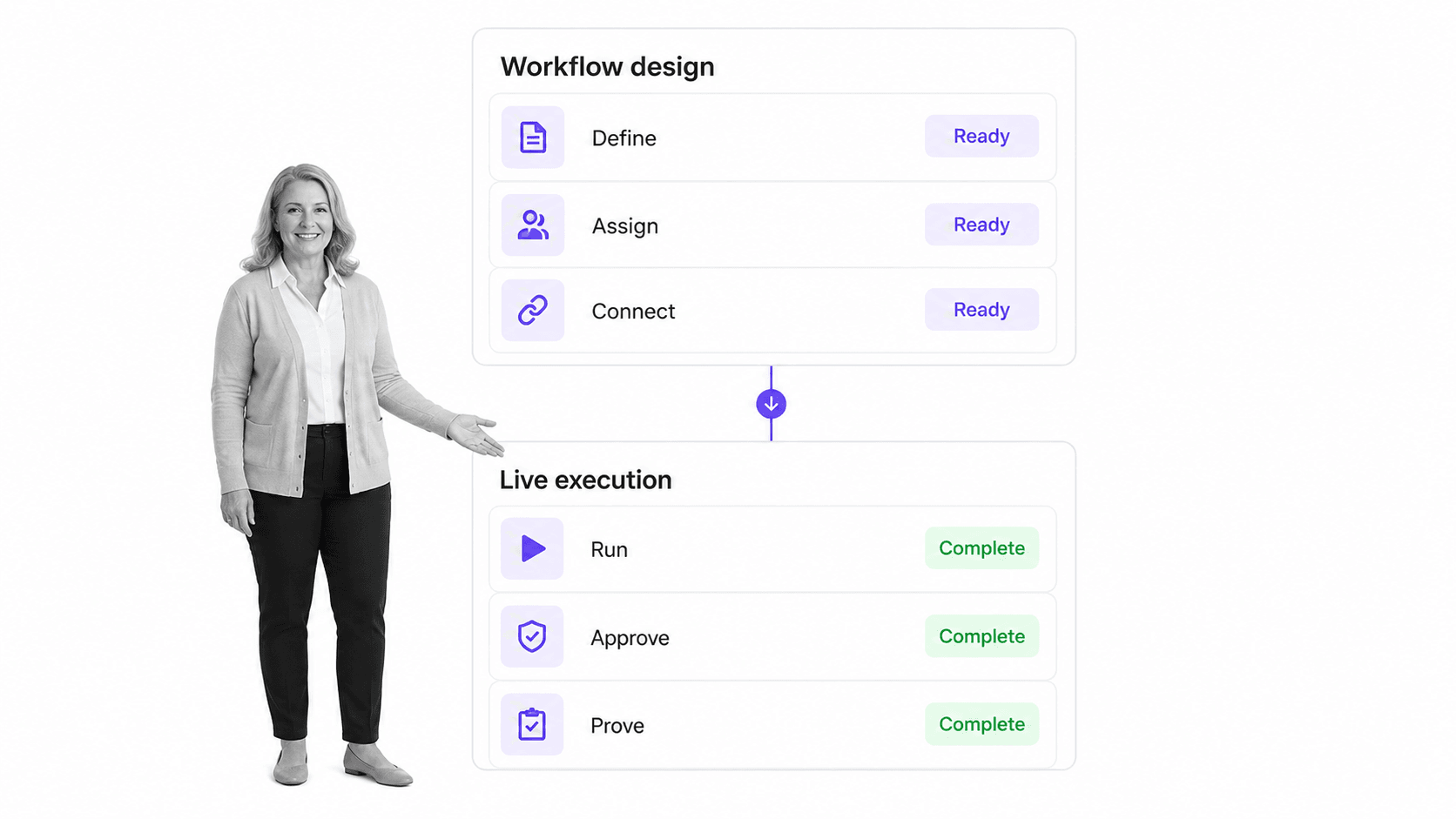
Choose the operating model before the brand
| Operating need | Best-fit category to evaluate | What to verify |
|---|---|---|
| High-stakes recurring operations | Executable process platforms such as Process Street | Instructions, forms, approvals, conditional routes, permissions, evidence, AI tasks, and execution history in one run |
| Stage and transition orchestration | BPM and IT orchestration platforms such as Qntrl | State transitions, parallel work, middleware, APIs, audit controls, and on-premise connections |
| Software and service delivery | Jira | Issue types, status rules, engineering or service workflows, automation, reporting, and ecosystem fit |
| Broad cross-functional project work | monday.com | Board structure, dependencies, dashboards, automations, workload views, and governance at scale |
| Microsoft-centered document and list workflows | SharePoint with Power Automate | Microsoft 365 identity, lists, approvals, document controls, connectors, and administration |
| Lightweight outlining and shared knowledge | Workflowy | Whether lists, boards, and mirrored information are enough without governed process execution |
A modern workflow from design to improvement
A tool should make the complete lifecycle easy to inspect. Use one sample process to test these six stages before committing to a platform.
Define the operating route
Start with the trigger, expected outcome, sequence, decision points, and evidence. Write instructions for the person doing the work, then add fields only where the information will guide a decision, support reporting, or update another system.
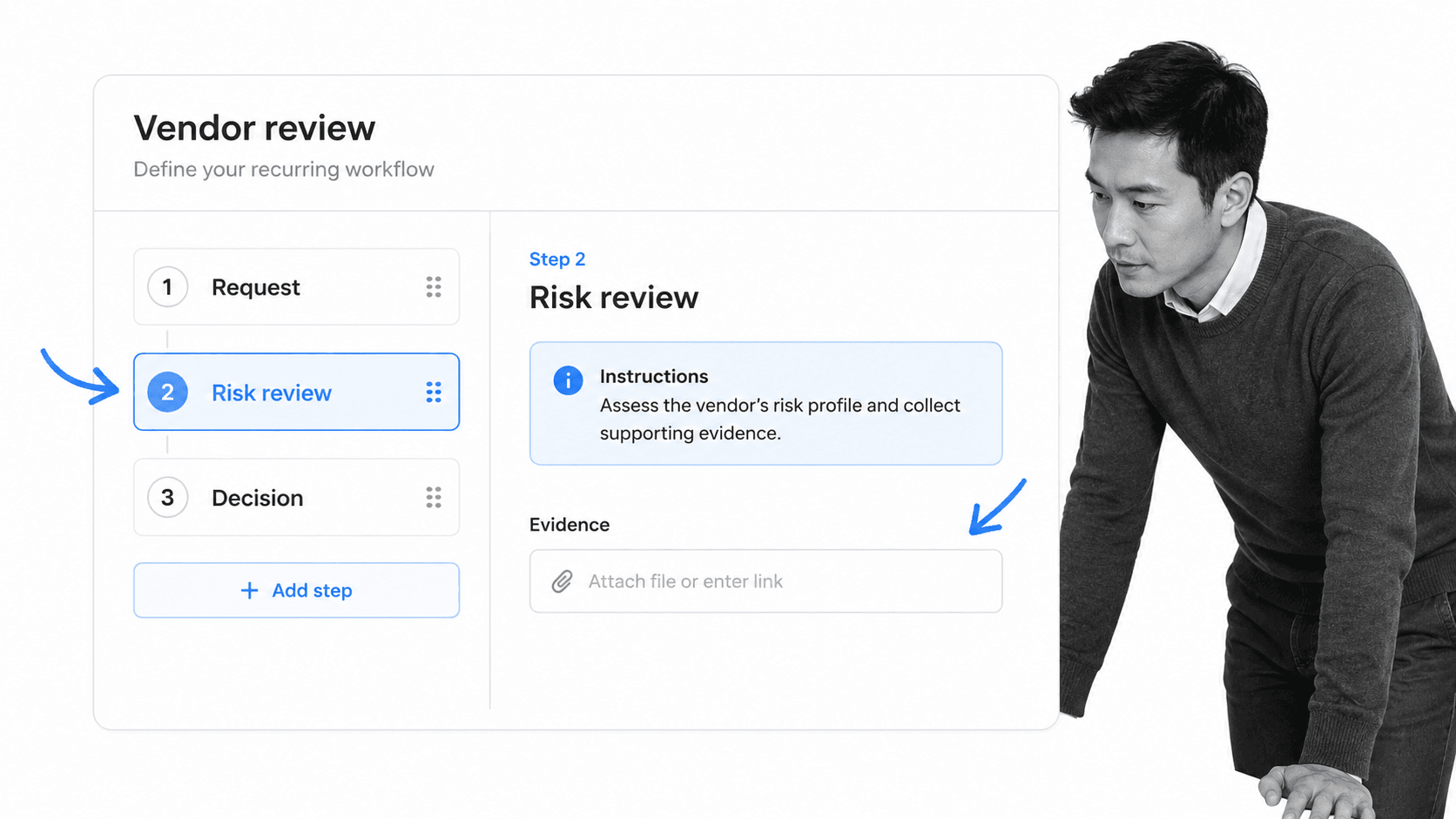
Keep the first version narrow enough to test. A vendor review, for example, can begin with request, risk review, and decision. Additional controls can appear through rules when the request carries higher risk.
Assign owners and approvals
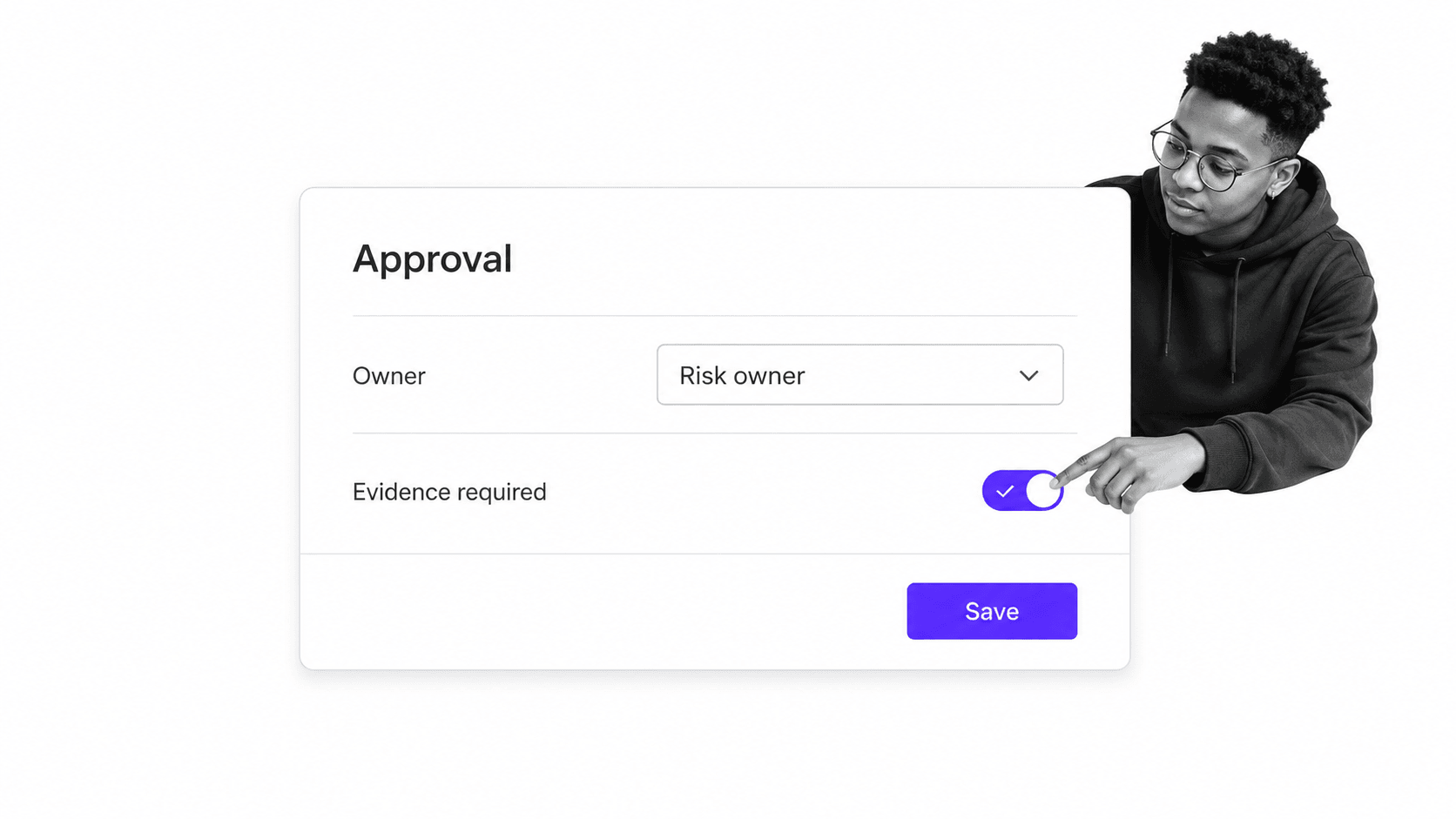
Assign every task to a person or role. Separate the person who prepares a decision from the person who approves it when the risk calls for that control. Define due dates, escalation, and the evidence required before an approval can be completed.
Connect systems and data
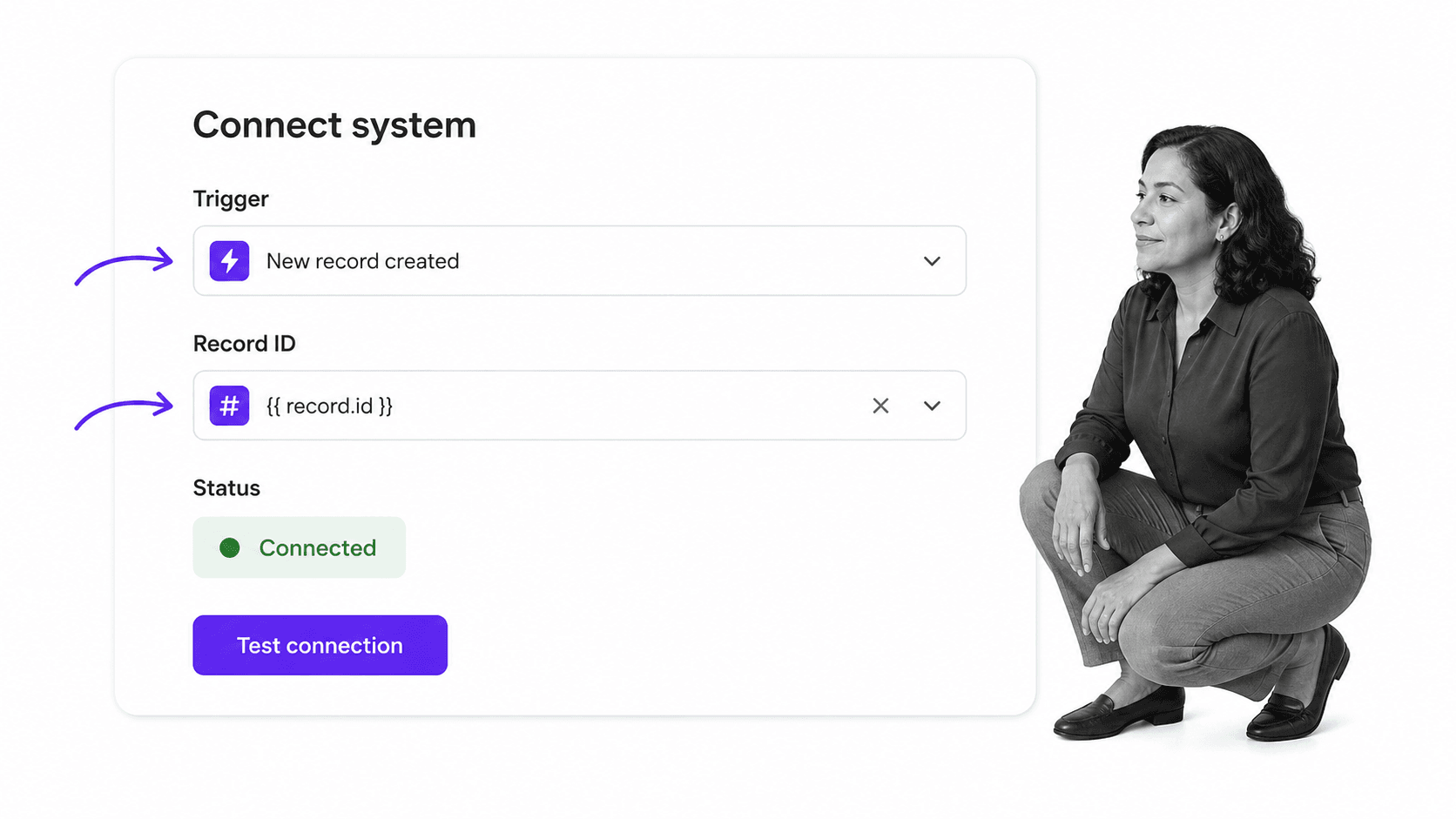
Map the fields that should arrive from a CRM, form, data set, or system of record. Test the connection with representative values, including missing or malformed data. Decide which updates can happen automatically and which require a human approval.
Run conditional work
Start a real workflow run and watch how the process behaves. Participants should see only the tasks relevant to their role and the facts collected. Branches should handle common exceptions without hiding why the route changed.
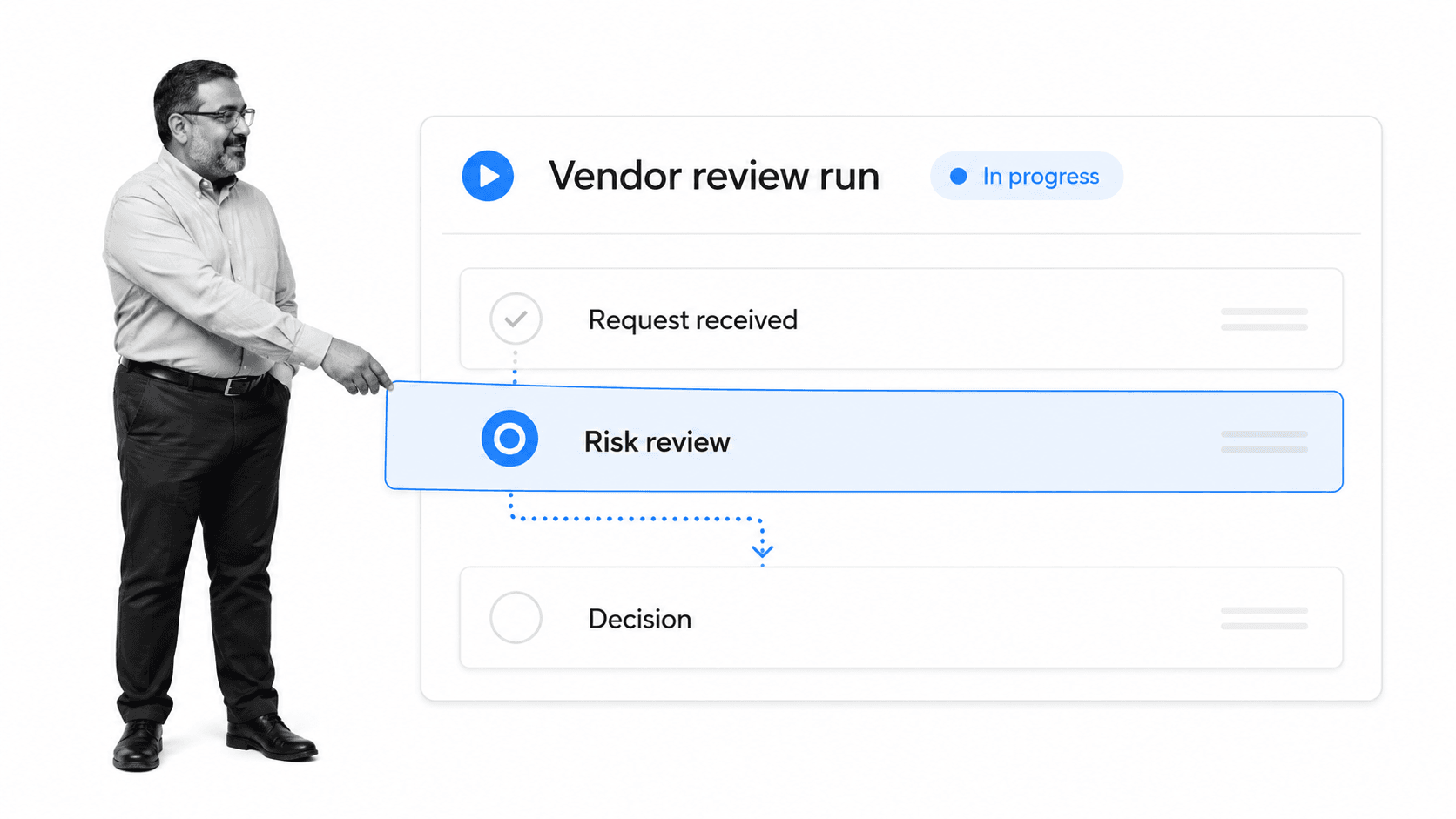
For a current product walkthrough, see the official Process Street overview and workflow-building videos:
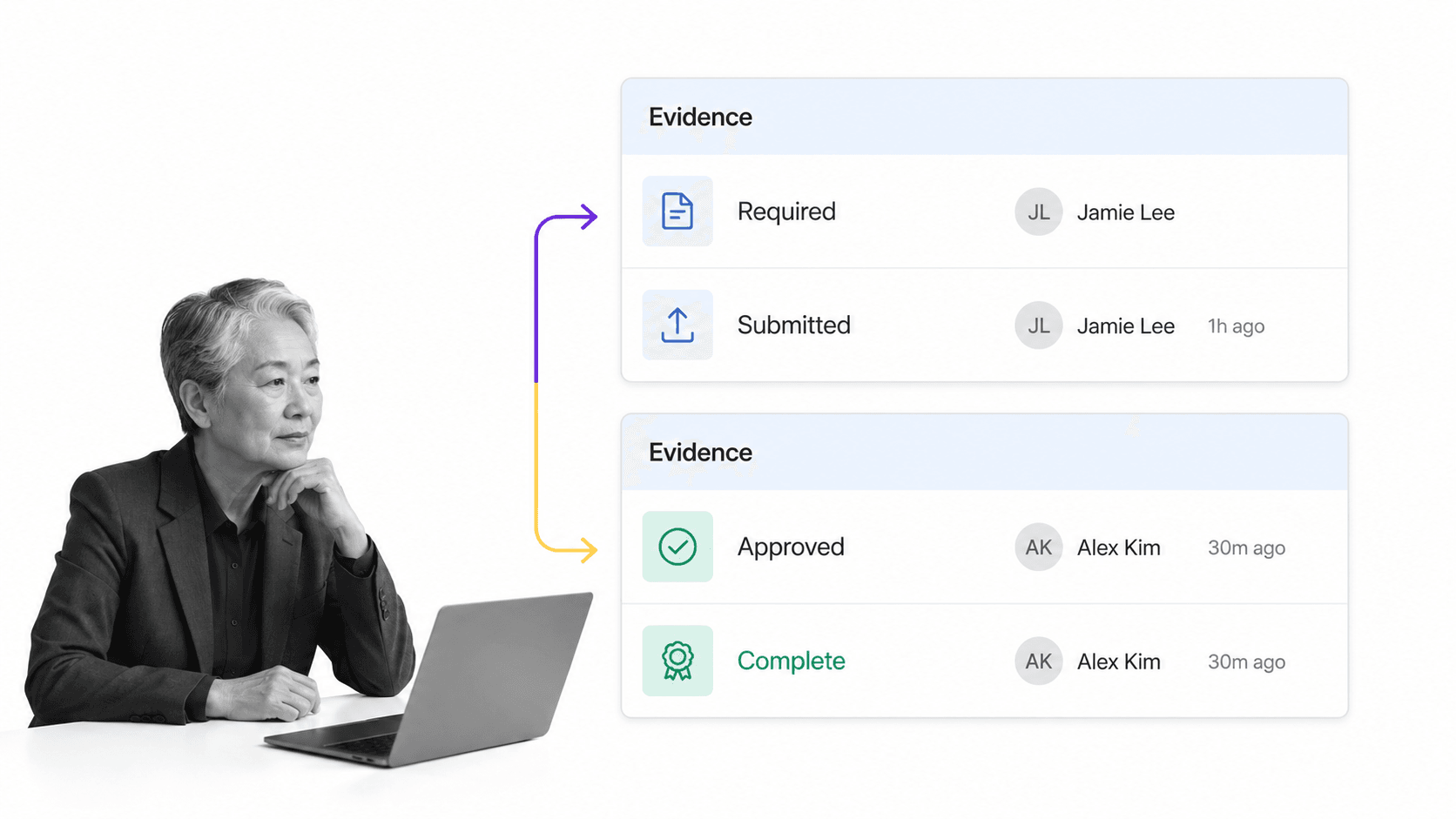
Monitor evidence and exceptions
Managers need to know which runs are on track, which are blocked, and what proof has been submitted. Review the record as if an auditor, customer, or executive asked what happened and why. If the answer still depends on private messages, the workflow does not yet contain enough context.
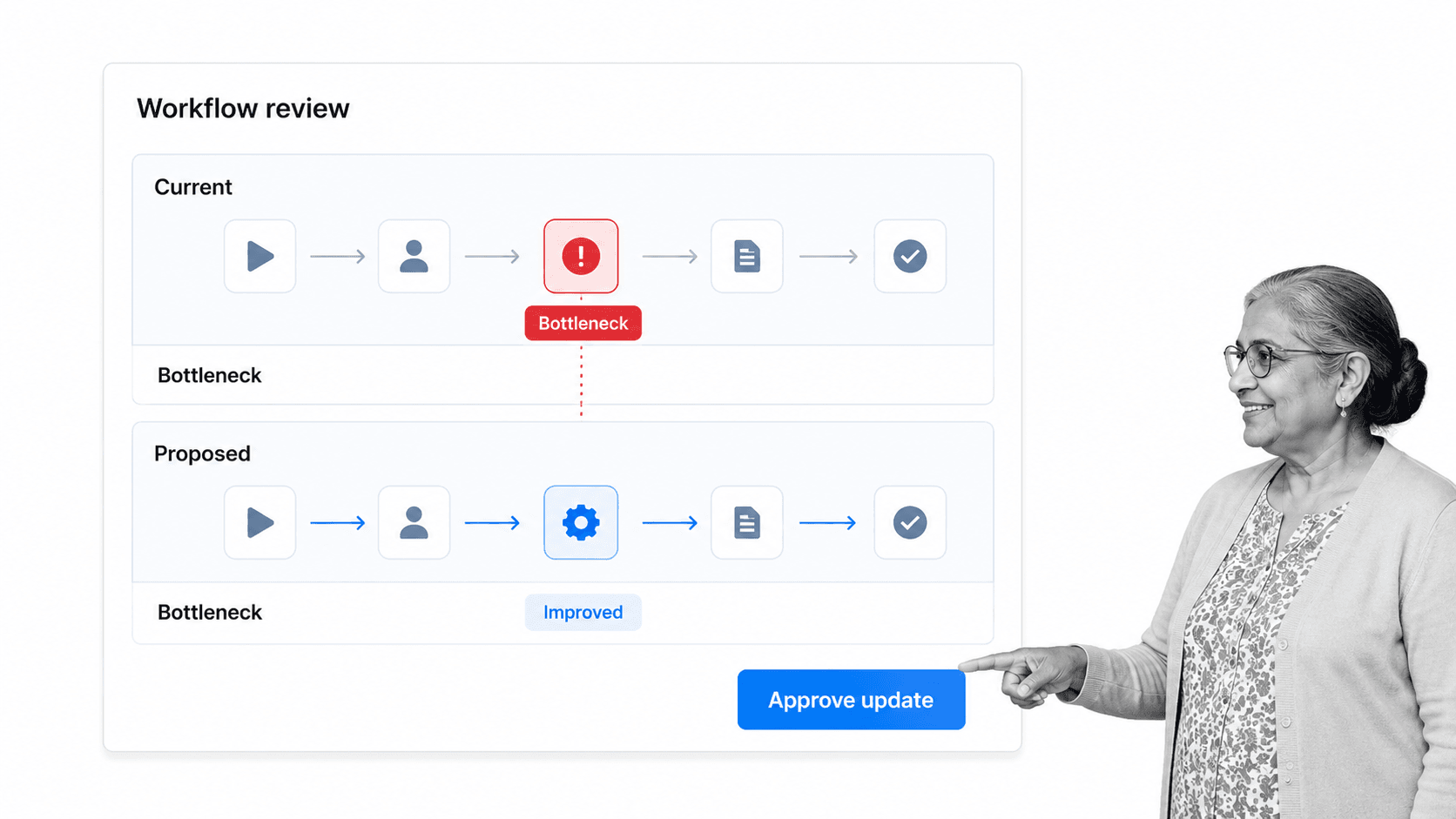
Review and improve
Use run data and participant feedback to identify bottlenecks, duplicate work, unclear instructions, and automation opportunities. Publish controlled changes, communicate them, and verify that active work follows the intended version.
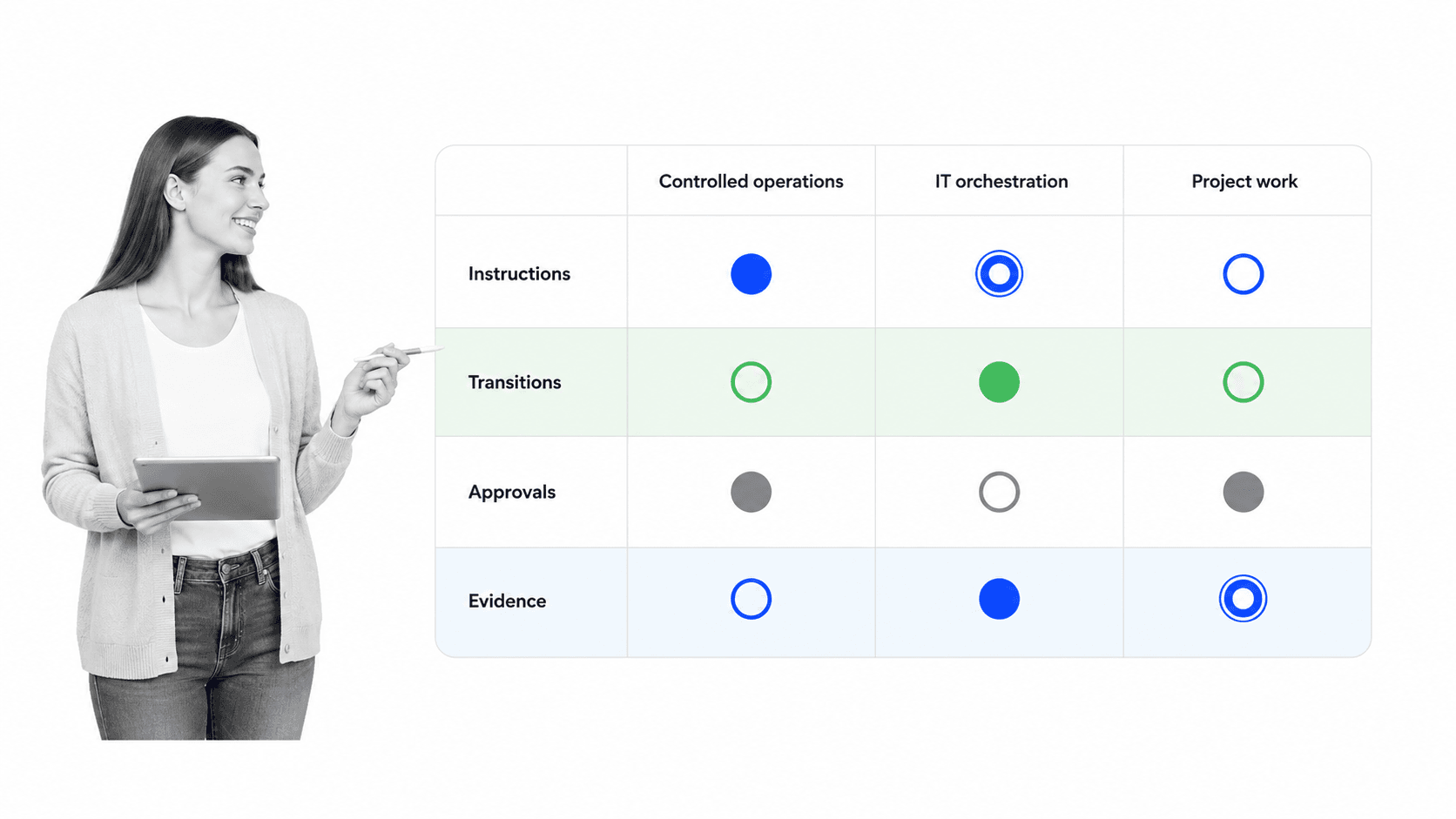
Qntrl vs Process Street: what should a workflow buyer compare?
Qntrl describes an enterprise platform for business process management, IT orchestration, and middleware. Its Blueprint model emphasizes stages and transitions, while its documentation covers approvals, SLAs, audit trails, APIs, webhooks, scripts, and connectivity to on-premise systems. Qntrl also supports parallel and common transitions when work must move across multiple teams or reach the same action from several stages.
Process Street is an agentic process automation platform for high-stakes operations. It brings task instructions, forms, conditional logic, approvals, role assignments, integrations, AI tasks, evidence, permissions, and execution history into the workflow run. The practical distinction is the operating model a team wants to control.
| Compare | Process Street emphasis | Qntrl emphasis |
|---|---|---|
| Primary execution model | Recurring operational workflows with detailed task instructions and structured data capture | Blueprint stages and transitions for BPM and orchestration |
| Human control | Assignments, approvals, conditional tasks, permissions, and evidence inside each run | Transitions, approvals, SLAs, audit trails, and parallel paths |
| Systems work | Direct integrations, AI-built connections, webhooks, API access, and actions linked to operational tasks | Middleware, APIs, webhooks, scripts, and Qntrl Bridge for on-premise connectivity |
| Buying model | Custom-quoted plans | Published plan pricing and feature tables |
| Best evaluation question | Can operators complete the work, decision, and proof in one controlled record? | Can the process move reliably through the required states, transitions, and connected systems? |
Do not pick a winner from a single pricing row or feature count. Qntrl’s own pricing sources currently disagree about one Standard-plan workflow limit, so that number is excluded here. Test the same process in both systems and compare setup effort, exception handling, participant experience, evidence, administration, and reporting.
Workflow management software in your existing stack
Workflow management software should coordinate the work that moves across your systems, not force every system to become the process. Define which platform owns the workflow, which applications remain systems of record, and which events should pass between them.
Start with controlled execution
In Process Street, a trigger can start a run, an integration can prefill known data, an AI task can classify or summarize information, and a human approval can gate the next system update. The workflow keeps the instructions, decision, evidence, and history together while connected tools continue to perform their specialist roles.
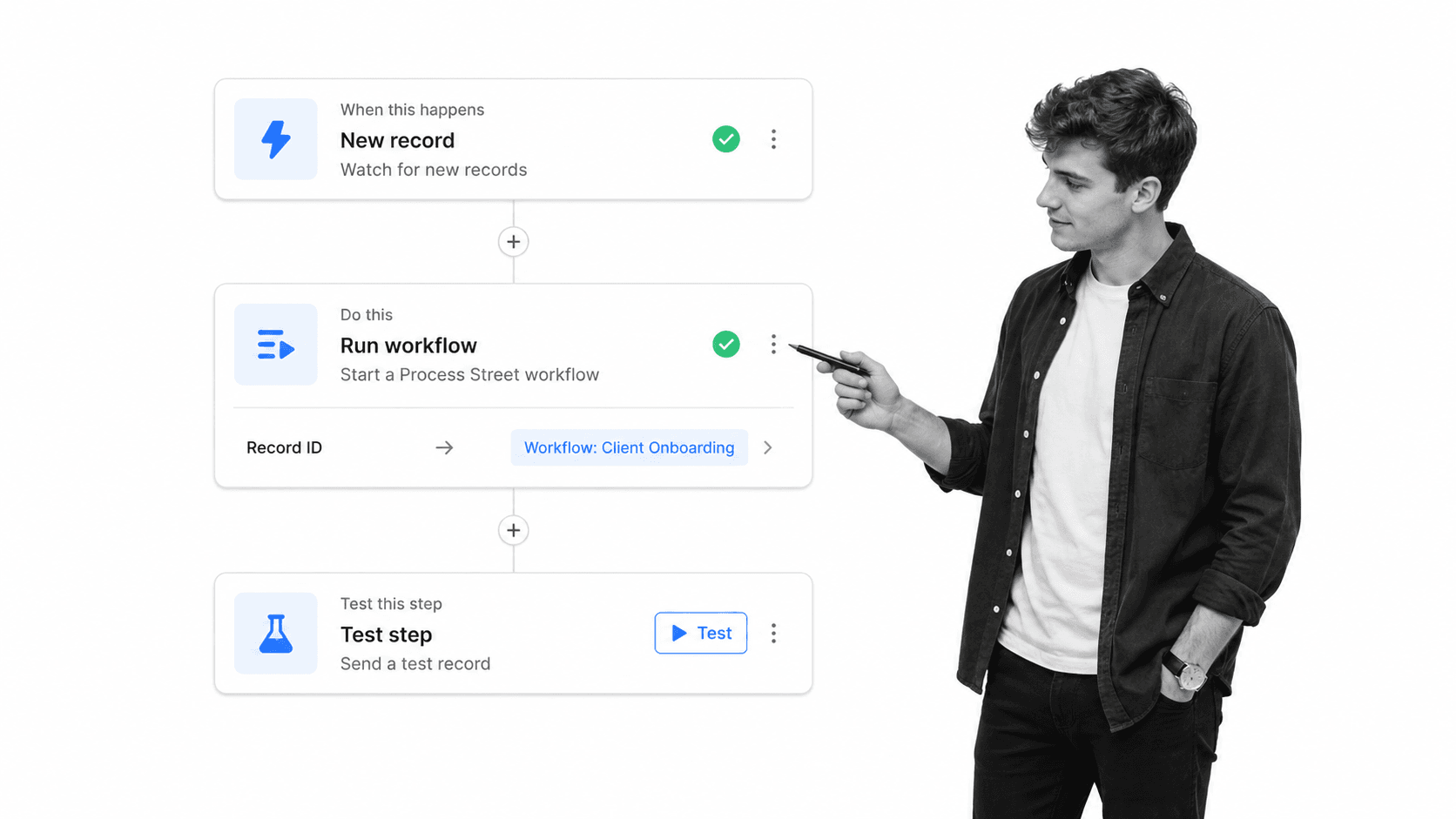
Use native connections, the API, webhooks, or an automation layer according to the reliability and control the process needs. Zapier remains useful when a team wants a connector-based automation layer across many cloud applications. Build and test each route with realistic data, name the owner, and define what happens when a connected action fails.
Keep operational data structured
Airtable can serve as a structured data and lightweight operational-app layer. A workflow can create or update a record, request a review, and carry the result back to the base. The process platform should still show who made the decision and which evidence supported it.
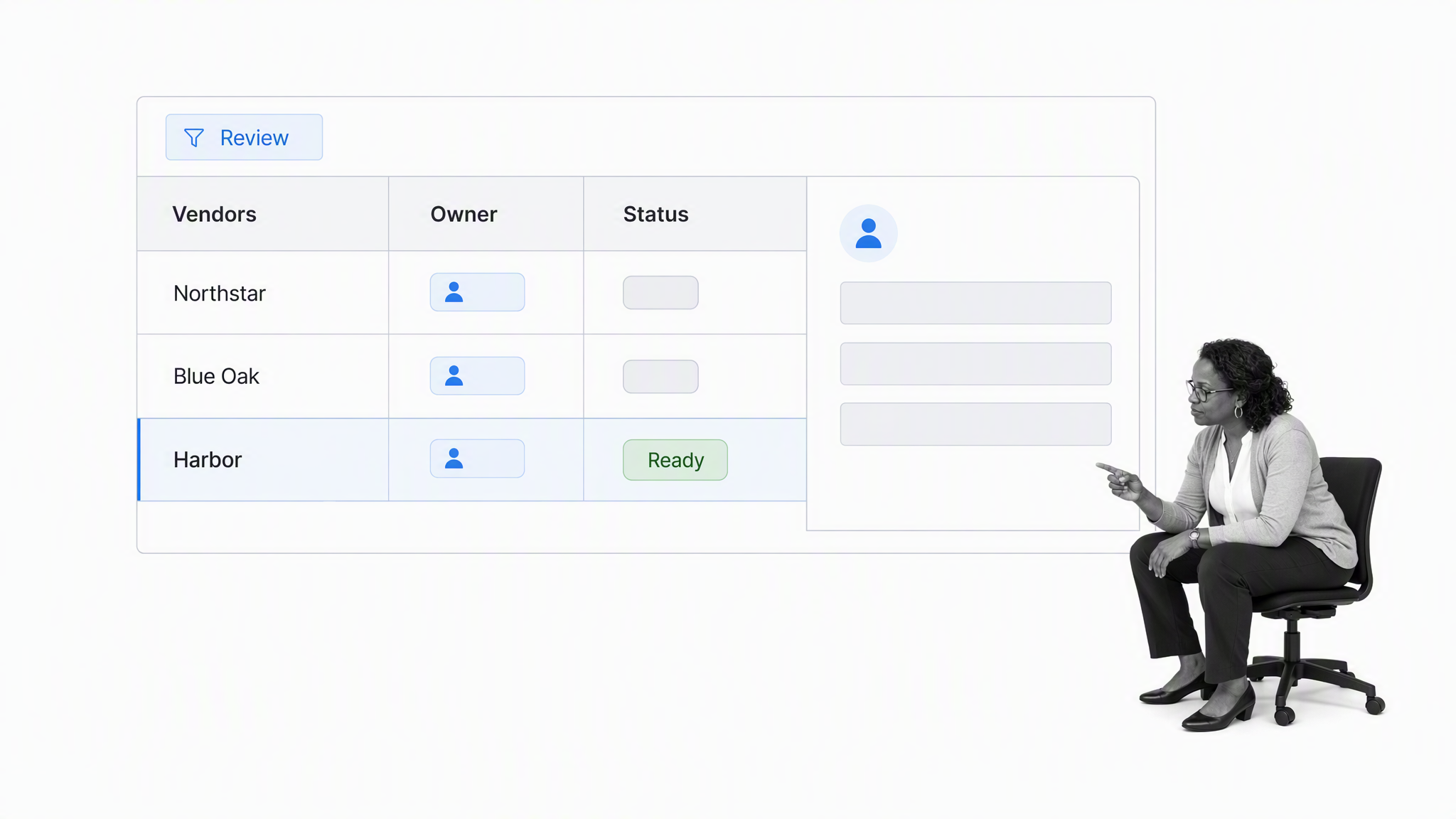
The same principle applies to a CRM, HRIS, ERP, ticketing system, document repository, or data warehouse. Avoid copying every field into every tool. Pass the stable identifier and the values required for the current step, restrict sensitive information, and log the result of consequential actions.
A strong integration design answers five questions: What starts the workflow? Which system owns each field? Which actions can run automatically? Where is human approval required? How will the team detect, retry, and document a failure?
The application of workflow management software in various industries and functions
The sections above define the core capabilities, compare operating models, and show how workflow software fits into an existing stack.
These workflow software examples show how the same capabilities apply across departments and industries.
Each use case is paired with a customizable Process Street workflow template that you can adapt to your team’s requirements.
Treat each template as a starting point. Add owners, rules, approvals, evidence, and integrations that match the real operating environment.
Retail
Let’s say you manage a bunch of retail stores across the US, this could be as little as 5 stores or as many as a few thousand. The figure is not important.
What is important, however, is that each of these stores are run the same way on a daily basis.
One daily workflow that is essential to this consistency is the opening of the store every morning.
From making sure the individual opening the store has arrived on time, to turning on electronic systems and assigning daily duties, a number of tasks need to be performed in good time to ensure smooth operation of the store.
Accounting
Accounting is a business function in which slip-ups due to human error simply cannot happen, as it can have severe repercussions for an organization financially, legally, and in terms of their reputation.
The workflow template library includes accounting patterns ranging from onboarding accounting staff to invoicing clients. Adapt the template to the organization’s controls and system of record.
The template below is an accounts receivable process that is designed to help you efficiently manage incoming payments and, well, help you get paid as fast as possible!
There is conditional logic built into the template that will automatically change the list of tasks depending on whether or not you have worked with this particular buyer before and whether they are purchasing goods or services.
Connected workflows can pass approved accounting data to systems such as QuickBooks Online or Xero. Verify the exact recipe and field mapping before putting the automation into production.
Keep the accounting platform as the financial system of record while the workflow captures assignments, approvals, and supporting evidence.
Automate stable transfers first, then monitor failures and reconcile the result in the accounting system.
Sales
Sales is, of course, a big one when it comes to workflows.
A sales process will go through various stages of the buyer’s journey that have been defined by sales managers, along with specific tactics and guidelines for salespeople to follow at any given stage.
Within each stage, there are various other workflows that can be defined, documented, and managed for high levels of productivity and streamlined sales execution.
These workflows include qualifying a lead, creating a compelling pitch deck, presenting a demo, and ultimately handing over a new customer to the customer success team.
The MEDDIC workflow below helps a sales team evaluate metrics, the economic buyer, decision criteria, decision process, pain, and a champion through a consistent qualification process.
Connect the approved sales outcome to the CRM only after the team has verified record ownership, required fields, and the error path.
Software Development
When your company’s software team is deploying an update, bug fix, or any other kind of refinement of code, it’s important that the deployment process is executed properly to avoid creating more bugs than you started with!
A collaborative deployment workflow makes preparation, testing, approval, release, and rollback responsibilities visible before a change goes live.
Real Estate
A published case study describes how property-management firm Dodson used Process Street to manage 3,500 homes. Treat it as historical proof of the operating pattern, not a current customer-volume claim.
The workflow below addresses tenant screening, a consequential property-management process that requires consistent collection and review of information.
If the landlord being represented feels confident that you are bringing in the most suitable people, you are off to a great start and setting the foundation for a long and fruitful relationship.
This is, however, easier said than done.
While it is naive to believe you will onboard the ideal tenant every time, there are ways of maximizing the chances of consistently finding and onboarding excellent tenants you can trust.
Marketing
A core component of marketing is content. Publishing useful content across a blog, video, social, and email channels requires repeatable reviews if a team wants consistent quality at higher volume.
When you or a content marketing team member is writing up a blog post, there are certain steps that need to be completed before the article is ready to be published.
The blog post creation workflow includes important tasks like checking all links are working properly, ensuring the presence of media like images and video to supplement text, SEO, HTML checks, and more.
A publishing system or project board can start the pre-publish workflow when an article enters review.
For example, moving a card into a review stage can start a workflow run with the article identifier and owner already populated.
Keep the editorial decision and supporting evidence in the workflow, then update the publishing or project system after approval.
Human Resources
In the world of human resources, there are few workflows, if any, that are more important than employee onboarding.
Although a formal, documented process is incredibly valuable, of course, the ultimate goal is to focus on the people as much as possible and not spend valuable time entering information digitally.
Therefore, the priority when it comes to establishing an employee onboarding workflow should be to keep it simple, actionable, and flexible so that it can be easily tailored to the needs of each individual new hire, as personalization is an increasingly important component of first-class onboarding.
This guide includes six employee onboarding workflows that can be adapted into a formal process.
The workflow below guides a new hire from preparation before the first day through the end of the first month.
A connected HR system can start the workflow and prefill approved employee data. Keep access, sensitive fields, and failed updates under explicit control.
Client Onboarding
Another important pattern is client onboarding.
Initially, the primary goal of an effective client onboarding is to make the handoff from sales to customer success as smooth as possible, swiftly followed by a welcome packet and cadenced education by the account manager to demonstrate best practices in a way that is tailored to the client’s specific needs.
The client onboarding guide includes workflow patterns that can be adapted to different service models.
The workflow below is designed for a marketing agency. A verified CRM event can start a workflow run and populate the customer data required for the sales-to-service handoff.
Automation can assign tasks, attach approved files, and notify owners, while human review remains available for exceptions and consequential decisions.
A 5-step process for effective workflow implementation
We’ve taken a high-level look at eight useful workflow patterns across industries, departments, and functions.
Now we’re going to dive into a straightforward 5-step process you can follow to effectively implement your workflows so they bring the benefits you are expecting them to bring.
Map out your current workflows
The first step is to map out your current workflows so that you can clearly see what you are dealing with and evaluate the best ways to optimize the process, make it flexible, and implement it in a way that strongly encourages user adoption.
There are numerous software tools available to help you map out your workflows.
Here is a short list of a few that have received great feedback from users:
Choose the simplest notation that the people who run and review the process can understand.
UML and BPMN are two popular methods for process modeling (basically an extension of process mapping), for which we have written in-depth tutorials. You can access the tutorials by clicking on the respective links.
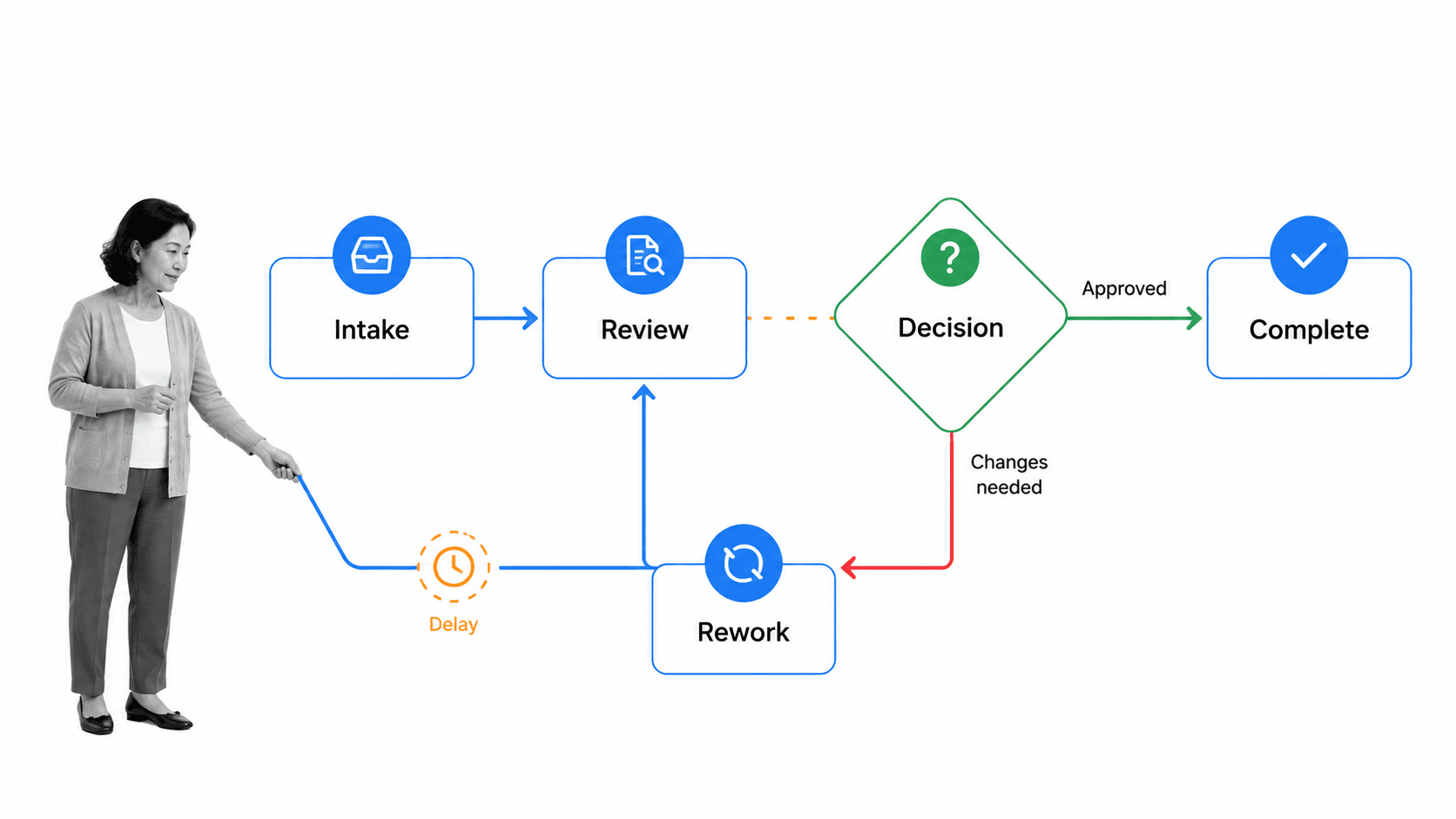
For a deeper explanation of the distinction between process mapping and process modeling, see A Practical Guide to Increase Productivity with Process Mapping.
When mapping out your workflows, one of the most important things to remember is that processes need to be simple if they are expected to be followed consistently by all team members, especially new hires who need to be ramped up as quickly as possible.
While some workflows, particularly at the enterprise level, can naturally be incredibly complex, managers should always be asking themselves how they can distil them in a way that makes them easy to understand and follow.
Evaluate the sequence of tasks
Once you’ve mapped out your current workflow(s), ask yourself:
- What works well?
- Would it work better in a different order?
- Is it flexible enough?
- Are expectations clear to avoid misunderstanding?
- Are any steps being duplicated?
- Are certain steps even necessary?
- Could some steps be automated?
Identify the flaws and potential flaws in your workflow, writing everything down so the points can be discussed with decision-makers and addressed to optimize the workflow.
Educate and collaborate with decision-makers
Nothing can be implemented without the approval of decision-makers. Ideally, you want not just their approval, but their full backing and assistance in ensuring the workflow is successfully implemented.
In order to get this level of support, you need to communicate the value of the workflow and work alongside them so they feel confident that the workflow will achieve what it is intended to.
The information you share with them should also be passed onto individual team members. The idea is to get everyone on the same page, working towards the same goal.
By being fully transparent and educating stakeholders on the benefits of implementing a particular workflow, the chances of success will be much higher.
Refine the design
This step is all about resolving the issues and shortcomings that you identified in step 2.
Get rid of any redundancies in the workflow. Determine if any steps/tasks could be consolidated to eliminate unnecessary work, and if other tools in your tech stack can be integrated into the workflow to improve efficiency.
Consider doing some testing with a small team for a week or so and evaluate how effective it was. Prior to full implementation, there is nothing better than testing when it comes to identifying opportunities for refinement.
Define a controlled pilot before expanding
A pilot should be small enough to observe but important enough that improvement matters. Choose a recurring process with a clear owner, a manageable participant group, enough volume to produce representative runs, and a problem the team can measure. Avoid making the first pilot the most politically sensitive or technically entangled process in the company.
Document the baseline before the new workflow starts. Record recent completion times, overdue work, approval delay, rework, exception rate, missing evidence, and the effort spent collecting status. The baseline does not need to be perfect, but the definitions must stay consistent before and after launch.
| Pilot decision | Question to answer | Evidence to keep |
|---|---|---|
| Scope | Which trigger, outcome, roles, and common exceptions are included? | Approved process map and explicit exclusions |
| Control | Which tasks, approvals, permissions, and records are mandatory? | Workflow design, role map, and evidence requirements |
| Integration | Which systems provide or receive data, and who owns each field? | Field mapping, credentials owner, test results, and failure route |
| Adoption | Do participants understand why the process changed and how to use it? | Training record, feedback, and support questions |
| Success | What result justifies keeping, changing, or expanding the workflow? | Baseline, post-pilot measures, exceptions, and review decision |
Test the normal path, at least one exception, a rejected approval, missing data, a late task, and a connected-system failure. Confirm that the right people can see and edit the right information. Then ask a participant who did not design the workflow to complete a run using only the instructions provided.
At the review, separate product configuration issues from process-design issues. A delayed task may indicate a missing reminder, but it may also reveal that the assigned role lacks authority or capacity. Fix the underlying cause, publish a controlled revision, and repeat the test before adding departments or higher-risk work.
Expansion should follow a reusable operating pattern: named process owner, approved design, tested connections, role-based access, measurable controls, participant training, support ownership, and a scheduled review. That discipline makes the next workflow faster to launch without turning the library into a collection of inconsistent automations. Record the expansion decision, its evidence, its owner, and the next review date so later changes begin from an explicit operating agreement.
Review and reinforce
Immediately following implementation, continuously monitor and review your workflow to stay informed on how it’s being followed by employees.
Set a review cadence based on process risk, run volume, and the rate of operational change. Use each review to resolve exceptions, confirm controls, and approve improvements.
It’s also incredibly important that you collaborate with team members utilizing the workflow on a daily basis and encourage participation in process improvement initiatives.
Continuous improvement to processes is simply not possible without open and honest communication between the whole team.
Do you have a process in place to involve team members, evaluate feedback, and implement changes efficiently?
Two useful practices are:
- Use a variety of communication methods to involve other employees. Beyond just sending them an email, create internal newsletters, lunchroom posters and a Slack channel dedicated to process improvement.
- Identify process improvement champions who can answer questions, collect feedback, and model the new way of working.
Workflow automation for better execution
Automation can reduce handoff delay and repetitive data entry, but it should follow a clear process design and preserve control around important decisions.
For deeper guidance, use these current resources:
- The Ultimate Guide to Business Process Automation
- Workflow Automation: Guide, Examples, and Best Practices
Select an automation only after the owner, trigger, inputs, exception path, and expected result are clear.
Process Street also provides built-in rules and automation features that can streamline a workflow without requiring a separate connector for every step.
Conditional logic
Conditional logic is a powerful feature that allows you to create truly dynamic workflow runs with if/then logic that adapts to your team’s changing needs as a certain workflow progresses.
When a decision point is reached in your workflow, the process will branch out to different activities depending on which decision is made. That is precisely what conditional logic enables you to do, so the workflow run will automatically adapt to the situation as decisions are made.
For example, if you are a property manager screening a prospective tenant, once you have reviewed their details, track record, and overall suitability, you will decide whether or not to accept them as a new tenant. Depending on this decision, you will either contact them with an acceptance message or one that politely rejects their request to rent your property.
In the Process Street tenant screening workflow, you will enter your decision using a drop-down form field and then conditional logic will instantly change the following task(s) to present you with the appropriate next step.
Form field variables
Variables can be added to task content, emails, and connected actions, providing an easy way to display information that is unique to each workflow run.
Variable information could include the workflow run name, created date or data that was inputted into a form field in that specific workflow run either manually or via our direct, agentic integration framework.
This lets you automatically surface any information that might be required to complete a specific task.
For example, if you record a client’s email address using a form field, you could set up a sample email and then push their email address into the “To” field.
That way, the email is automatically populated instead of having to copy it from the form field into your email client. If the email is changed or even updated, the sample email will always be sent to the right place.
Run links
A workflow run link starts a new run from a specific workflow when someone clicks it.
This lets a contributor start the correct workflow without opening the editor or navigating the template library.
Six practical uses for a workflow run link are:
- Send to a member of your team in chat
- Store in a controlled document for quick workflow launching
- Send to a customer automatically to complete via email
- Send as a survey to your email list
- Use to link together multiple processes
- Integrate with other apps such as your CRM or Support System
Integrating your workflow run links with other apps makes them even more useful.
For example, you could integrate the link with your CRM in order to automatically populate the new workflow run with data such as your client’s name, company, email address, etc.
Overcoming two main challenges of workflow software integration
Two challenges deserve explicit planning when a team introduces workflow management software:
Disruption to current processes
The key to overcoming this challenge is to start small.
Take as much time as you need testing the workflow to ensure everything is working as expected and users understand how to execute the workflow properly.
It’s also essential to make sure all power users of the software have participated in a comprehensive training program to gain a solid understanding of how to use the product and why it is a valuable tool for the company’s growth.
Once you have conducted sufficient testing, documented results and ideas for optimization, and all power users have undergone sufficient training on using the software, then you can begin expanding into other processes, teams, and departments.
Workflows are, in many ways, the backbone of business operations, so the last thing you want is to disrupt the way things get done when the intention is to improve it.
In one word, the solution is preparation.
Lack of user adoption
This is the big one.
Setting up and building out your workflow software is only half the job. The other half is convincing your team members to properly and consistently follow formally documented processes.
The key here is to involve your employees throughout the process of designing, creating, managing, and optimizing workflows.
Make it a team activity where collaboration is encouraged and input from team members is valued and discussed with managers.
This participation gives employees a useful channel for feedback and improves adoption because the workflow reflects how the work is actually performed.
The result is a process that is easier to understand, execute, and improve.
For more on employee involvement, see how to involve your employees in process design and improvement initiatives.
Choose one important recurring process, establish a baseline, test the workflow with the people who perform it, and improve the design from real execution data before expanding it across the organization.
Workflow management software FAQ
What is the difference between workflow management and project management software?
Workflow management software standardizes repeatable work, including tasks, rules, approvals, data, and evidence. Project management software plans and coordinates work toward a time-bound outcome. Many products overlap, so evaluate the execution model against a real recurring process.
Can workflow management software connect to existing business systems?
Yes. Common connection methods include native integrations, connector platforms, webhooks, and APIs. Decide which system owns each record, restrict the data passed between tools, and include failure handling and monitoring in the design.
Which workflow tasks should be automated first?
Start with high-volume, rules-based steps such as data transfer, notifications, record creation, routing, and document generation. Keep a person in the loop for ambiguous, regulated, high-impact, or exception-heavy decisions until the control and evidence are proven.
How should a team evaluate a workflow management rollout?
Measure completion time, overdue work, rework, exception rate, approval delay, adoption, and evidence quality against a baseline. Start with one valuable process, review the results with participants, correct the design, and expand only when the operating pattern is reliable.
The post The Best Workflow Management Software: Everything You Need to Know first appeared on Process Street | Compliance Operations Platform.


0 Commentaires