Finding someone’s email address means pairing their name with their company domain, working out the likely address format, and confirming it with an email lookup tool that shows where the address came from and how confident it is, before you hit send. When we tested 9 email lookup tools against addresses we already knew, Hunter came out on top, and its results held up with 92% accuracy across a real 450-email outreach list.
Below you’ll find the test, the results for every tool, what each one is like to use, and a simple way to find and verify email addresses for free.
We need to find email addresses for the launch in 2 weeks – about 400 should do.
Damn…
Nobody likes to hear that the next week of their time will be spent researching, selecting, and verifying hundreds of email addresses. It’s boring enough to make you complacent, but any mistakes are costly.
In other words, it’s one of the tedious marketing processes which we all love to hate.
After all, 400 emails are no good if they’re all blocked by spam filters.

We knew there had to be a better way than Googling the target audience, so we tested 9 email lookup tools and found one with 92% accuracy.
Not only that, but the test revealed why many of these tools are worse than they first appear.
But enough about that – let’s get to the testing.
The test to find email addresses
Without a consistent test there’s almost no benefit to trying out these tools at all – you can’t judge one tool better than another unless it has the same gauntlet to run.
So, to put these tools through their paces we tasked them with finding email addresses we already knew. That way there’s no uncertainty as to how accurate the tools are.
The 5 people we used were:
- Justin Mifsud from UsabilityGeek
- Benjamin Brandall, then at Process Street
- Bryan Clark from The Next Web
- Ina Fried, then at Recode
- Mike Butcher, then at TechCrunch
Justin’s email is private but UG’s is very public, and the other 4 had emails tied to their company domain, but with varying degrees of publicity. Ben, Bryan, and Ina all had Google results pointing towards their correct work email address, while Mike had his displayed in his LinkedIn bio.
6 email lookup tools tested
Six tools got the full five-person test. The rest are covered in the honorable mentions section, because they serve different purposes than pure email lookups.
The tools we focused on were:
- Slik Prospector
- RocketReach
- Hunter
- Clearbit Connect
- Email Format
- Voila Norbert
Here’s how they compare at a glance. A tool scores on feedback when it shows where an address came from or how likely it is to be correct.
| Tool | Correct emails found (of people tested) | Shows sources or confidence | Status |
|---|---|---|---|
| Hunter | 5 of 5 | Yes: sources, confidence score, built-in verifier | Active, free plan available |
| Voila Norbert | 4 of 5 | Partly: verification sold separately | Active, free trial leads |
| Slik Prospector | 3 of 5 | No | Shut down |
| Clearbit Connect | 3 of 5 | No | Shut down April 30, 2025 |
| RocketReach | 2 of 3 (free plan limit) | No | Active, small free tier |
| Email Format | 1 of 5 | Partly: format confidence only | Active |
Let’s get started.
Slik Prospector
Slik Prospector was a Chrome extension which let you gather people’s email addresses through their LinkedIn profile. You clicked the extra button Slik created on their profile, and there you had the person’s email ready to go. Slik Prospector has since shut down (its website no longer resolves), but its results are still the clearest lesson in this test.
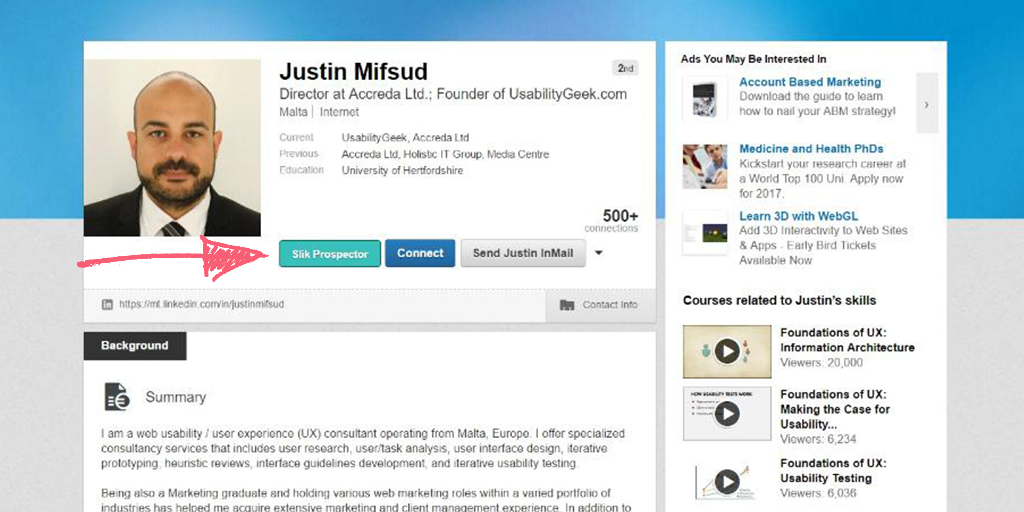
Boasting a 95% deliverability rate, Slik gave us high hopes. It was easy to use, had plenty of glowing comments on Product Hunt, and could export the leads you found to a CSV file.
New accounts got a small batch of free verified lookups (if an email wasn’t found, it didn’t count), with paid credit packs after that.
Test results
In the core 5 tests Slik did pretty well, with an 80% deliverability rate and 60% success rate:
- Justin – failed to deliver, but he doesn’t have an email address tied to his company’s domain, so fair enough
- Ben – delivered a false email (the domain was correct, but the format was wrong)
- Bryan – success
- Ina – success
- Mike – success
The verdict
Slik had reasonable deliverability and an acceptable email success rate. After double checking, it even managed to show us that the email we had for Ina Fried was incorrect (sorry about that Ina), so extra points there.
However, we couldn’t recommend it, both because of Ben’s false delivered email, and the implications behind it.
Getting an incorrect email is expected – you can’t expect a tool to magically solve all of the problems you throw at it – but the bigger problem here is the lack of user feedback Slik gave.
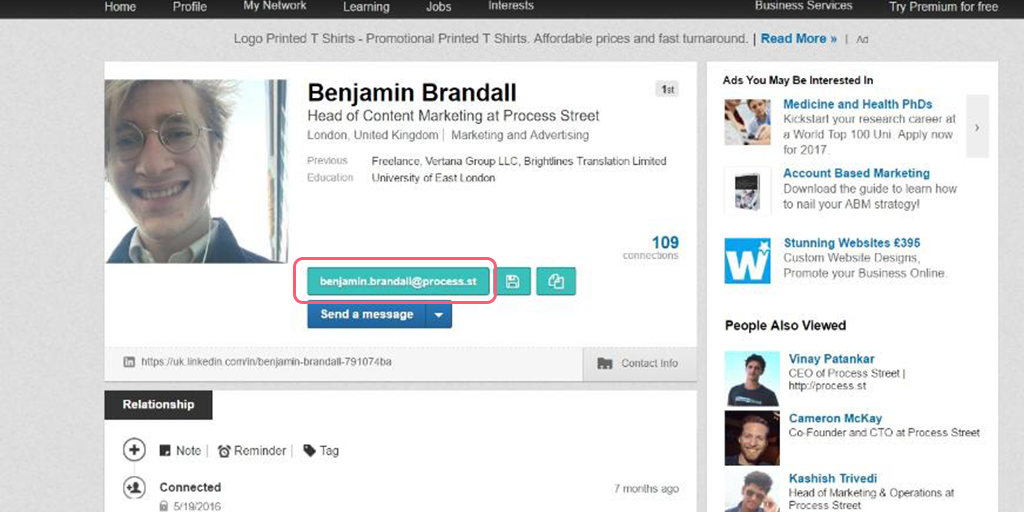
If we didn’t already know it, we would have had no idea that the email was false without checking it ourselves, and if we were going to check them ourselves, we’d probably have the same success just searching for the email address without using a tool to do it.
Not only that, but because there’s no indication as to which emails could be false, you’d have to double check every email address. The failures make any successes suddenly doubtable.
The false result also makes very little sense, and suggests that Slik didn’t check the emails it found. After all, Ben’s Process Street email was publicly available in Google – one search for how many results return that email would have shown Slik the most likely candidate.
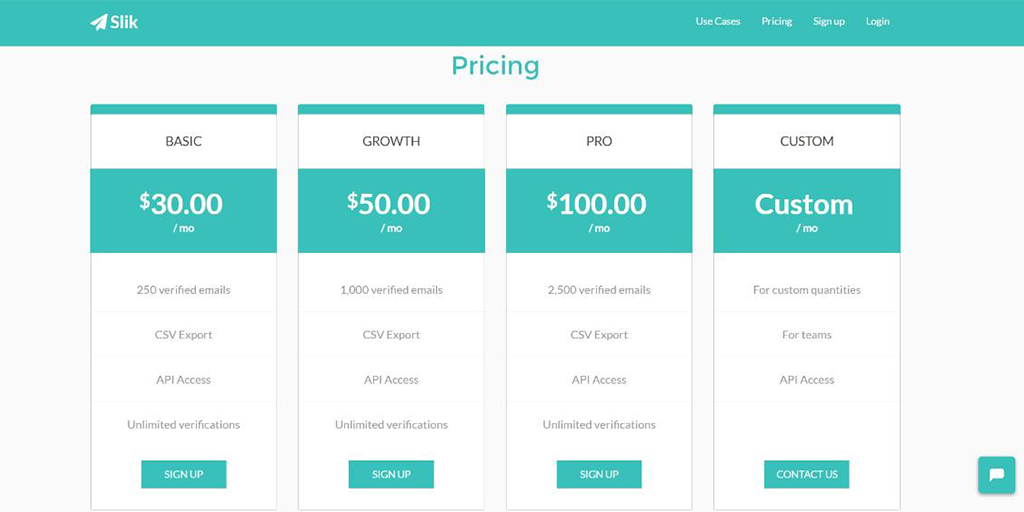
Now imagine paying for a few hundred credits to put together a list of journalists for, say, a product launch. With Slik, every one of those emails could be incorrect and you’d have no way of knowing it without putting extra time in to manually check them.
In fact, Ben did exactly that and used Slik to try and find 40 emails before a Process Street product launch. Not one was found.
This is why we couldn’t recommend Slik to find email addresses. False emails aren’t a problem, but failing to tell your users that they could be incorrect negates any time they save by using it.
If you want the same find-it-from-LinkedIn workflow, Skrapp.io covers it with a LinkedIn and Sales Navigator extension, a free plan, and a verifier that only charges credits for valid or catch-all results.
RocketReach
RocketReach is a web-based tool which lets you search a name, company or LinkedIn profile URL to retrieve emails. It’s a handy halfway point between tools which find email addresses from a company’s domain and those which search for specific people’s emails.
RocketReach also gives you links to your searched contact’s social media profiles, and its database now covers phone numbers as well as emails.
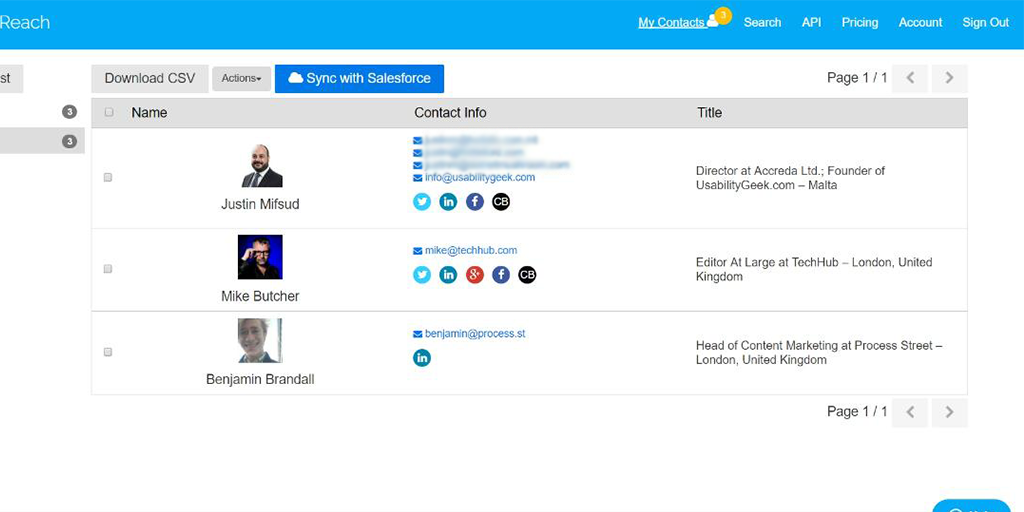
Its free tier gives you only a handful of contact lookups each month. Paid plans scale by the number of lookups per month, and higher plans let you sync your findings with your CRM and gain full API access.
Test results
The free plan capped us at 3 lookups, so only Justin, Ben, and Mike were analyzed:
- Justin – succeeded, bringing in both UG’s general email and three others associated with Justin
- Ben – failed, as the retrieved email was incorrect
- Mike – succeeded, but didn’t find his TechCrunch email
The verdict
RocketReach fared a little better than Slik, but only because it retrieves all of the email addresses it can find for your lookups. The problem again lies in the lack of user feedback.
Like Slik, without manually going through and verifying the email addresses there’s no way of knowing if the email you get is correct or not. This means that the tool cannot provide value on its own – everything has to be checked, meaning more work for the user.
Because of this the pricing plans feel a little restrictive. Without any kind of verification (other than manually checking each result), RocketReach’s saving grace is the breadth of information it gives you for each lookup.
Having easy access to a contact’s social media accounts, along with delivering multiple email addresses and how easy it is to find a contact make RocketReach a semi-viable candidate, but only if you’re willing to put in the extra time to verify each address yourself.
Hunter
Hunter (previously Email Hunter) is a web-based email lookup tool with a Chrome extension for quick use.
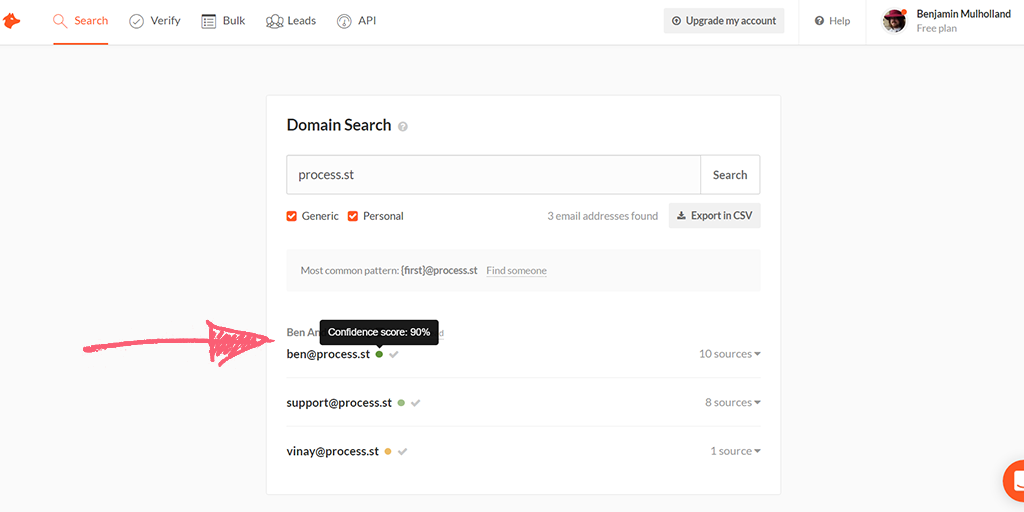
Its Domain Search lets you search for a company domain and lists every email address it can find on that domain, which makes it the fastest way to find all email addresses for a domain. Its Email Finder takes a first name, last name, and domain, so you can find an email address by name once you know where the person works.
It also provides a “confidence score” for each result, shows the webpages the address was gathered from, and has a separate email verifier to say how likely an email is to bounce. After all, there’s no point in trying to improve your clickthrough rate if the whole thing bounces to begin with.
Hunter has grown well beyond email lookups. It now includes a B2B lead database, outreach sequences, a Google Sheets add-on, and an API.
The free plan includes 50 credits a month, shared across Domain Search, the Email Finder, and the Email Verifier, so a single domain search and a handful of checks fit inside it. Paid plans add more monthly credits, bulk finding and verification, and larger exports.
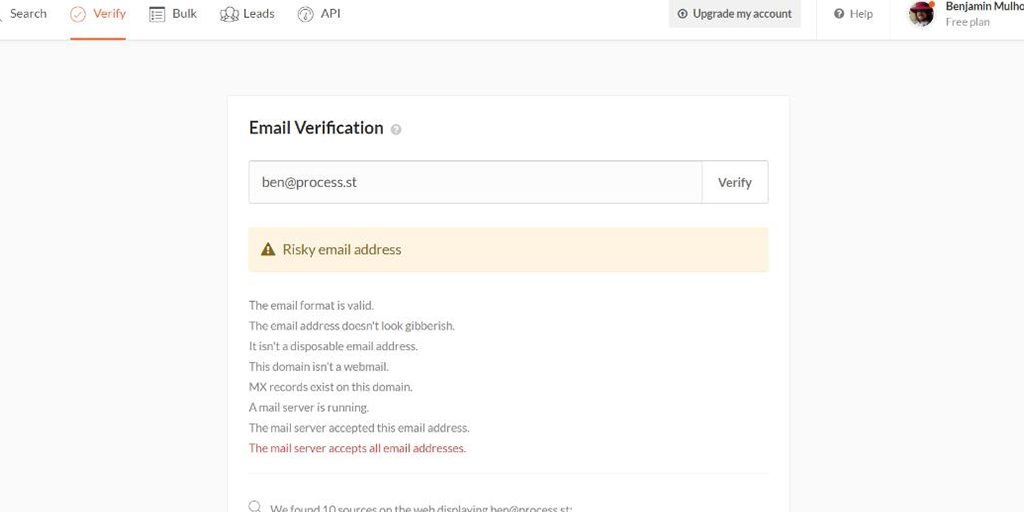
Bulk search and bulk verification work from uploaded lists, so they’re best for campaigns where you already have names and domains in a spreadsheet.
Test results
Although Hunter seems to be designed more for carrying out an email lookup for an entire domain, it passed the full test with flying colors:
- Justin – success, but didn’t retrieve his personal email (understandably)
- Ben – success, even though the “common pattern” for Process Street’s emails doesn’t apply
- Bryan – success, although multiple requests were required to reach his email
- Ina – success, although multiple requests were required to reach her email
- Mike – success, although multiple requests were required to reach his email
The verdict
Although we had to use multiple requests to find the results for specific people, Hunter is fantastic for performing an email lookup (as long as you know the target domain).
The key here is the user feedback it provides which Slik and RocketReach are so sorely lacking.
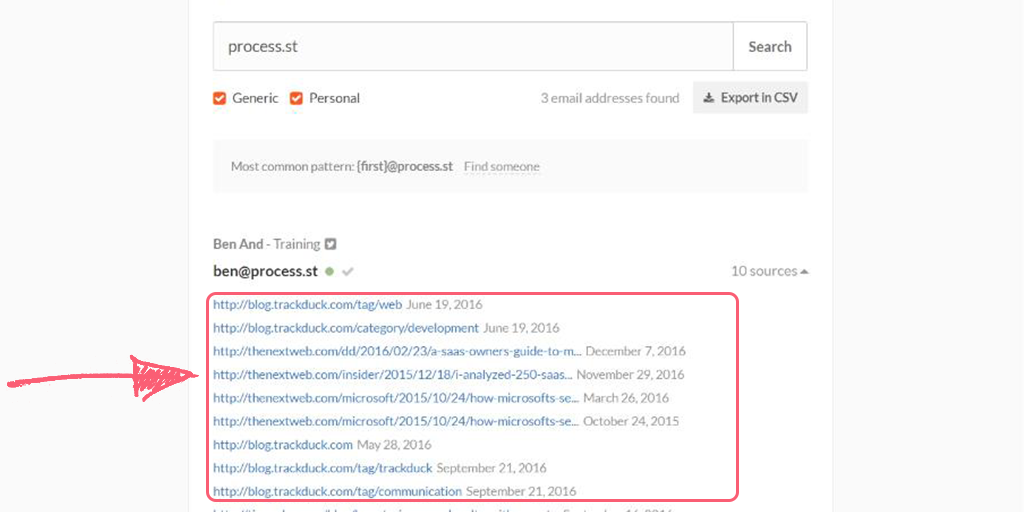
It allows you to see what sources it pulled the emails from in Google and gives an estimate of how likely the email is to be correct.
This is crucial for an email lookup tool.
Rather than pulling the address from seemingly nowhere, Hunter provides the information you need to judge whether or not you need to check it yourself. It gives you enough information to take a calculated risk, rather than making the decision for you.
Plus, if you’re unsure of an email, you can use the verification tool to get a further sense of how valid the address is, all without leaving the site.
Not only that, but the base results are highly accurate – Ben also used Hunter to find emails for the PR campaign of a Process Street product launch, and this time put 450 emails through the grinder.
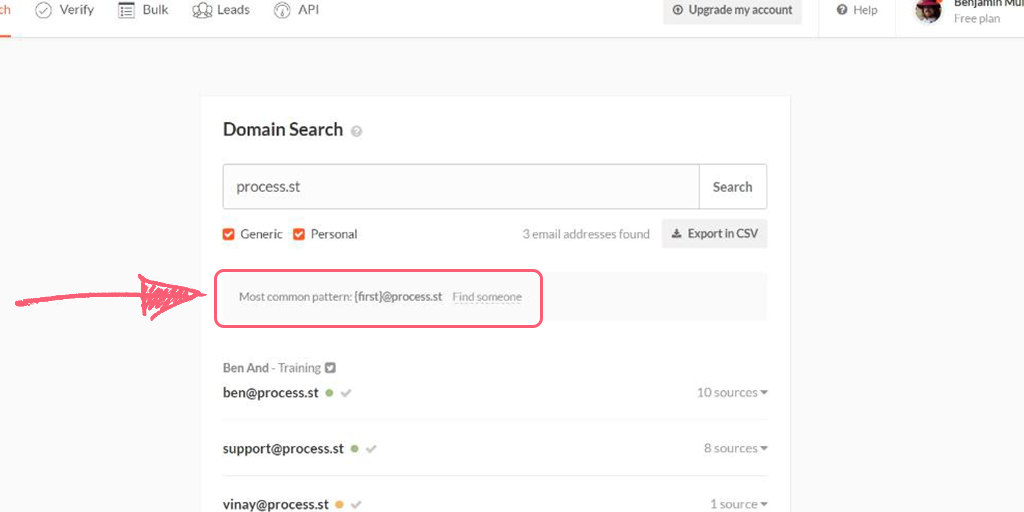
Admittedly he had to guess some emails using the “most likely” formula Hunter generates when searching a domain, but even with that only 34 bounced.
That’s a 92% success rate (416 of 450 delivered) with room to spare for the ones he guessed.
In short, even on the free plan, Hunter rocks.
Clearbit Connect
Clearbit Connect was a free Gmail plugin which let you search for email addresses using a company’s domain. Clearbit was acquired by HubSpot, and Clearbit Connect was shut down on April 30, 2025, along with Clearbit’s other free tools.
Its main advantage was that you could use it without leaving Gmail – installing it put a button at the top of your Gmail interface which opened an overlay in which you could search for email addresses. Then, if you found one you wanted to use, you just had to click on it to create a new message to that person.
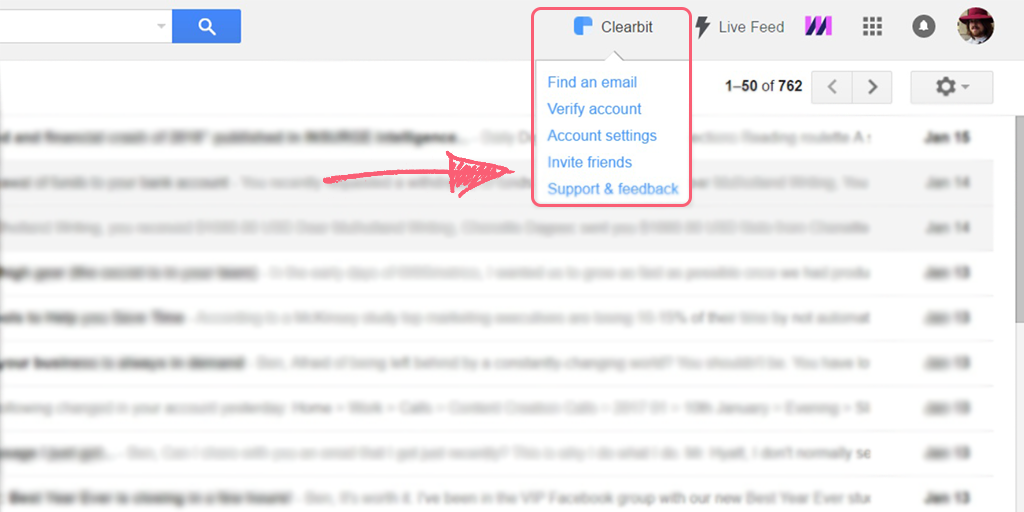
Test results
Connect was extremely easy to use, and had a reasonable success rate:
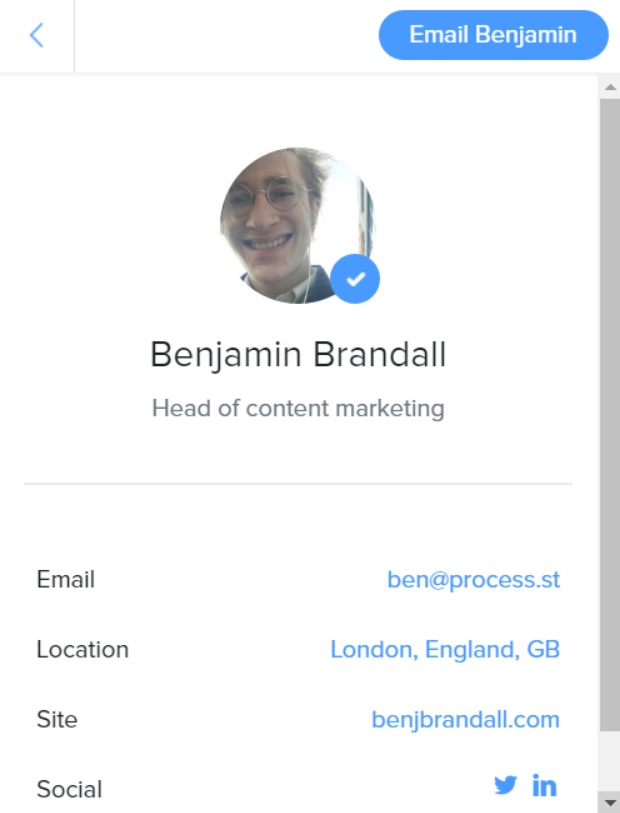
- Justin – failed to retrieve any emails, despite having Justin’s image for UG’s search entry
- Ben – success
- Bryan – success
- Ina – success
- Mike – failed, as the email retrieved was incorrect
The verdict
Whilst easy to use and reasonably successful, Clearbit Connect fell prey to the same trap that Slik and RocketReach suffer from – a lack of visible verification.
Again, even if more email lookups are correct than not, you have no way of knowing for sure unless you manually verify them yourself, which effectively neuters the convenience of having it as a Gmail plugin.
If you liked the idea of free, occasional lookups from your inbox, say, when looking for a specific author to pitch at a blog you want to guest post on, Snov.io fills the gap with a renewing free allowance of 50 credits a month, shared between its email finder and a multi-step email verifier, plus a browser extension.
Email Format
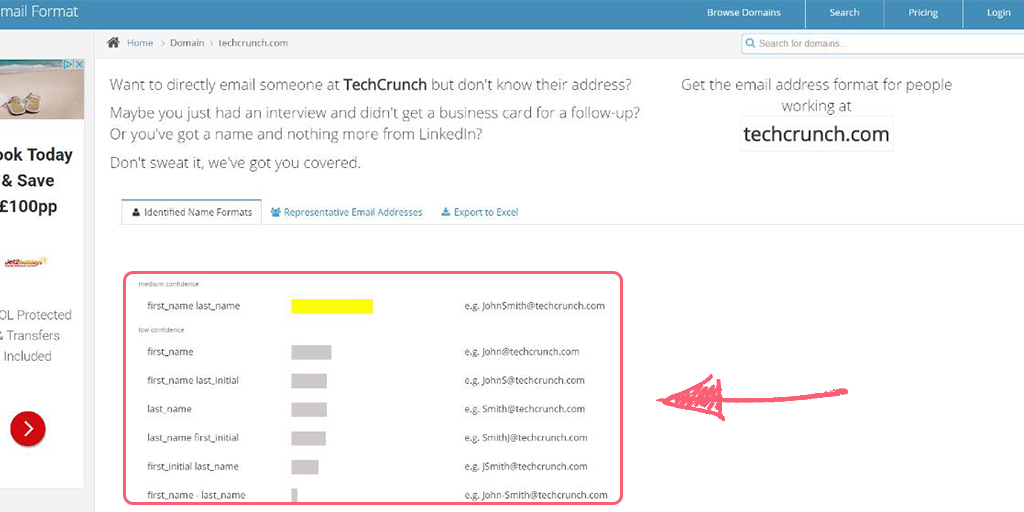
Email Format is similar to Hunter, in that it’s a web-based tool which lets you search a company’s domain for email addresses. Format, however, focuses on finding the most likely format for email addresses on that domain (eg, “firstnamelastname@techcrunch.com”), which makes it a basic email domain lookup.
The design is basic, but each site email formula is given a confidence score and you can see the email addresses it found for each site in a second tab. A paid subscription unlocks full access and exports.
Test results
Despite being good in theory, Email Format fared badly in the test:
- Justin – failed to find the domain
- Ben – failed to find the domain
- Bryan – failed to find the domain
- Ina – failed to find the domain
- Mike – succeeded in finding Mike’s email, but got the domain’s email pattern wrong
The verdict
It’s good in theory, and gives some feedback as to its findings, but the number of domains it failed to even recognize was the biggest deal breaker out of all the tools so far.
Email Format’s paid plan may be cheap, but no. Just… just no.
Voila Norbert
Voila Norbert is a web-based email finder and verification tool. You can use Voila Norbert to find emails for an outreach campaign, or verify emails on your list.
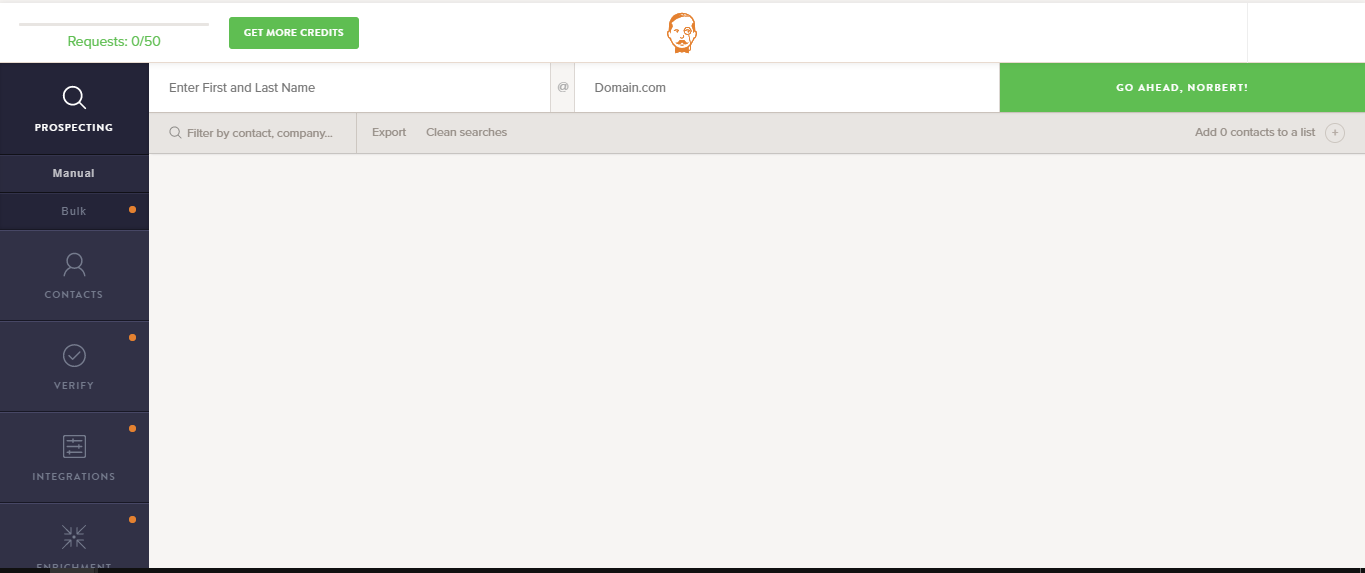
When you log into your Voila Norbert account, you can search for email addresses using the first and last name of the prospect and their company domain name.
Once Voila Norbert returns a result, you can send an email to the address directly from the website. You can also find the company’s social media accounts and location.
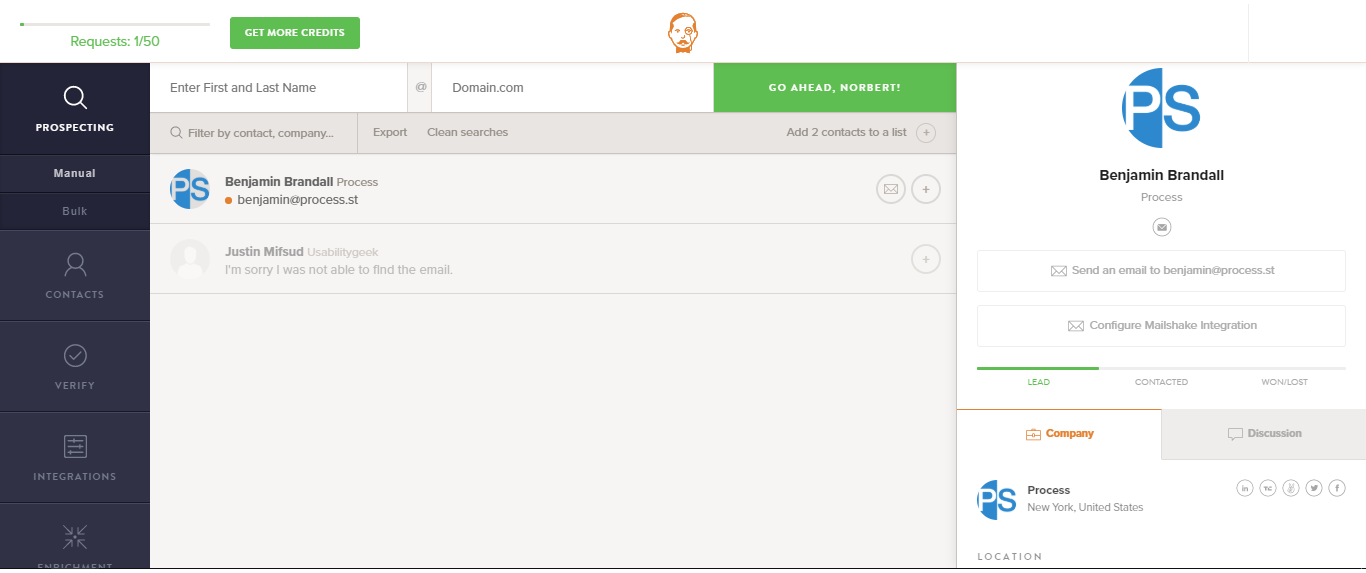
Voila Norbert advertises up to a 98% success rate. New accounts get 50 free leads, which you can use for either individual or bulk requests, and you aren’t charged when no email is found. Email verification is paid separately, per email.
Test results
Voila Norbert is built for email finding and bulk email verification. It passed the usability test with a pretty good batting rate:
- Justin – failed to deliver
- Ben – success, with just one request needed to reach his email
- Bryan – success, with just one request needed to reach his (very public) thenextweb.com email
- Ina – success with both her old and new company emails
- Mike – success, with just one request needed to reach his email
The verdict
As long as you know the target domain and the name of the specific people you’re looking for, Voila Norbert returns very accurate results. This is why it is one of the leading email finders.
Honorable mentions
Before we wrap up the findings, here are the tools which, whilst not fitting our focus on free tools to find specific emails, could be great catches for different purposes, plus the newer email finders worth adding to your shortlist.
Atomic Email Hunter
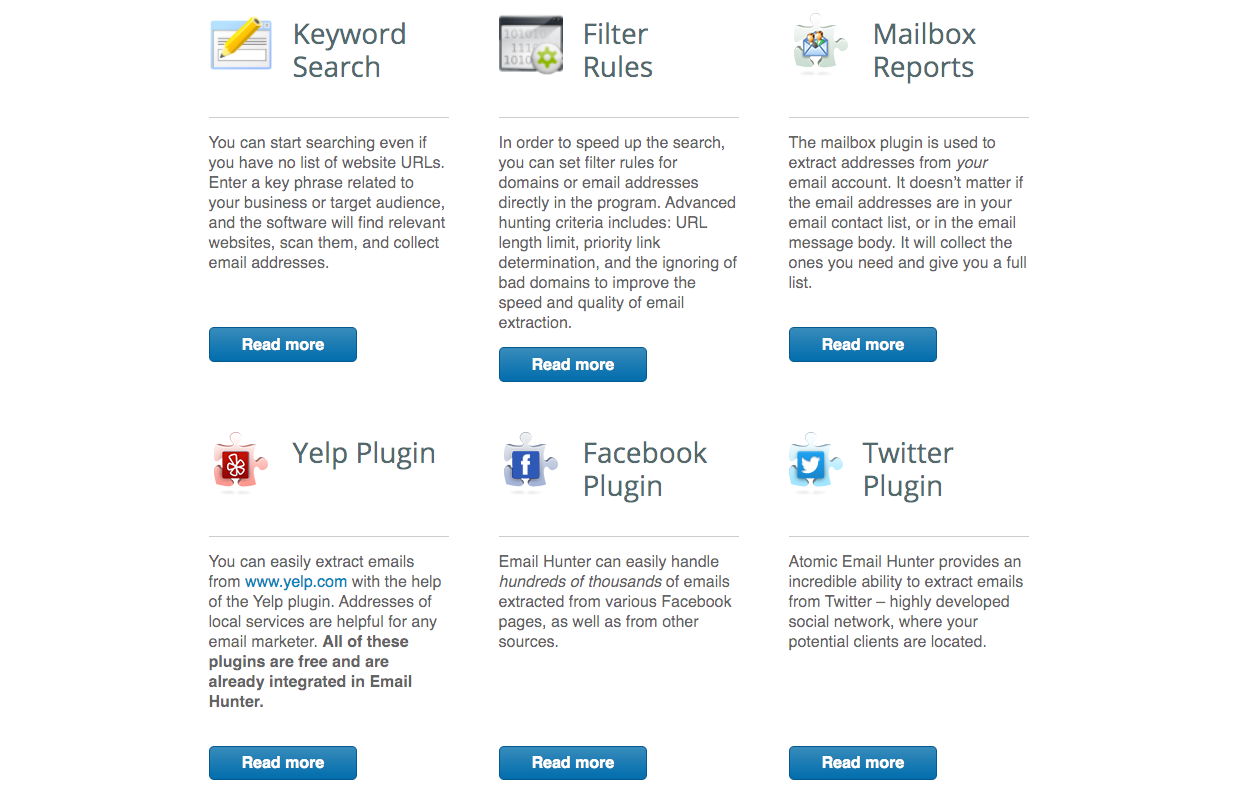
Atomic Email Hunter is a Windows desktop program that extracts email addresses with usernames from webpages.
Once you add website addresses to it, it harvests the email addresses it finds on those pages, with filtering rules to narrow the results.
Use it with care. Scraped addresses come with no consent attached, and anti-spam and privacy laws such as CAN-SPAM and GDPR still apply to every email you send, so a scraped list is a research starting point, not a mailing list.
Clearbit Prospector
The older, more professional counterpart to Clearbit Connect, Clearbit Prospector was a much larger product designed to gather huge numbers of emails at once, whether by manually searching for types of employees on a specific domain (eg, “engineers at clearbit.com”) or by integrating with other programs.
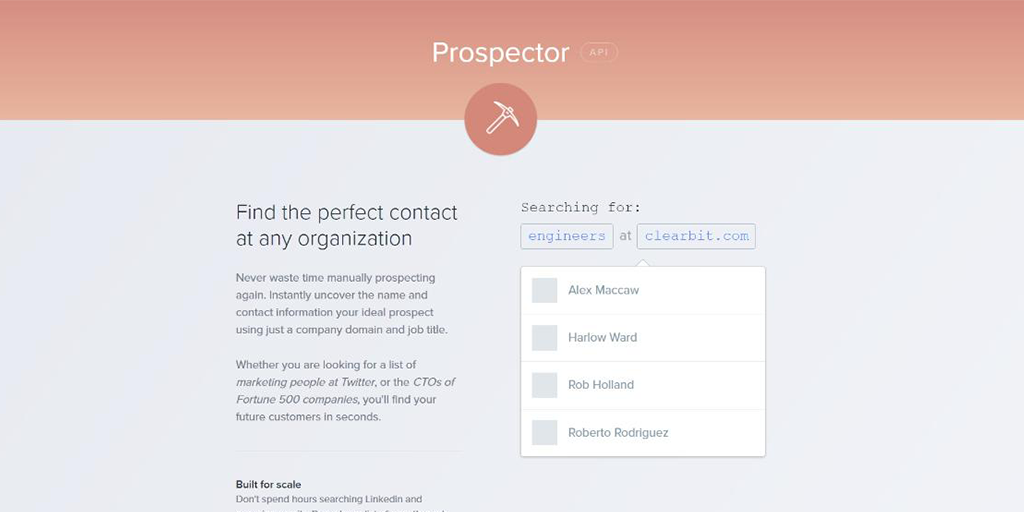
Prospector is no longer sold on its own. Its data now lives inside HubSpot as Breeze Intelligence, which suits teams already on HubSpot. For large-scale email lookups without that commitment, Apollo.io offers a free plan with no time limit, a large B2B contact database, and a Chrome extension.
People Search
People Search by Workable was similar to the main tools assessed earlier – a Chrome extension which let you search someone’s name to see a profile which collected data from LinkedIn, X, Facebook, and other sources. It lives on as the Workable Extension, an email and resume finder built for Workable recruiting customers.
It succeeded in finding the correct email addresses for Ben, Ina, and Mike, but free searches were tightly limited, with a paid recruiter license for unlimited use.
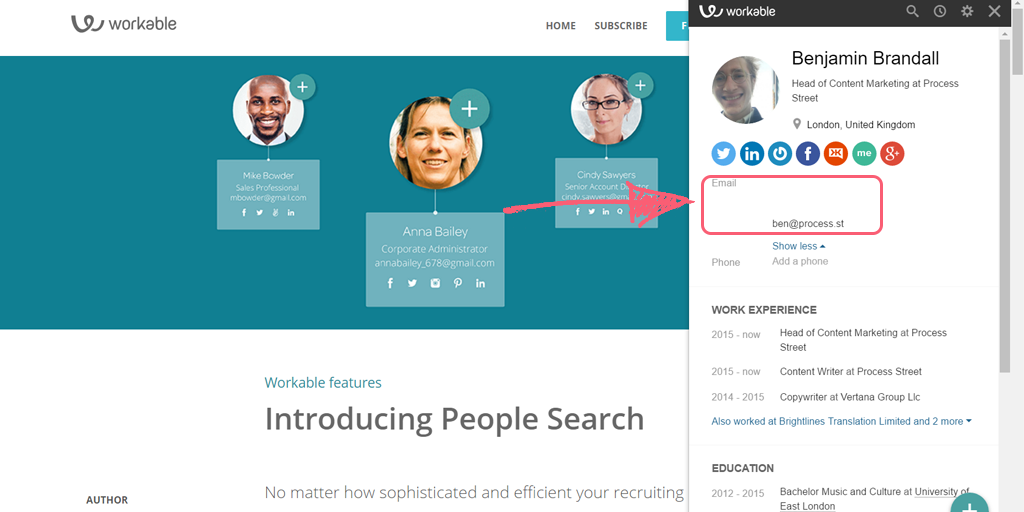
This is why People Search is down in honorable mentions – the tool itself is very useful for getting a thorough summary of a person, but is geared towards recruiting purposes rather than purely finding emails.
Qwilr Sherlock
Qwilr Sherlock was a more basic tool than the others in this list, in that it was designed to generate possible variations for a person’s email from their first name, last name, and domain.
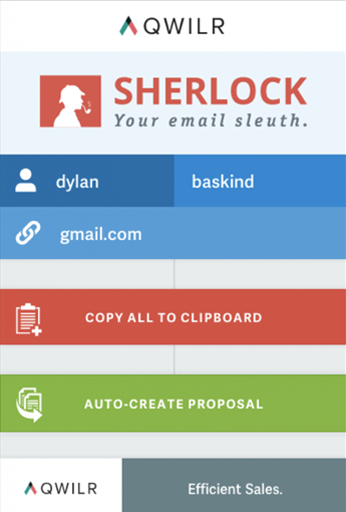
It was a Chrome plugin that, by entering a person’s first name, last name, and their domain, would copy a list of variations of their email address to your clipboard, which you could then paste somewhere else for verification. Sherlock has since disappeared, but the guess-the-variations idea still works, and it’s the basis of the free method below.
Rapportive
Rapportive was a Gmail plugin which checked email addresses you entered, then displayed profiles associated with them. LinkedIn bought it, renamed it Sales Navigator for Gmail, and shut it down on March 18, 2020.
Combined with Sherlock, it used to check all of the variations and show you any that were linked to an existing profile.
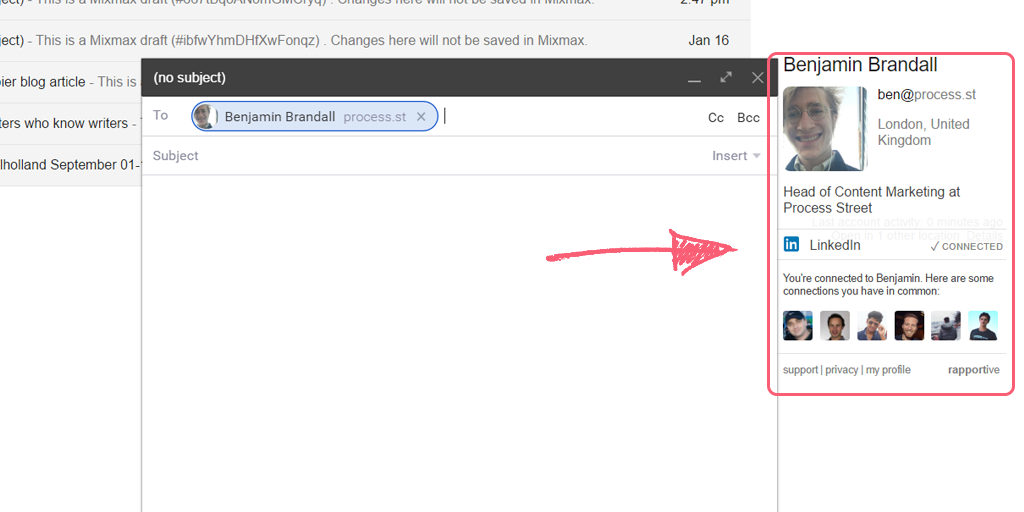
That combo no longer exists. Hunter’s Email Finder now does the guess-and-check in one step, and an email verifier tells you which variation is deliverable.
Newer email finders worth testing
These tools weren’t part of the original five-person test, but they all show the kind of feedback that made Hunter the winner:
- Findymail: an accuracy-first finder with free trial credits that guarantees a low bounce rate and refunds credits if it misses.
- Snov.io: a finder, verifier, and outreach tool with a renewing free monthly allowance.
- Skrapp.io: a LinkedIn-focused finder with a free plan and built-in verification.
- Apollo.io: a large B2B contact database with a free plan, for prospecting at scale.
Find 92% of email addresses using Hunter
Although most of the tools above are useful in one way or another, the clear winner for performing small to mid-scale email lookups is undoubtedly Hunter.
If you hadn’t already guessed, the feedback it gives is the killer.
For example, nowhere in Slik’s app did it tell you how many sources it retrieved the email address from, what those sources were, what kind of verification the address had been put through, or even how likely emails to that address were to bounce.
Hunter, meanwhile, has a generous free plan, a 92% success rate in our outreach test, and gives you all of the information you need to judge whether you need to check the address yourself.
Most of the other apps take a risk with the emails they find, then don’t tell you how big that risk was. This means that you’ll have to check every email they retrieve – if you’re searching for specific emails in the first place, chances are that they’re important enough to need to be correct.
On the other hand, if you’re told that an email is 30% certain and still use it, the only one at fault is yourself for ignoring the risk.
Whichever tool you pick, the routine that keeps bounce rates low is the same:
- Start from the person’s name and their company domain, not a vague search.
- Run the lookup and note the confidence score and sources for each address.
- Send anything below your confidence threshold to an email verifier before it goes on the list.
- Send only to verified addresses, and remove anything that bounces straight away.
Finding the address is one step in a longer outreach process: build the target list, find and verify each email, personalize the pitch, send, follow up, and log the result. In Process Street, you can run that as a Workflow, so every prospect goes through the same steps, low-confidence addresses land in a verification task before anyone sends, and built-in AI drafts the personalized pitch for a person to approve. Process Street has 5,000+ integrations, so the list stays in sync with your CRM and email tools, and your outreach playbook can live in Pages next to the Workflow. If you’re comparing options for this kind of repeatable prospecting, see our guide to sales automation software.
Email lookup FAQs
How do I find someone’s email address for free?
Start with the person’s name and company domain. Check the company website’s team, press, or contact pages, and search Google for the domain in quotes with the person’s name. Work out the company’s email format from addresses you can find, build the likely address, then check it with a free email verifier. Free plans from Hunter, Snov.io, and Voila Norbert cover a few dozen lookups a month.
Can I look up someone’s email by name only?
Rarely with confidence. Most email finders need a name plus a company domain, because the domain tells the tool which email format to test. If you only have a name, find where the person works first, through LinkedIn, their author bio, or a company team page, then run the lookup.
What is a reverse email lookup?
A reverse email lookup starts from an email address and finds who it belongs to, such as the person’s name, company, and social profiles. It’s useful for checking that an address you found belongs to the right person before you send to it.
Are email finder tools accurate?
Accuracy varies widely. In our test, results ranged from 1 of 5 correct addresses to 5 of 5. The tools worth trusting show their sources and a confidence score, and pair the finder with a verifier, so you know which addresses need a second check.
How do I verify an email address before sending?
Run it through an email verifier, which checks the domain’s mail server and whether the mailbox accepts mail without sending a message. Treat results marked risky or catch-all with care, and remove any address that bounces from your list straight away.
Is it legal to use email finder tools for outreach?
Finding a publicly listed business email is generally fine, but what you send is regulated. Laws such as CAN-SPAM in the US and GDPR in the EU set rules on consent, identification, and unsubscribe options. Keep outreach relevant and personal, honor opt-outs, and check the rules that apply to your audience.
Have any email lookup tools to recommend? We’d love to hear about them in the comments below!
The post How to Find Email Addresses with 92% Accuracy – 9 Email Lookup Tools Tested first appeared on Process Street | Compliance Operations Platform.


0 Commentaires