This is a guest post from Emil Kristensen, CMO and co-founder of Sleeknote: a company that helps e-commerce brands engage their site visitors, without hurting the user experience.
Personalized marketing means using what you know about a customer, their role, source, behavior, stage, and intent, to make the next message or experience more useful. For SaaS teams, that matters because the sale is not a one-time event. It is a lifecycle of signup, activation, adoption, expansion, renewal, and support.
The best personalization does not feel like surveillance. It feels like momentum. It helps the visitor find the right page, the trial user hit the next activation milestone, and the customer get support without repeating context. That takes clean first-party data, responsible consent, and repeatable workflows your team can actually run.
Here are 10 practical ways to use personalized marketing across SaaS email, web, in-app experience, and customer support.
How to do personalized marketing with email
The first area to search for low-hanging fruit is in the emails you write.
Most email programs come with the ability to record personal data alongside email addresses, so you can quickly personalize based on the needs of your subscribers.
Here are some other ways to use personalized marketing to drive more signups.
1. Personalize to individual use cases
Each user who subscribes to your software is looking for something a little bit different. So why not provide them with unique content, too?
To use this simple strategy, send an introductory email with a compelling subject line asking subscribers to self-select their interest. Are they using your software for a small business, for personal use, or something in-between?
You can also pull this data from signup information in your registration process and use it to customize emails.
By using behavior-based personalization, you can make messages more relevant without relying on a generic blast to the whole list. The point is not to chase a magic benchmark. It is to match the email to the user’s context and next best action.
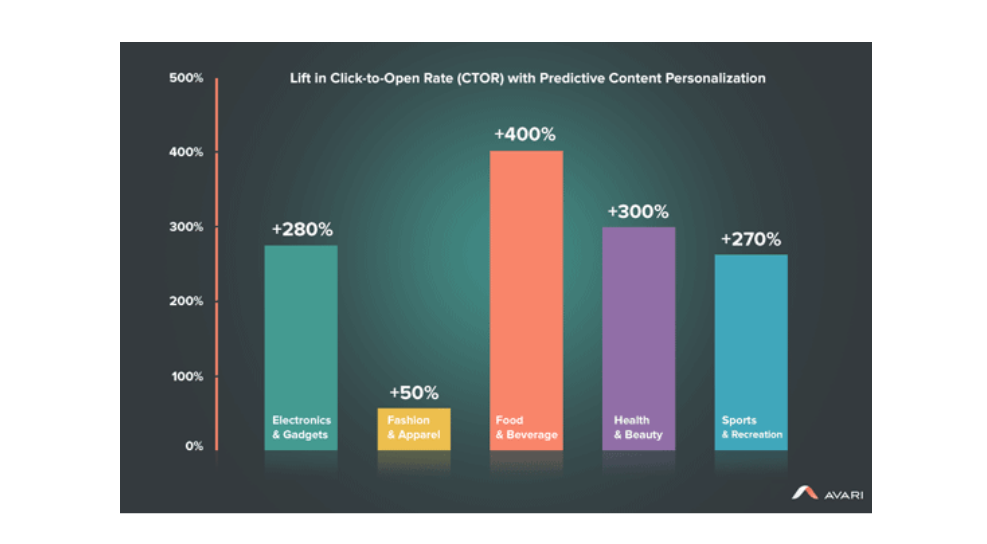
The more you know about your subscribers and customers, the more you can target your offerings to exactly what they’re looking for.
2. Build emails around the customer journey
A subscriber’s interests aren’t the only way you can segment. Turn also to the life cycle of your SaaS product.
For example, recent signups might be more interested in learning about your biggest features, while power users will find details, advanced tips, and hidden shortcuts more valuable.
By dividing up your subscribers based on user interests, you can bring up the value of the entire list. Since you now understand what each separate group is looking for, you can increase the average income from each segment.
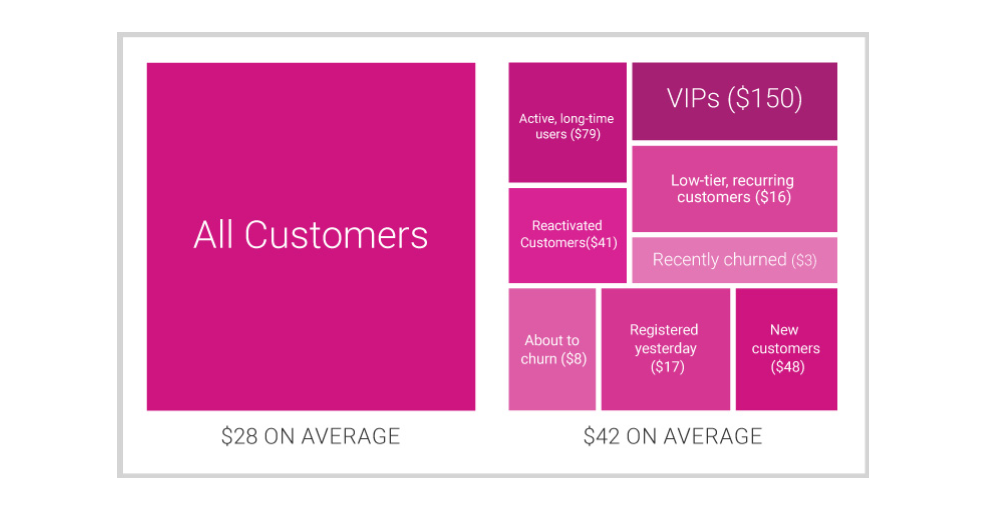
Thankfully, this information is easy to gather from within your app analytics. Understand where users are in the customer journey and appeal to those stages.
3. Time offers and guidance to free trial progress
The most powerful feature that distinguishes SaaS companies from many other products is the ability to see how people move through a free trial. That makes your trial emails more useful when they are tied to activation milestones, not just the number of days left.
A user who has invited teammates, built a workflow, or automated a task should not receive the same message as someone who has not finished setup. One person may need a quick product tip. Another may need an implementation call, a plan-fit recommendation, or a reminder of what they already accomplished.
Discounts can still work, but they should not be the default personalization strategy. Start with the customer journey: what has the user tried, what value moment have they reached, and what is the next action that will help them succeed?
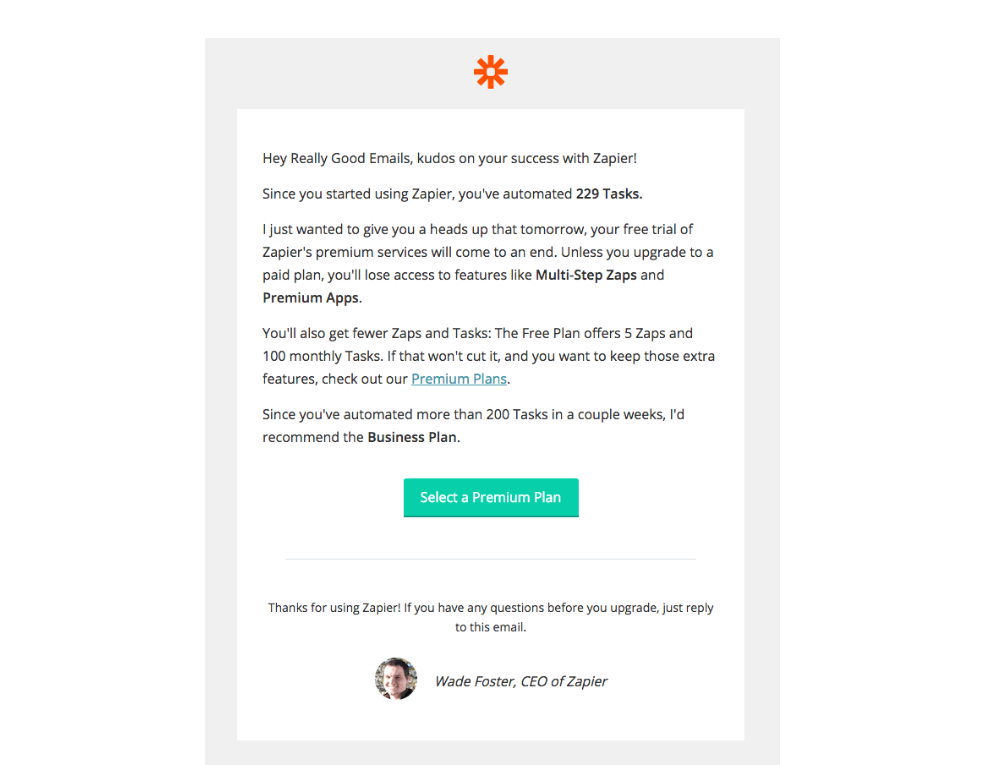
Zapier’s trial reminder is a good example of the pattern. The message is customized to the user’s activity, reminds them how many tasks have been automated, and recommends an upgrade path based on usage.
In short, personalized lifecycle emails work best when they help the user keep momentum, not when they only create urgency.
Using personalized marketing to boost web conversions
When you’re acquiring sales for your SaaS company, few assets can be as powerful as your website. It’s where many (if not most) of your potential customers will learn about what you have to offer.
Because of that, it’s the perfect place to include high-quality content customization and personalized marketing based on each visitor’s activity.
Here’s how to make the best use of your website.
4. Modify the landing page based on referral source
Are you pulling in lots of new customers from just a few sources?
Then it’s worth your time to customize the pages that come from those sites. Whether they’re referral links, guest posts, or even just high-profile media mentions you can (and should) give those visitors special treatment.
It shows you care but just as importantly helps target your sales pitch to the precise needs of those visitors.
A great example of this is email provider Kit, formerly ConvertKit. Their homepage is great but doesn’t have much in the way of customization. It’s designed to appeal to a broad audience of content creators.
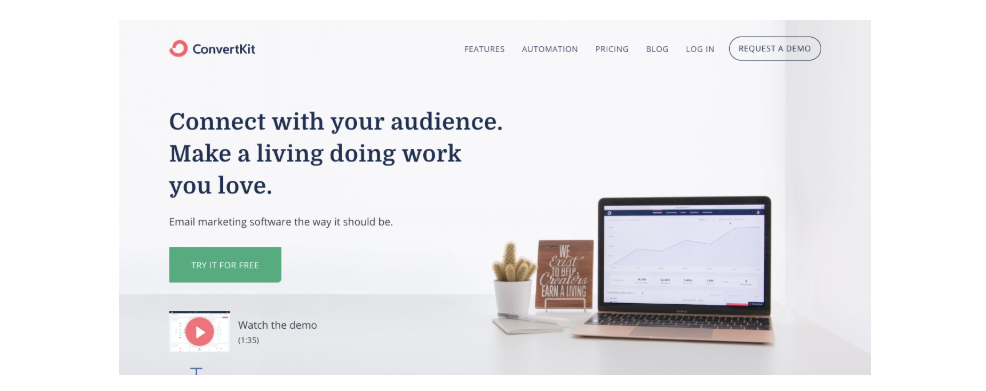
But compare their homepage to the Kit, formerly ConvertKit landing page for affiliate and advocate Suzi Whitford of Start a Mom Blog.
The format and headline are different, and Suzi’s testimonial has valuable above-the-fold prominence.
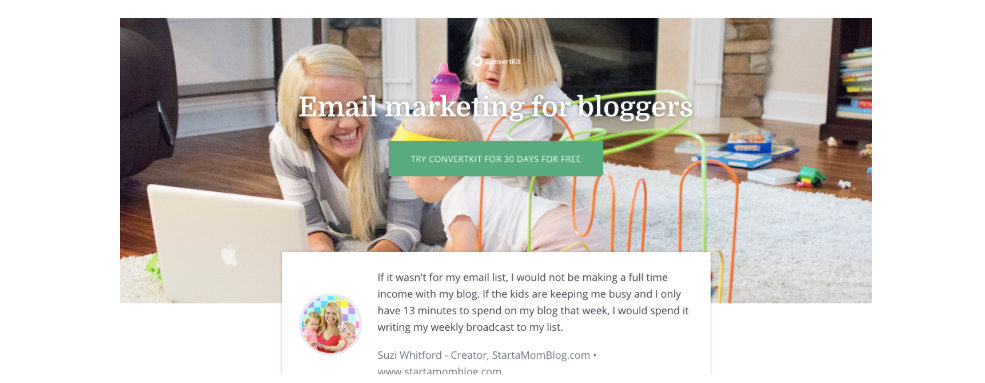
It’s designed to speak to a very specific segment of the Kit, formerly ConvertKit audience, and it does it well.
5. Suggest a next action based on currently viewed content
If you have a company blog, you can use that information to learn what the user is interested in.
The data is there, and using it isn’t that complicated, but many don’t do it.
To start with, recommend articles based on what the user is reading. The simplest way to do this is with a basic list of related pieces at the end of each article, like this “You May Also Like” box on the Segmentify blog.
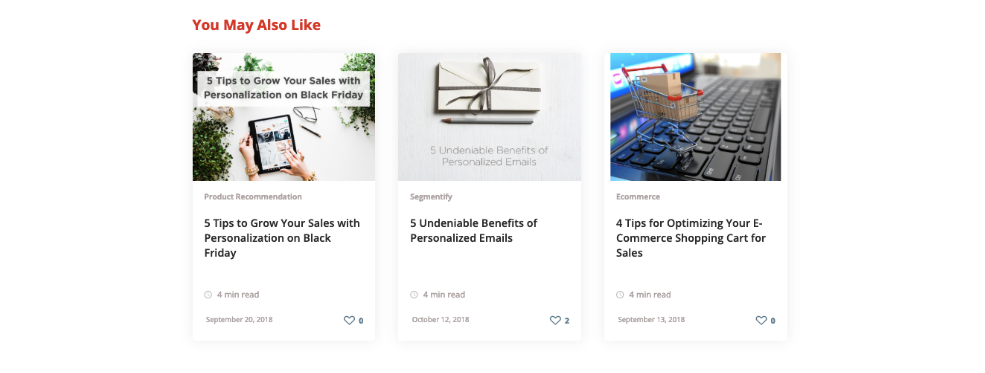
A more advanced strategy is to use a slide-in or popup box that recommends a specific piece of content. Ideally, this content brings the reader to the next step in the customer journey.
This might sound like a tiny change, but by directing a casual blog reader down your sales funnel, you can begin the conversion process before asking for an email address or credit card information.
6. Customize ad landing pages based on keywords
Do you run ads on Facebook, Google, or any other platform? If so, then you need to take this next piece of advice to heart.
Match the copy in your ad to the premise and keywords you’re using on your landing page. This helps increase conversions and provides a more seamless transition from the platform to your ad to your landing page.
A simple example of this is this Google search ad from UncommonGoods. It’s geared to people searching for interesting gifts for teens.

Clicking the ad brings you to this page, which displays the most popular products listed as gifts for teens aged 15 and up.
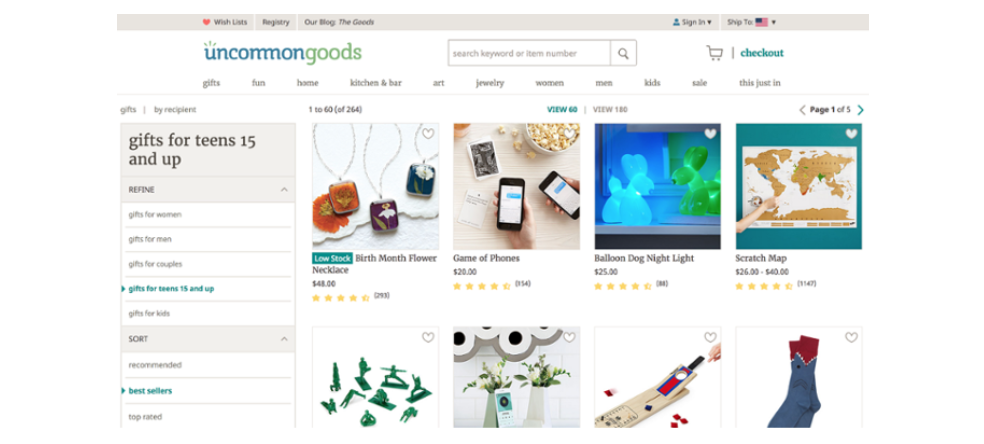
While it isn’t a specifically-designed landing page, the personalized marketing helps bring the customer to a purchase. The page is focused around the concept promoted in the ad, making for an easy sell.
7. Change the website based on geolocation
If you sell to an international audience, your website should reflect the diverse needs and preferences of each country or region.
Of course, the most basic change is to create variations of the homepage in different languages, but you can go much further with custom content, promotions, and wording.
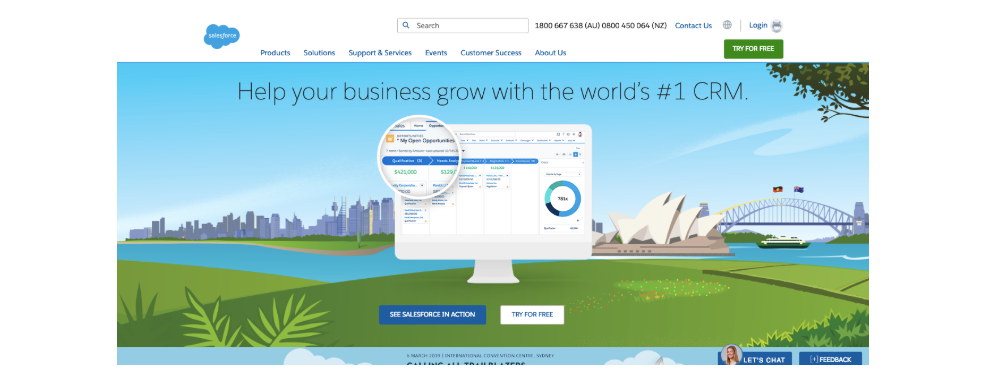
An excellent example is the Salesforce homepage. When viewing the US version, it focuses on the primary features and benefits of Salesforce for small businesses, complete with a rustic mountain background reminiscent of US National Parks.
Their homepage for Australia features the Sydney Opera House.
And when you view the Latin American version of the page, there are even more changes.
First, the content is in Spanish. But even more notable is that the artwork isn’t just regional, showing famous landmarks of Mexico, the entire page is focused around their upcoming event in Mexico City.
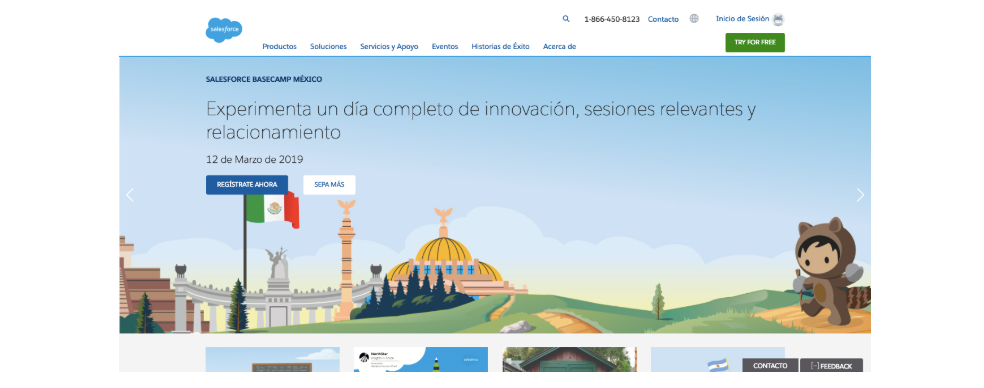
The level of segmentation you’d like is up to you, but even small changes can make visitors around the world feel recognized and valued.
Using segmentation to optimize in-app user experience
Finally, you can put segmentation to work for your app. This is especially easy since you already have the information on each user.
A few tweaks can make each page on your software feel like a bespoke message written just for the visitor.
8. Build personalized marketing tooltips around specific use cases
Today, most SaaS products use some type of tooltip software to guide new users around the app.
These tips serve a few purposes. First, they provide a helpful framework to onboard users and get them familiar with the app. That encourages paid signups and keeps churn down.
But they can also be used as subtle (or not-so-subtle) calls to upgrade, and that’s where the next strategy comes into play.
By observing what the user is doing and where their needs are, you can craft personalized tooltips to appeal to these needs.
A great example of this concept in action is Dropbox, which uses customized tooltips and upsells based on the customer’s storage space needs.
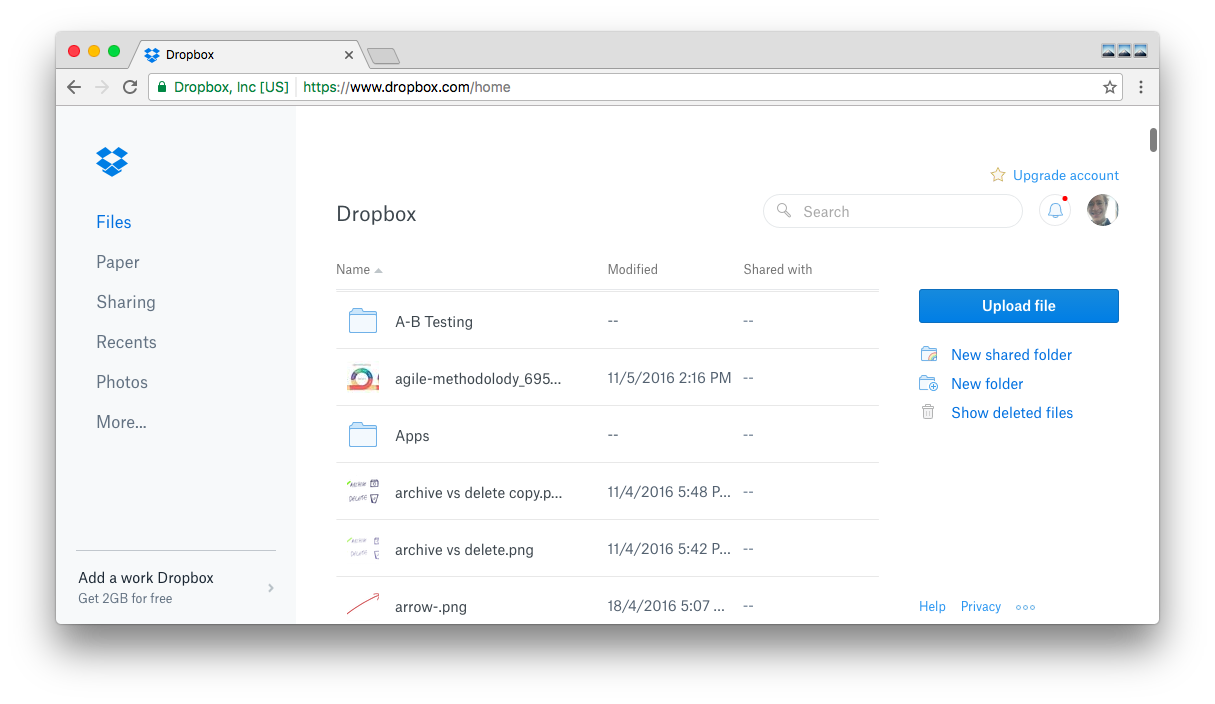
As space grows more and more limited, relevant popups encourage free trials for Dropbox Business. It’s a simple and useful way to appeal to what the user is doing at the moment without being too pushy.
To implement this kind of process, create custom tooltips based on common user needs, and trigger them to show up at the appropriate time to encourage the actions you want.
9. Use personalized marketing to create custom layout, design, and content experiences
There are a few ways you can use this. The simplest is greeting users by name when they log into the app. More useful personalization changes the experience based on what the user is trying to accomplish.
For example, Process Street helps teams turn repeatable work into governed workflows. A customer success team can run onboarding workflows by segment, an operations team can route tasks by role, and a compliance team can use conditional logic so the right evidence, approvals, and due dates appear for the right account.
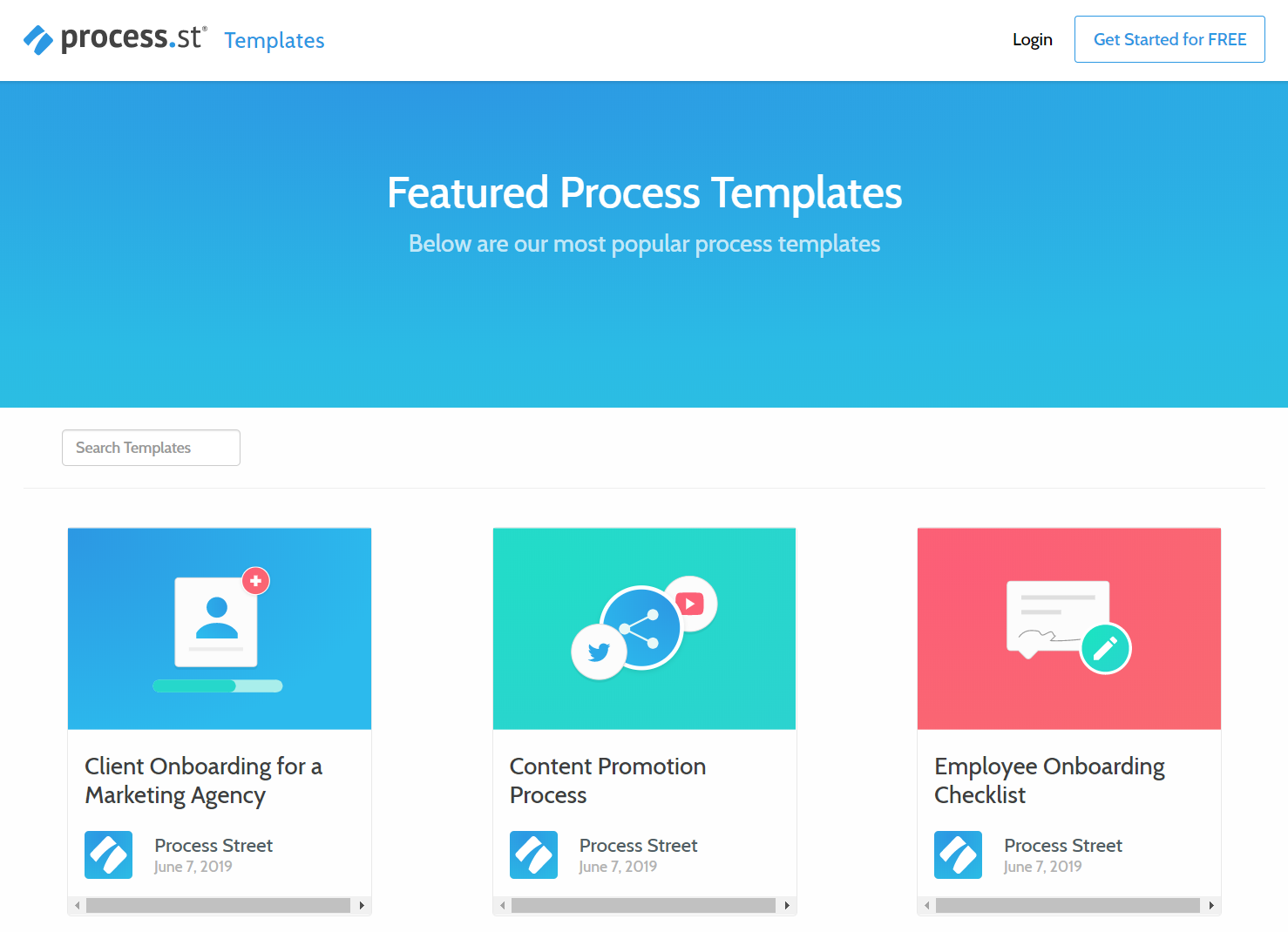
That is where personalization becomes operational. In Process Street, Docs keeps procedures governed, Ops turns those procedures into workflow runs, and Cora helps monitor execution so teams can spot risk and improve the process over time. Instead of giving every user the same checklist, you can build workflows with conditional logic, role assignments, dynamic due dates, and reusable workflow templates.
For SaaS teams, this matters because personalization often breaks when it depends on someone remembering the right follow-up. A workflow makes the next best action explicit, assigned, and auditable.
Check out this video for more ideas on how to use Process Street for marketing personalization:
But you don’t have to go to the lengths of creating custom templates or pulling in copious amounts of user data to create a unique and welcoming design.
Something simple is plenty. The Gusto homepage provides a subtle message to existing users without sharing private (and potentially sensitive) company financial information.
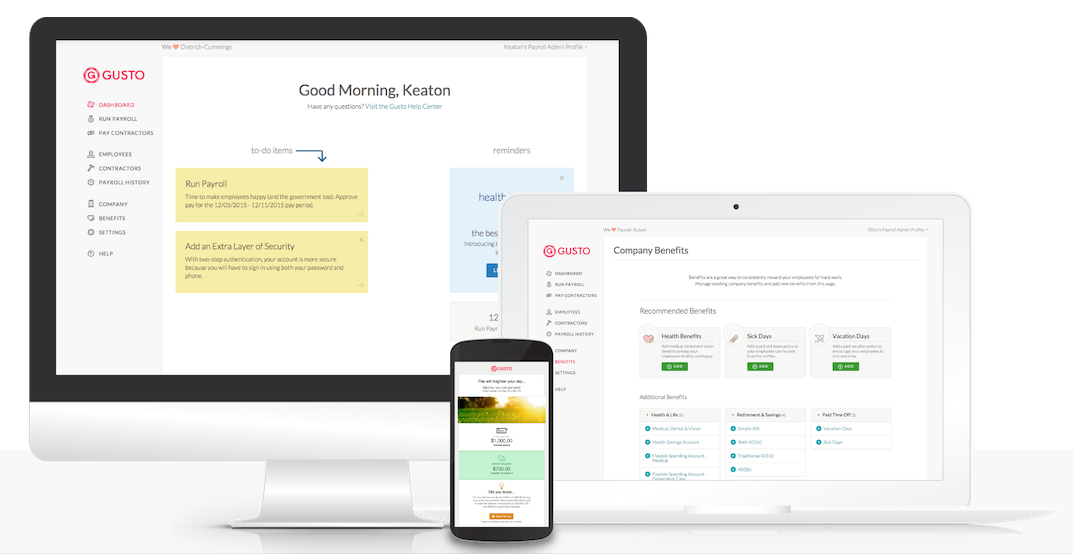
By recognizing a visitor has an account, Gusto sends a subtle message of support without going overboard or revealing too much.
10. Personalize chat and customer support
Finally, you can present a friendly and customized welcome message to users with a simple strategy, use the customer’s name.
This is particularly helpful in chat and customer support, where a friendly and helpful response can transform user trust in your product forever.
A great example of this is Ahrefs, which employs user names across its multiple communication channels.
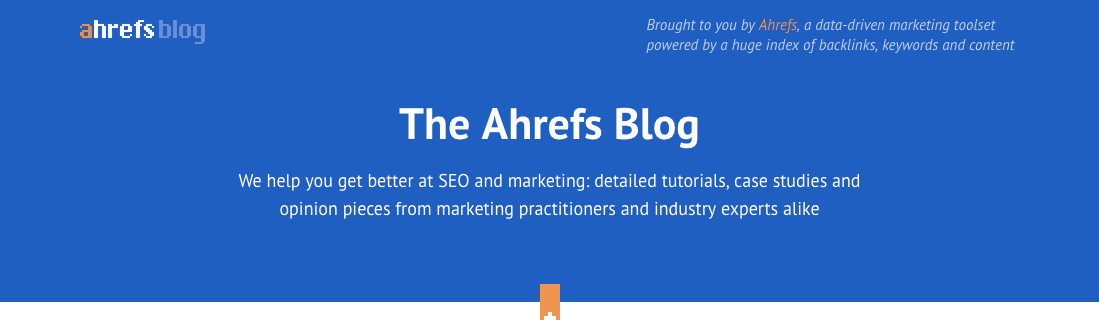
It might be subtle, but it’s a little touch that shows the customer matters across different interactions.
You can use a similar technique even earlier in the sales funnel, even before you know the visitor’s name. The simple solution is to use personalized marketing of some kind.
That’s how HubSpot keeps their promotional chatbot relevant, despite having limited information about the visitor at the beginning. With quick self-selection, HubSpot can provide custom information and build a relationship before the visitor even speaks with a human.
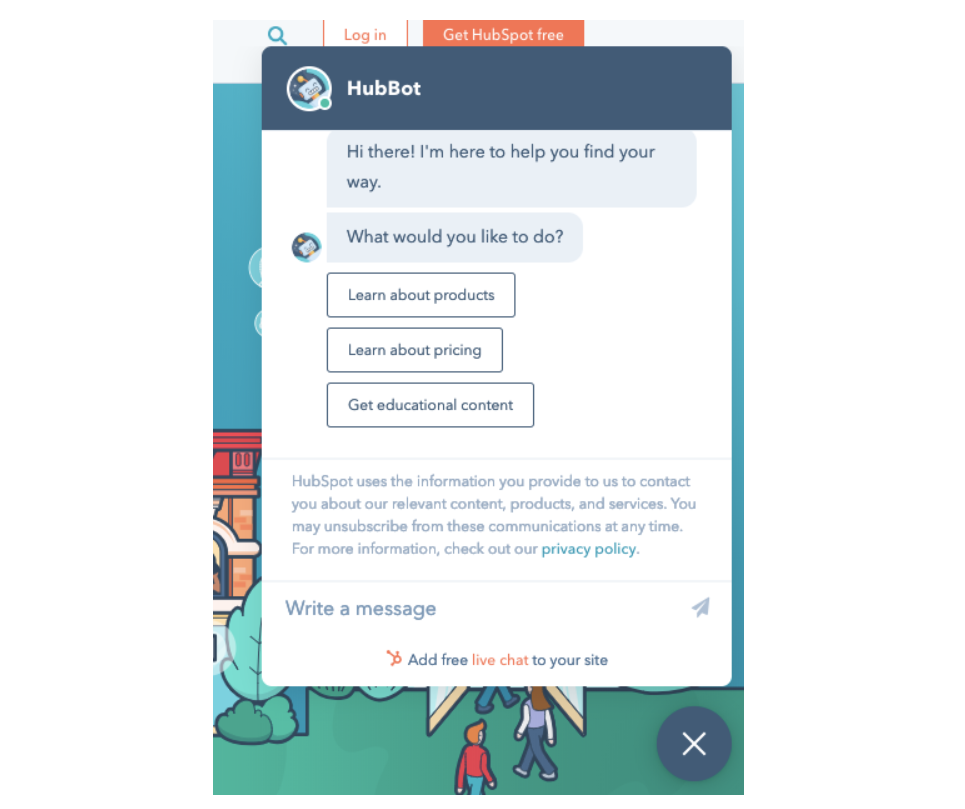
Like the other personalized marketing strategies listed here, it’s a small change that can bring the user a little closer and make the sale that much easier.
Supercharge your customer relationships with personalized marketing
Personalized marketing works when it helps people move forward. For SaaS, that means matching email, web, in-app, and support experiences to the user’s stage, intent, and history.
The hard part is not coming up with one clever message. The hard part is making the right message happen every time. Build the segments, define the trigger, assign the owner, and turn the follow-up into a repeatable workflow.
That is where a marketing automation workflow helps. Process Street gives teams a governed way to document the process, run it consistently, and prove the right steps happened.
We’d love to hear how you use personalized marketing in your business. Share what has worked, especially if it helped customers get value faster.
The post 10 Ways to Use Personalized Marketing to Boost Your SaaS Sales first appeared on Process Street | Compliance Operations Platform.


0 Commentaires