
Workflow documentation is the written and visual record of a repeatable sequence of tasks, decisions, owners, and handoffs that moves work from a trigger to a defined outcome. When you document workflows clearly, people can see what happens, who is responsible, what evidence is required, and how an exception should be handled.
That record turns everyday work into something a team can teach, run, measure, and improve. It reduces reliance on memory, exposes delays and control gaps, and creates a dependable foundation for automation. Process Street gives teams one place to build that operational knowledge and put it into action.
What is a workflow?
A workflow is the organized path that work follows from start to finish. It combines the tasks and requirements that make up a process with the people, systems, information, and resources needed to complete it. A simple workflow may belong to one person. A cross-functional workflow can connect several processes across a whole team.
Broadly speaking, a workflow consists of two important parts: the tasks and requirements that constitute a process, and the people or resources required to deliver it. It represents a series of work practices in a chronological manner, often mapped in a visual way. A commonly used definition describes an “orchestrated and repeatable pattern of business activity enabled by the systematic organization of resources into processes that transform materials, provide services, or process information.”
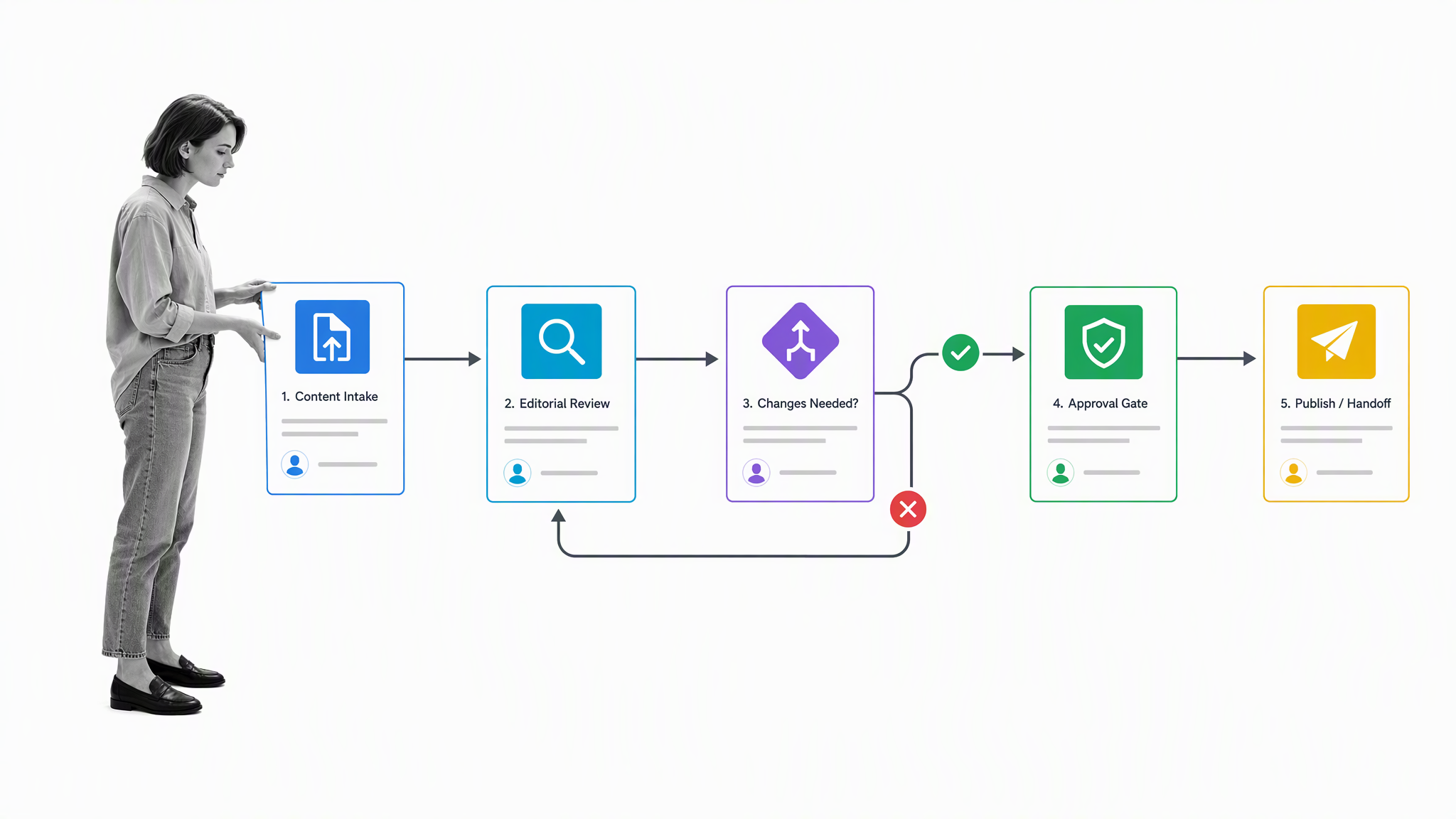
The distinction between a workflow and a process is useful. A process describes the repeatable activities needed to achieve an outcome. A workflow makes the movement of that work visible, including sequence, ownership, decisions, and handoffs. A standard operating procedure adds the detailed instructions for performing a particular task. Together, these layers explain what the work is, how it moves, and how each step should be completed.
Teams can represent workflows as diagrams, written procedures, checklists, or executable digital flows. Approaches such as Six Sigma and business process reengineering use this visibility to identify variation and redesign work. Whatever format you choose, useful workflow documentation should define the trigger, inputs, ordered steps, decision rules, owners, outputs, and completion criteria.
A diagram is useful for understanding sequence and dependencies at a glance, while a written procedure can hold the context, standards, and control details behind each step. An executable workflow adds assignments, due dates, forms, approvals, and an audit trail. Mature teams often use all three: a high-level map for orientation, linked guidance for depth, and a running workflow for consistent execution. The important point is that these representations agree. If the diagram, policy, and daily practice describe different paths, people will follow whichever version is easiest to find.
The blog pre-publish workflow below is a practical example. One person could complete every task, or editors, reviewers, and publishers could share responsibility while working toward the same result.
The history of workflows
The logic behind workflows long predates modern software. In The Wealth of Nations, published in 1776, Adam Smith described how a pin factory divided production into specialized operations:
“One man draws out the wire, another straights it, a third cuts it, a fourth points it, a fifth grinds it at the top for receiving the head: to make the head requires two or three distinct operations: to put it on is a particular business, to whiten the pins is another … and the important business of making a pin, is, in this manner, divided into about eighteen distinct operations, which, in some manufactories, are all performed by distinct hands, though, in others, the same man will sometimes perform two or three of them.”
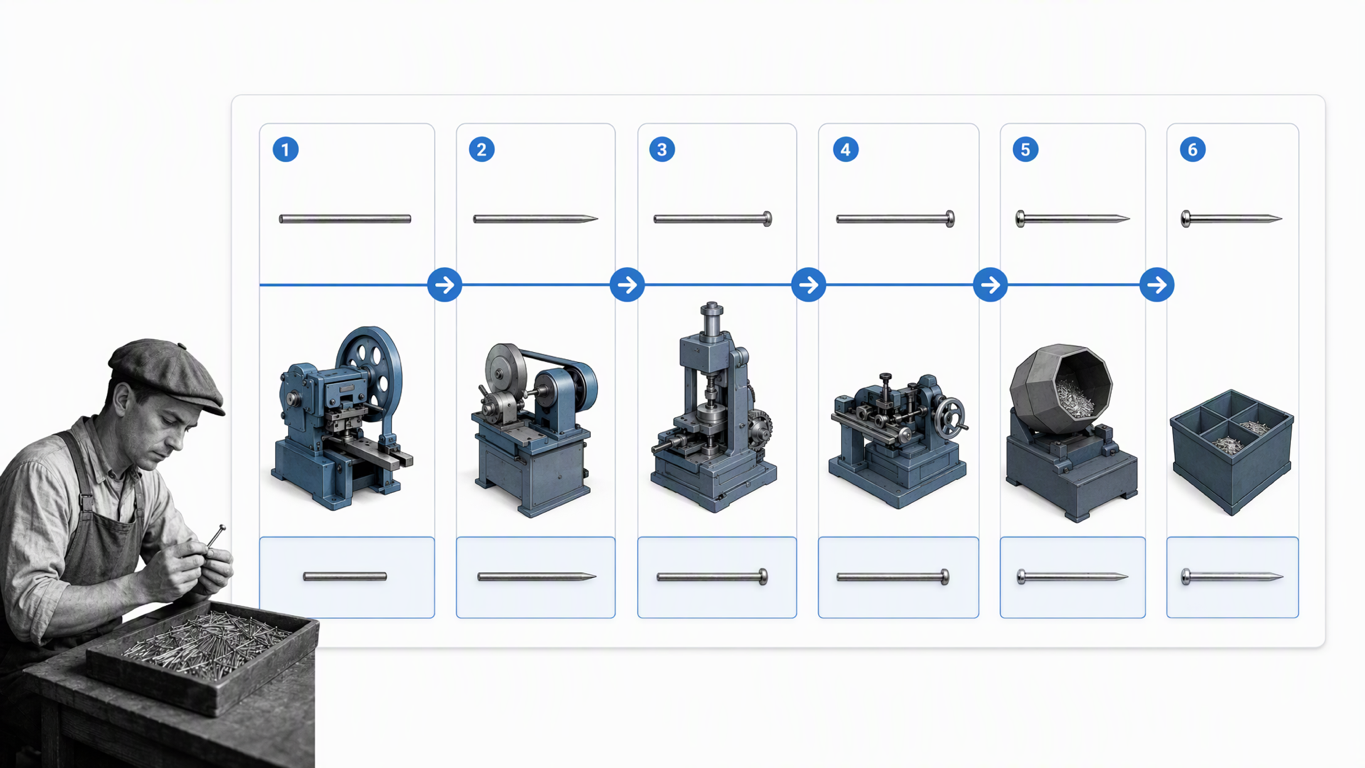
Smith connected division of labor with a dramatic increase in output. He calculated that 10 people working as a coordinated system could make about 48,000 pins in a day, while individuals working separately might produce fewer than 20 each. The point was not simply that people worked faster. The work had been analyzed, sequenced, assigned, and coordinated.
“Each person, therefore, making a tenth part of forty-eight thousand pins, might be considered as making four thousand eight hundred pins in a day. But if they had all wrought separately and independently, and without any of them having been educated to this peculiar business, they certainly could not each of them have made twenty, perhaps not one pin in a day.”
More than a century later, Frederick Winslow Taylor brought measurement and standardization to the foreground. His 1911 book The Principles of Scientific Management argued for studying work, defining consistent methods, training people systematically, and separating planning from execution. Those ideas helped shape the holistic view of processes across teams.
Taylor focused on the importance of standardization of processes and systematic training. His approach to process analysis began to shape a holistic perspective of processes across whole teams. The structures and systems that Smith noticed were becoming a management discipline focused on how production could be organized, measured, and improved.
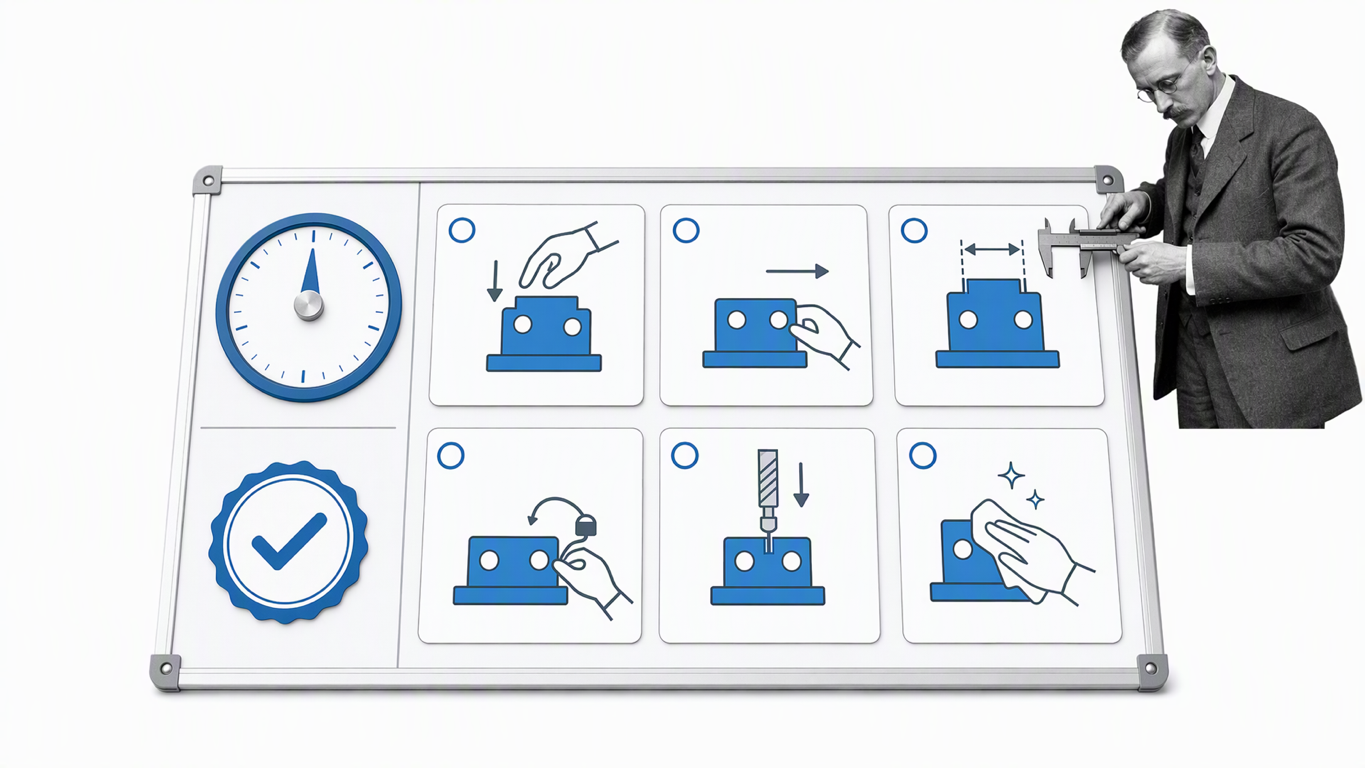
An early recorded use of the term “work flow” appeared in a railway engineering journal in 1921. The language has changed, and digital systems have expanded what workflows can do, but the core management problem remains familiar: make the path of work visible so people can coordinate it and improve it.
Workflows in action
Workflow documentation becomes especially valuable when timing, coordination, and safety depend on many roles. In a study of operating-room activity, Juan Cendan and Laura Good examined inconsistent practices surrounding room turnover. They observed the work, clarified the functions of physicians and nurses, and introduced a standardized workflow.
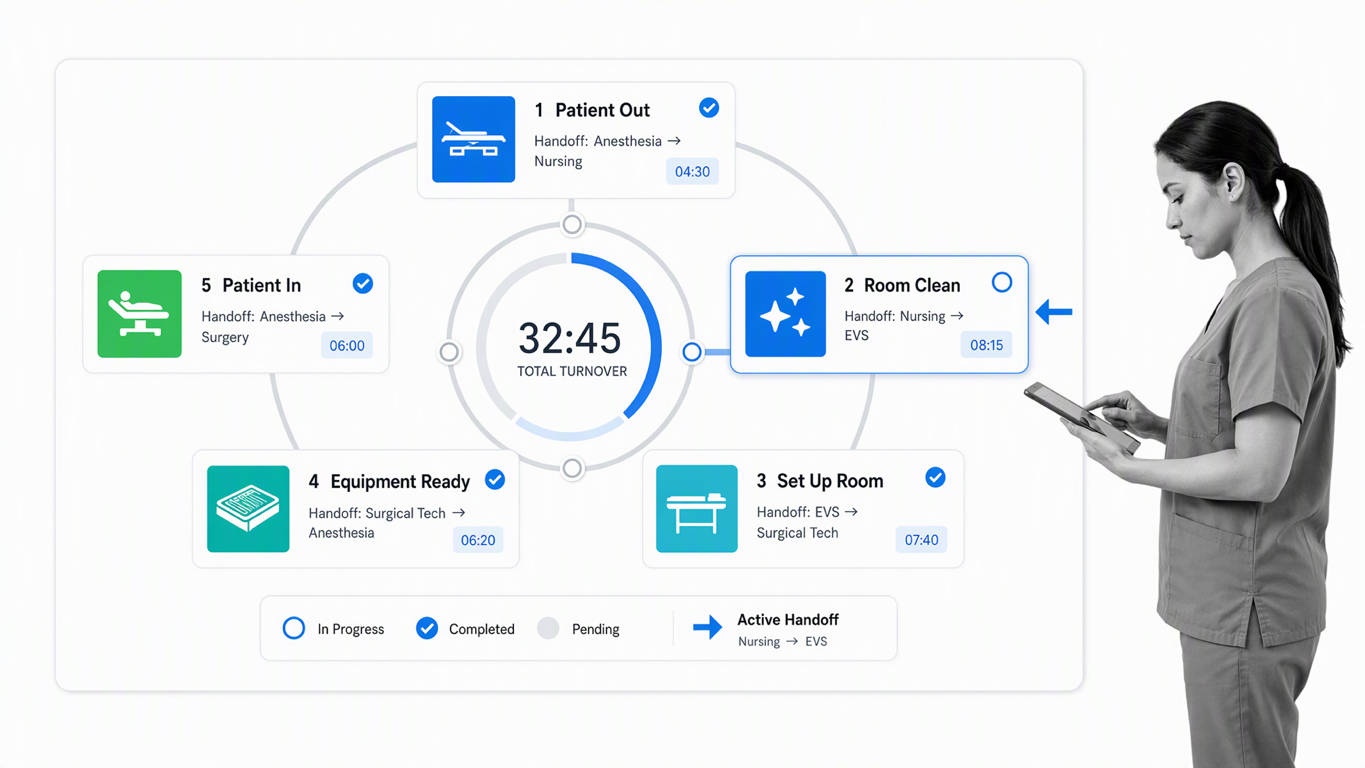
After the redesign, average turnover time fell from 43.7 minutes to 27.7 minutes, while the average daily caseload rose from 1.78 to 2.34 cases per room. Those results came from making responsibilities and dependencies explicit, then measuring the redesigned system. The study did not prove that documentation alone caused every improvement, but it shows how a shared operating method can reduce variation and increase capacity.
After studying the existing behaviors and spending time understanding the different roles both doctors and nurses played within the operations, the researchers redesigned the workflows. They defined and standardized different functions that could remain consistent across different uses of the operating theater. Once the approach was communicated and clear to the staff involved, they measured performance again.
The same principle applies outside healthcare. An employee onboarding workflow can connect HR, IT, finance, a hiring manager, and a new employee. A document approval workflow can connect an author, subject-matter expert, legal reviewer, and final approver. In each case, documenting the handoffs prevents work from disappearing between teams and gives everyone the same definition of done.
Workflow failures and control gaps
Bad workflows are not always missing. Sometimes they exist but fail to include the controls the organization needs. Zenefits became a prominent example when its rapid growth outpaced the processes used to verify insurance licensing and training requirements. In 2018, the California Department of Insurance announced a $7 million penalty tied to licensing violations.
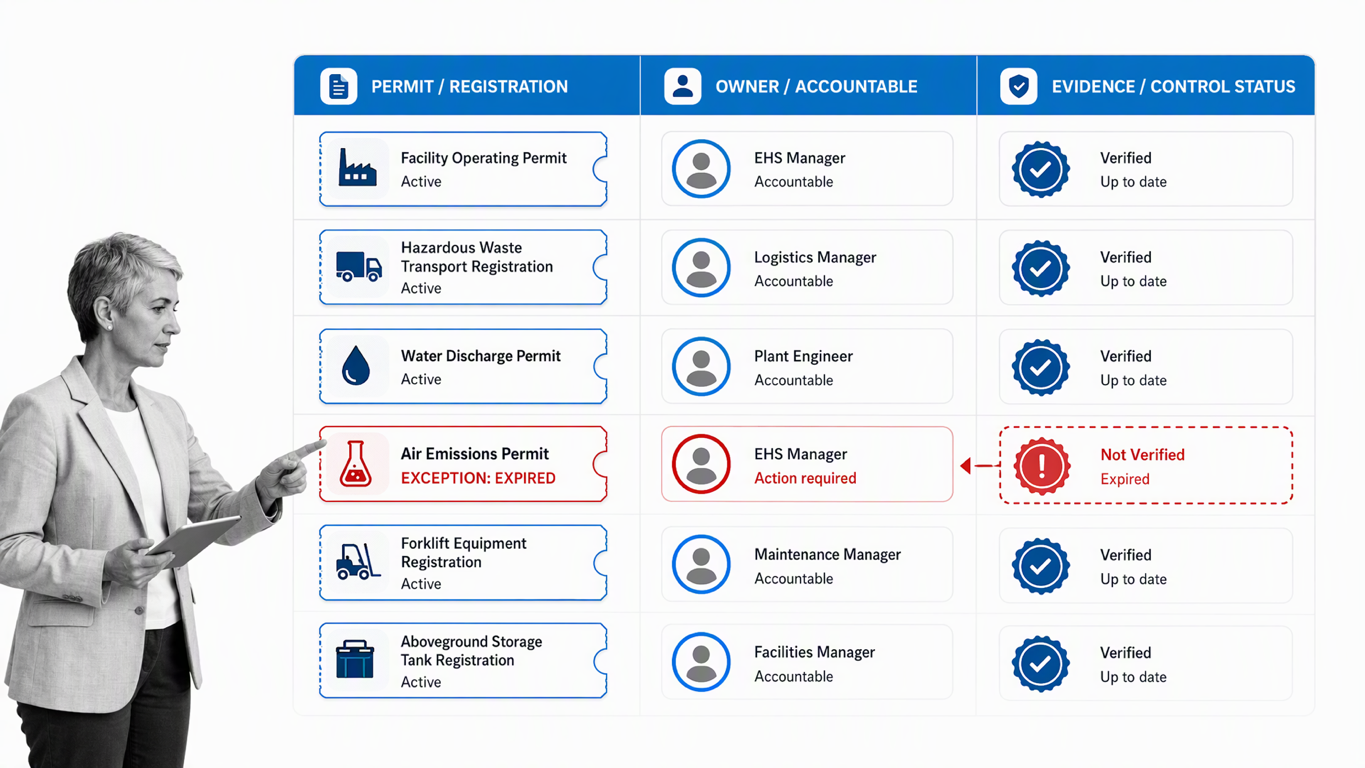
The underlying lesson is broader than one company. A workflow can move quickly and still be unsafe if it lacks ownership, evidence, review gates, or escalation rules. When people repeatedly work around a weak control and nothing immediately goes wrong, the exception can begin to feel normal.
Sociologist Diane Vaughan described this pattern as the normalization of deviance in her 1996 book about the Challenger launch decision. Small departures from the intended process can become accepted practice when teams do not record, review, and correct them. Good workflow documentation makes the expected path clear and gives managers the evidence needed to spot repeated exceptions before they become systemic risk.
Documenting your workflows step by step
The best way to document workflows is to start with one real, recurring outcome and map how work reaches it today. Do not begin with the ideal flow. Observe the current path, including the shortcuts, delays, and rework that people normally encounter.
Define the boundaries
Step 1. Name the workflow, its purpose, the event that starts it, and the outcome that completes it. A vague goal such as “publish content” becomes more useful when the start is an approved brief and the finish is a published, quality-checked article with distribution confirmed.
Identify owners and participants
Step 2. Assign one accountable workflow owner, then list every role that performs, reviews, approves, or receives work. Use roles rather than personal names where possible so the documentation survives staffing changes.

Capture the current steps
Step 3. Interview the people who do the work and watch a real instance move through the process. Record actions in order, using a clear verb and object: review the draft, verify the license, approve the request. Include the systems, documents, and data each step requires.
Map decisions and handoffs
Step 4. Write the condition behind every branch and define where work goes next. Identify each handoff explicitly. A publishing workflow, for example, could contain multiple people with different tasks assigned to them. The first five tasks could be assigned to a writer, the next five to the following worker, and the final five to another person to review the work and complete the process by clicking publish, sending it to the email list, and posting to social media. The document workflow process should show what each person receives and what must be true before they pass it on.
Add standards and controls
Step 5. Define required fields, instructions, service levels, approval criteria, and evidence. Link the relevant policy or SOP instead of duplicating long guidance. For controlled work, include version ownership, review frequency, access rules, and a change history.
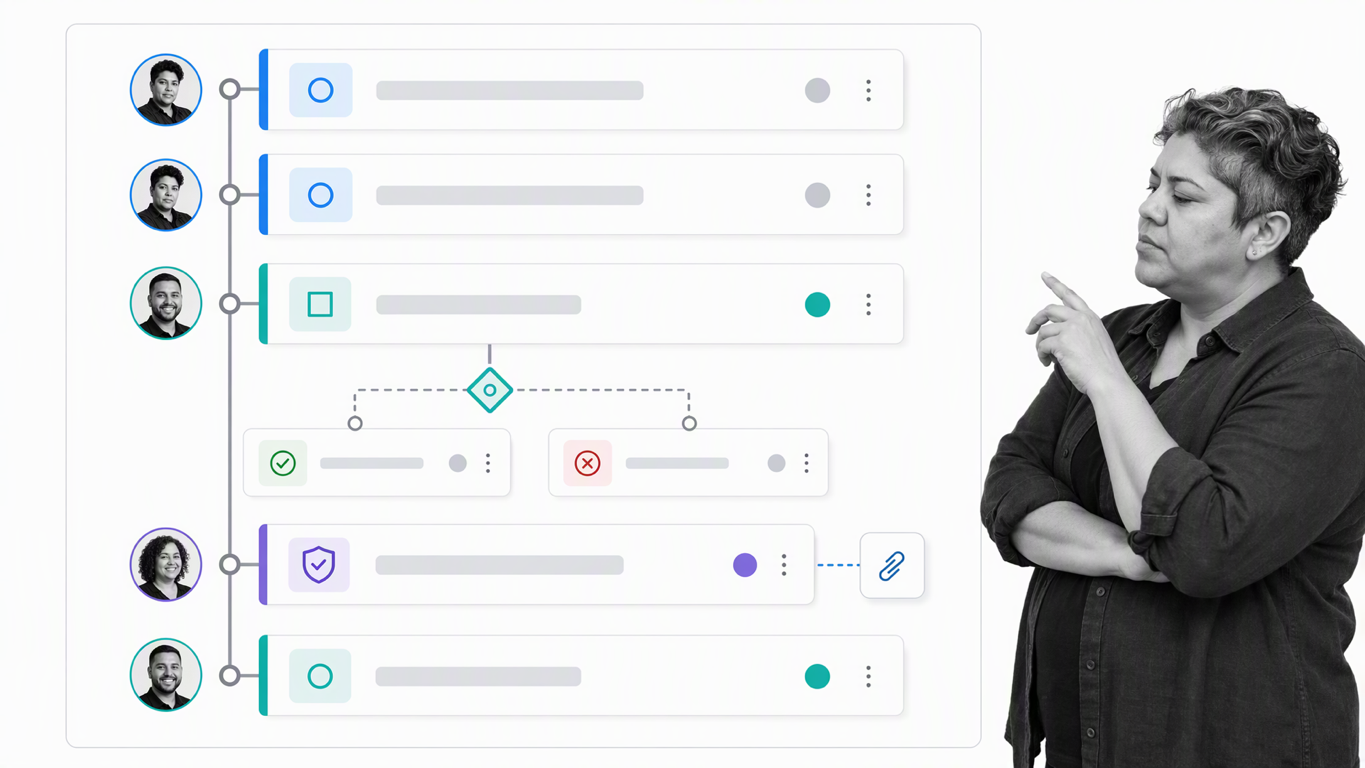
Test with real work
Step 6. Run the workflow with the people who will use it. Look for ambiguous steps, missing information, duplicated entry, and decisions that depend on tribal knowledge. Revise the documentation until a trained participant can complete the work without relying on the author’s memory.
Publish and govern it
Step 7. Store the workflow where the team can find and run it, assign a named owner, and set a review cadence. Capture feedback and exceptions while the work is happening. If several workflows connect, use a Workflow Run Link to launch one from another without losing context.
Process Street is a single Compliance Operations Platform with Docs and Ops capability areas plus built-in AI. Teams can document policies and procedures, turn them into guided operational workflows, collect evidence, and monitor execution in one product. For a deeper look at connecting documents, routing, and automation, see this guide to document workflow automation.
Optimize and automate your workflows
Documentation is not the finish line. It gives you a stable baseline for improving the way work runs. Measure the workflow before changing it, involve the people closest to the work, make one controlled change, and measure again.
- Monitor real-time business events. Understand how a process is performing before you try to optimize it.
- Involve key stakeholders. Make the optimization process one which has input from across the team.
- Use flexible technology. Keep systems dynamic and responsive to change, and use them to reduce inefficiencies.
Measure the performance of processes and collectively identify pain points where inefficiencies could be cut out. Then make changes and measure again. Iterate and improve while keeping the documented method aligned with the way the work is actually performed.
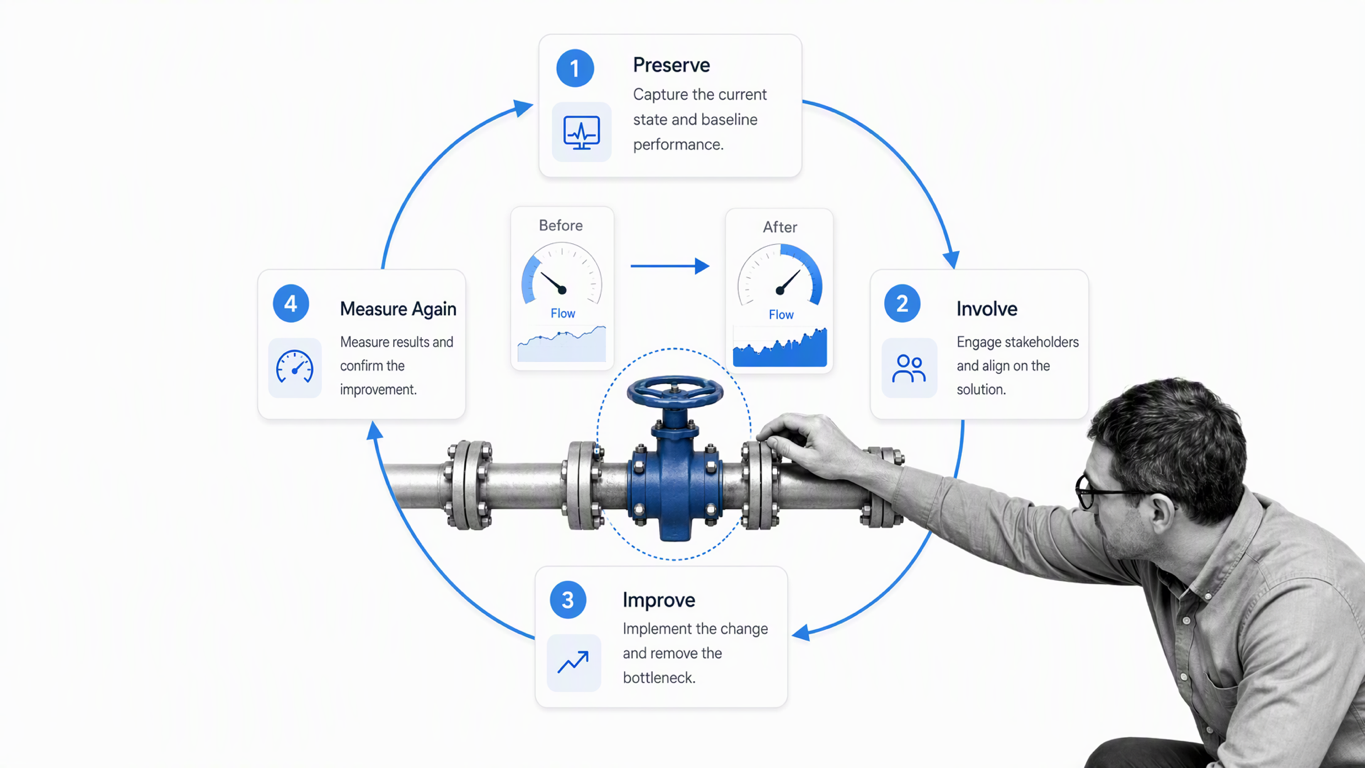
Useful measures include cycle time, wait time, first-pass completion, rework, overdue tasks, approval latency, exception volume, and completion against service levels. Choose measures that connect to the outcome rather than optimizing a single step at the expense of the whole workflow. Business process management treats this as a lifecycle of modeling, executing, monitoring, and optimizing work.
The process optimization template below provides a repeatable structure for investigating performance, prioritizing changes, and checking whether the new method works.
Automation works best after the workflow, decision rules, and exception paths are understood. Start with repetitive transfers, notifications, record creation, and routine checks. Keep human review where judgment, risk, or accountability requires it. Process Street has 5,000+ integrations, so workflow events can connect to the systems a team already uses while the operational record stays visible.
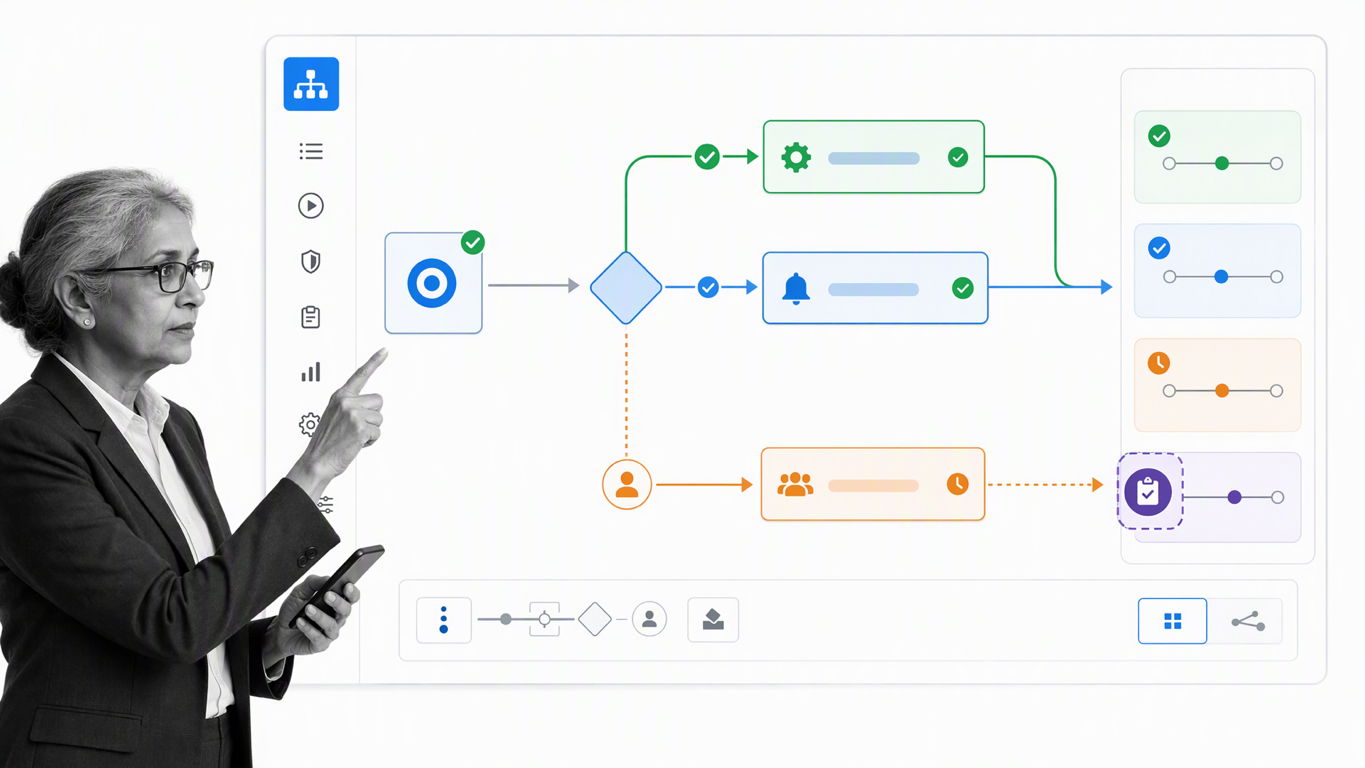
Built-in AI can help teams draft and refine operational content, but governance still matters. A human owner should approve the workflow, control changes, and review unusual outcomes. Automation should make the documented method easier to follow and inspect, not hide how decisions are made.
When documentation, execution data, and improvement live together, a workflow becomes more than a diagram. It becomes an operating system for reliable work: clear enough to teach, controlled enough to trust, and flexible enough to improve.
Workflow documentation FAQ
What should workflow documentation include?
It should include the purpose, trigger, inputs, ordered tasks, owners, decisions, handoffs, systems, controls, outputs, and completion criteria. Controlled workflows should also name the document owner, current version, review date, and change history.
What is the difference between a workflow and a process?
A process is the repeatable set of activities used to achieve an outcome. A workflow shows how that work moves through time, people, decisions, and systems. Teams often use the terms interchangeably, but the distinction helps when documenting ownership and handoffs.
How detailed should a documented workflow be?
Include enough detail for a trained participant to complete the work consistently without guessing. Put step-level instructions in the workflow and link to longer policies or SOPs when needed. Excess detail can make updates harder, while missing decision rules create inconsistency.
Who should own workflow documentation?
One accountable owner should govern each workflow, with input from the people who perform and review the work. The owner approves changes, schedules reviews, monitors performance, and makes sure the published version remains authoritative.
How often should workflows be reviewed?
Review high-risk or frequently changing workflows more often than stable, low-risk ones. At minimum, review after a policy, system, regulation, role, or recurring exception changes. Execution data can help owners decide when a workflow needs attention before the scheduled review.
The post How and Why to Document Your Workflows first appeared on Process Street | Compliance Operations Platform.


0 Commentaires