
IT security processes are repeatable procedures that protect systems, data, access, networks, and incident response. The best ones do not live in someone’s head or a one-off spreadsheet. They are assigned, run, documented, and reviewed.
This IT security checklist covers eight practical workflows your team can run in Process Street: privileged password management, daily network administration, network security audits, firewall audits, VPN configuration, Apache server setup, email server security, and penetration testing.
Together, these processes support the same operating habits behind mature security programs: clear ownership, evidence capture, access control, vulnerability management, and regular review. They also give your IT team a consistent way to prove work was done, which matters when security requirements, customer audits, and internal compliance reviews all need reliable records.
- Privileged password management
- Network administrator’s daily tasks
- Network security audit workflow
- Firewall audit checklist
- VPN configuration
- Apache server setup
- Email server security
- Penetration testing
- Conclusion
- FAQ
Privileged password management
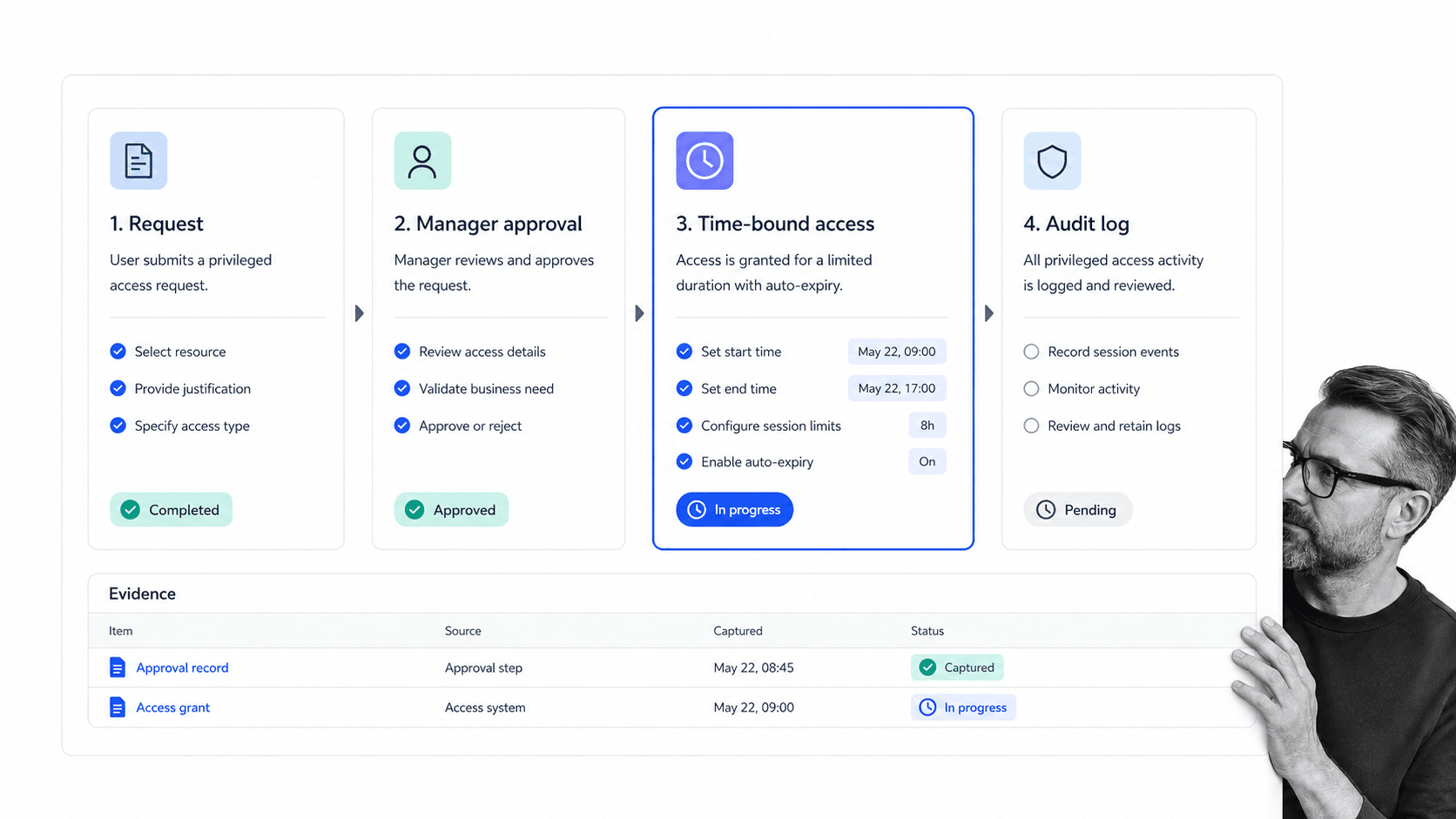
At the heart of every secure system is a secure set of passwords, but privileged password management is more than a shared vault. If you need personal password storage, a tool like 1Password can help. This process is focused on the high-risk access that lets administrators reach production databases, infrastructure, customer records, or other sensitive systems.
The Privileged Password Management workflow gives short-term access to someone who needs it, while recording why access was requested, who authorized it, when it expires, and what evidence was captured. That keeps authorization, documentation, and secure access management in the same place.
This is the difference between trusting a verbal handoff and running a controlled access process. The relevant IT manager, risk manager, or system owner can approve the request, set time-bound conditions, and keep a clear audit trail for later review.
Network administrator’s daily tasks
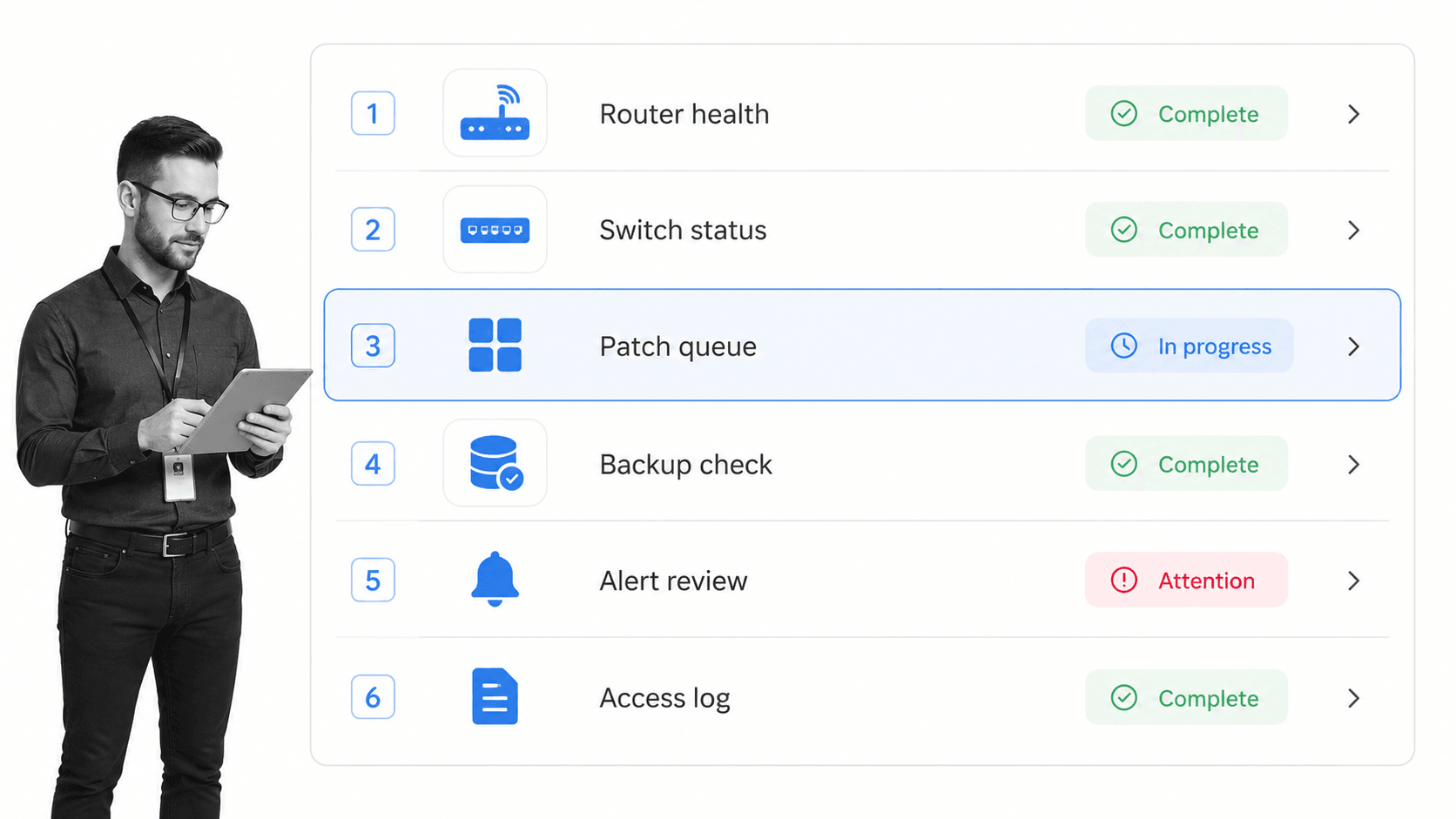
The network administrator is often the unsung hero of company operations. Most of the time, the network administrator is also the first line of defense against malicious attacks, misconfiguration, downtime, and missed maintenance.
The Network Administrator Daily Tasks checklist lists the recurring daily checks that should happen across network health, switch status, backups, alert review, patch queues, and access logs. It gives the administrator space to record what was checked and what needs follow-up.
Because Process Street templates are editable, this daily routine can evolve as your network changes. A small MSP, an internal IT team, and an enterprise network group may all need different daily tasks, but they still benefit from a repeatable checklist that makes the work visible.
Network security audit workflow
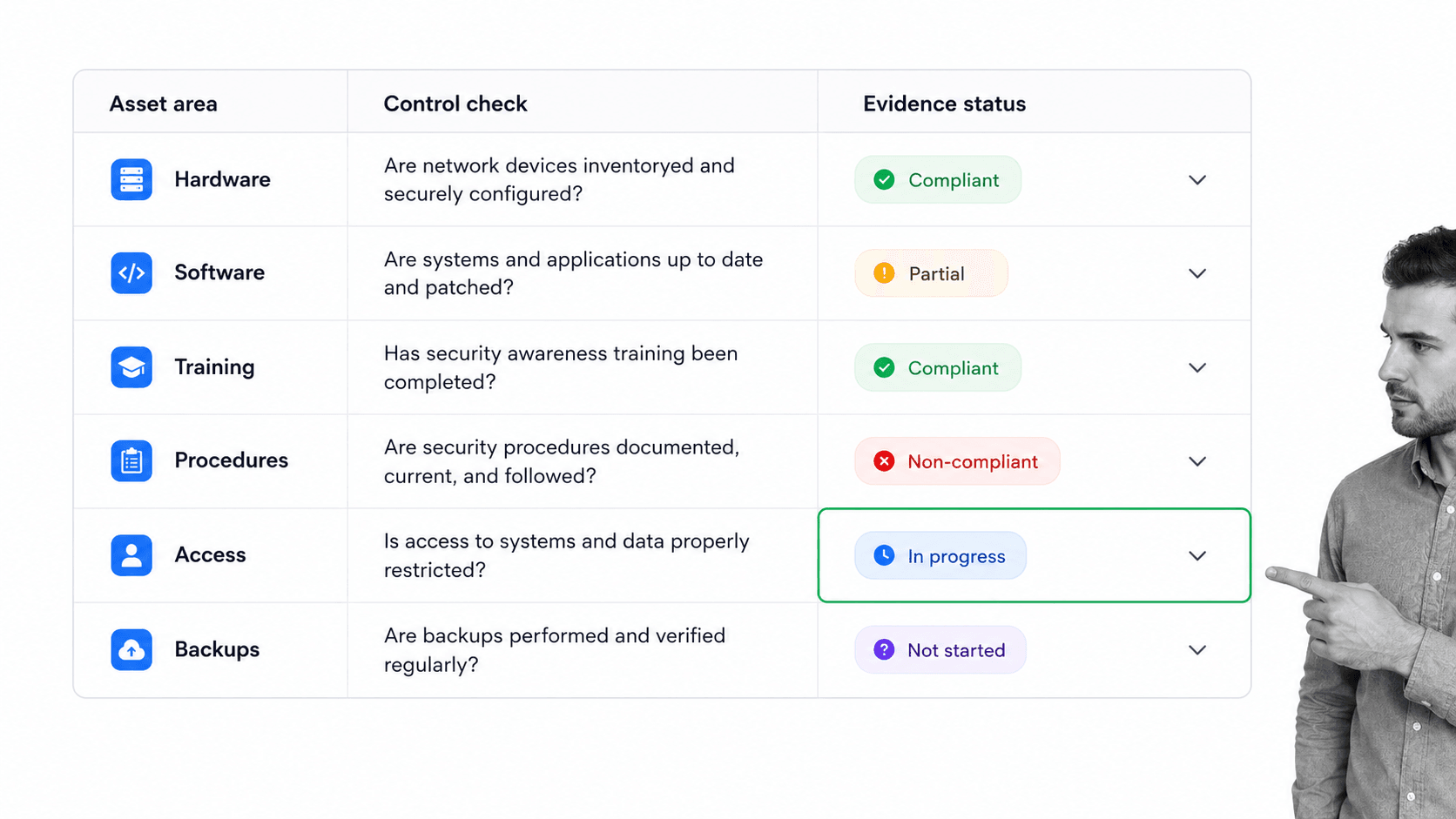
The aim is always to keep security as high as possible. To do that, you need a regular audit process that finds weak points before an incident does. Vulnerabilities can sit in hardware, software, access policies, training, procedures, backups, or the handoffs between them.
The Network Security Audit Checklist deals with hardware and software, training and procedures, and the evidence needed to show whether controls are working. It works as an internal review workflow for a larger organization and can also be adapted by consultants who repeat the same audit across client environments.
A strong audit workflow should also connect findings to remediation. If the audit discovers unpatched systems, unclear procedures, or access that should be restricted, the next step is a documented vulnerability management process that assigns owners, due dates, and proof of completion.
Firewall audit checklist
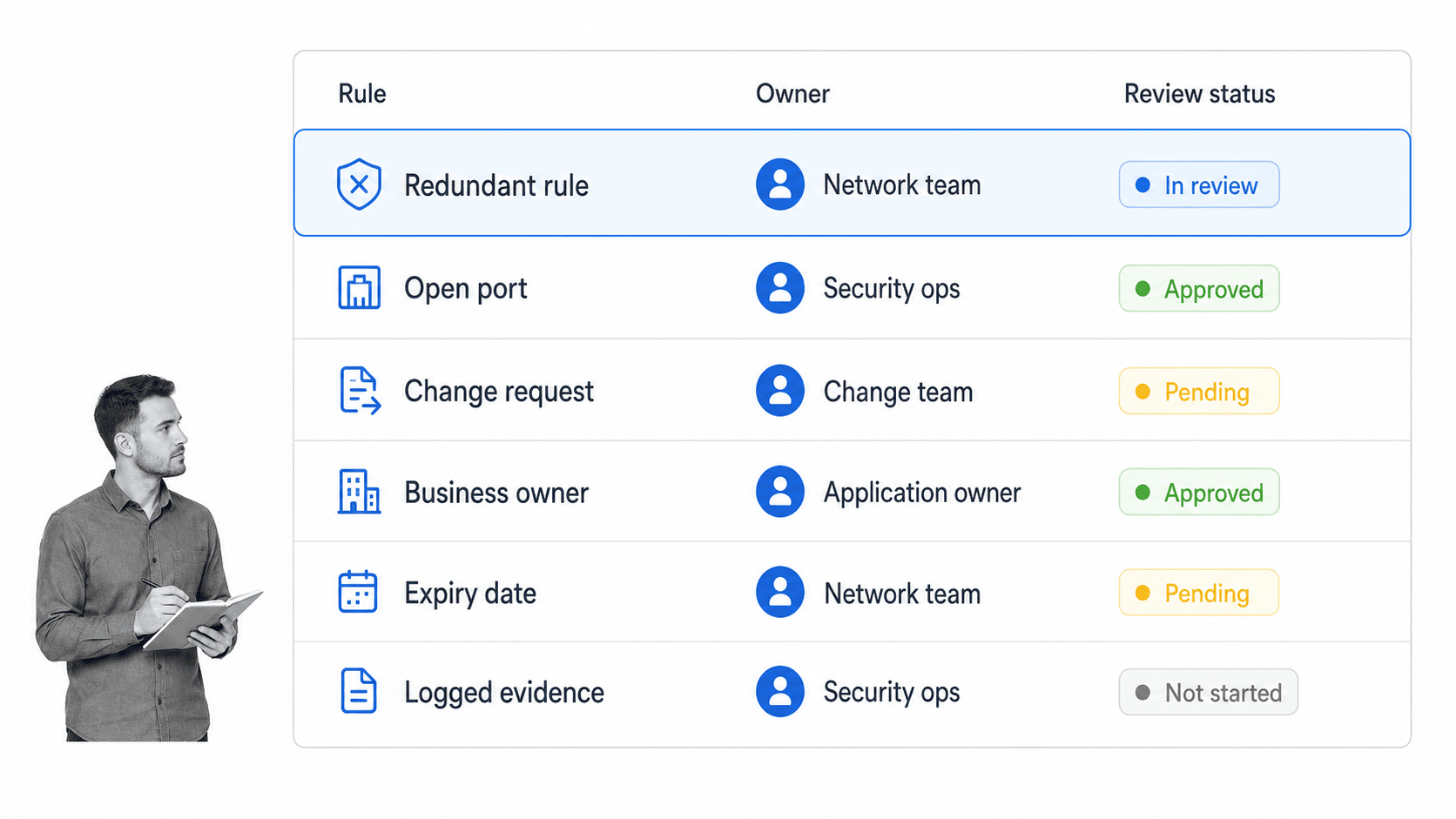
A firewall audit shares similarities with a network audit. Both require the review and analysis of processes and procedures as much as strictly technical areas. A firewall audit is narrower, but it can sit inside the broader network security audit when your team wants a deeper look at rules, policies, and physical protections.
The Firewall Audit Checklist guides the auditor through reviewing existing policies, assessing physical security of servers, identifying open ports, validating business owners, and deleting redundant rules from the rule base. Every step encourages documentation, which makes the next review much easier.
That process documentation matters because firewall rules tend to accumulate over time. When each rule has an owner, a reason, and review evidence, your team can make cleaner decisions about what should remain, what should change, and what should be removed.
VPN configuration
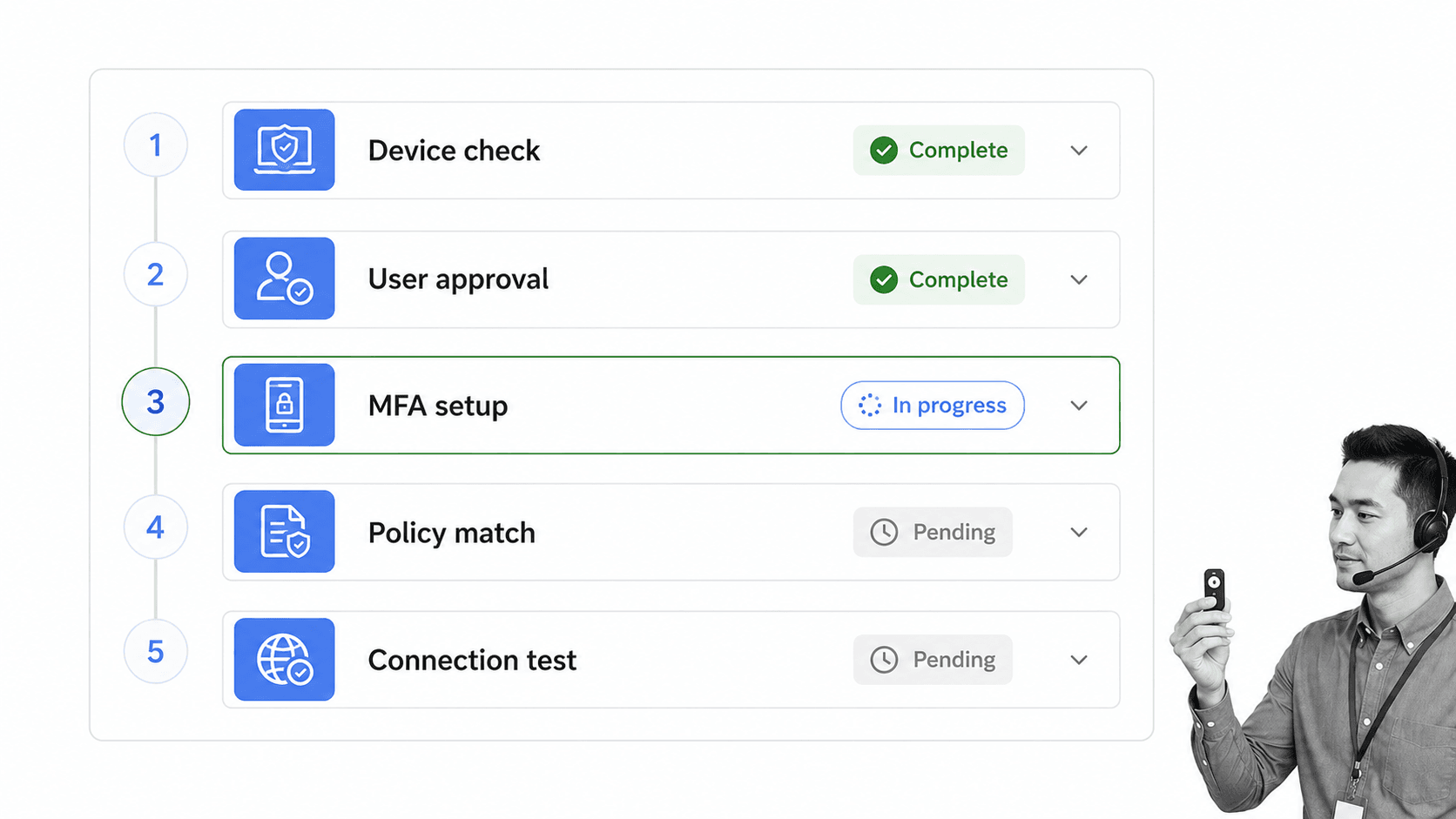
Utilizing a VPN has become increasingly common, but business VPN configuration is different from simply installing a consumer privacy tool. When remote access reaches an office network or internal system, the setup process needs approvals, identity checks, device checks, and a record of who can connect.
The VPN Configuration workflow helps set up a staff member’s laptop so they can connect to the office network remotely. It gives IT a repeatable way to confirm policy match, configure multi-factor authentication where appropriate, test the connection, and record the access decision.
This also reduces the risk created by poor communication. IT and HR should both know who has remote access, why they have it, and when it should be removed. That record becomes especially important when roles change, contractors leave, or a device is lost.
Apache server setup
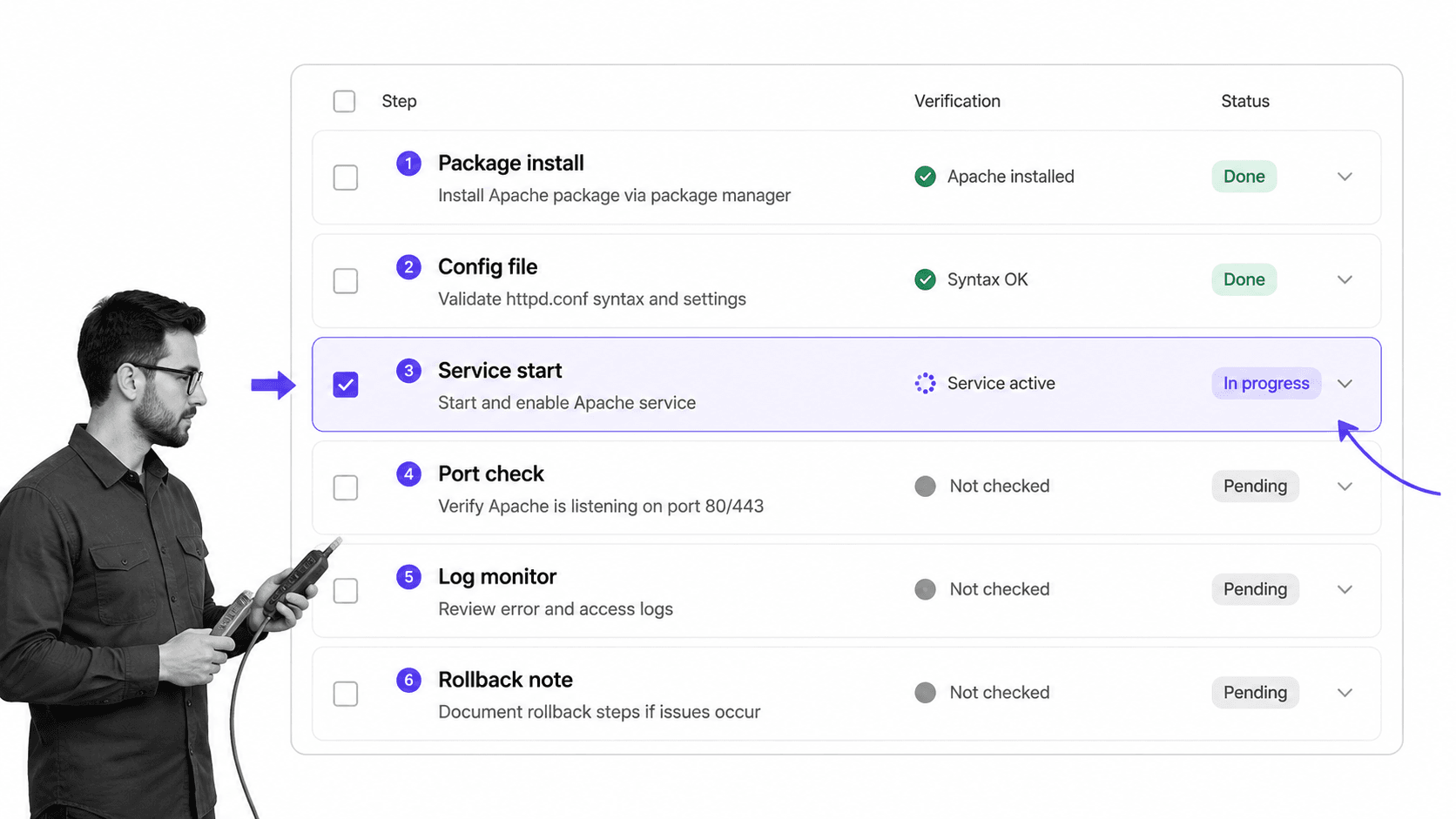
Apache remains a widely used web server, and server setup is one of the places where small mistakes can create real security exposure. A controlled server-build procedure helps your team install, configure, validate, and document the setup instead of relying on memory or scattered notes.
The Apache Server Setup template walks through package installation, configuration, service start, port checks, log monitoring, and rollback notes. You can adapt the commands and verification steps to match your operating system, internal standards, and change-management requirements.
Because the template is editable, it can become part of a larger secure configuration process. Your team can add review steps, required evidence, owner approvals, and links to internal hardening standards so every server build follows the same path.
Email server security
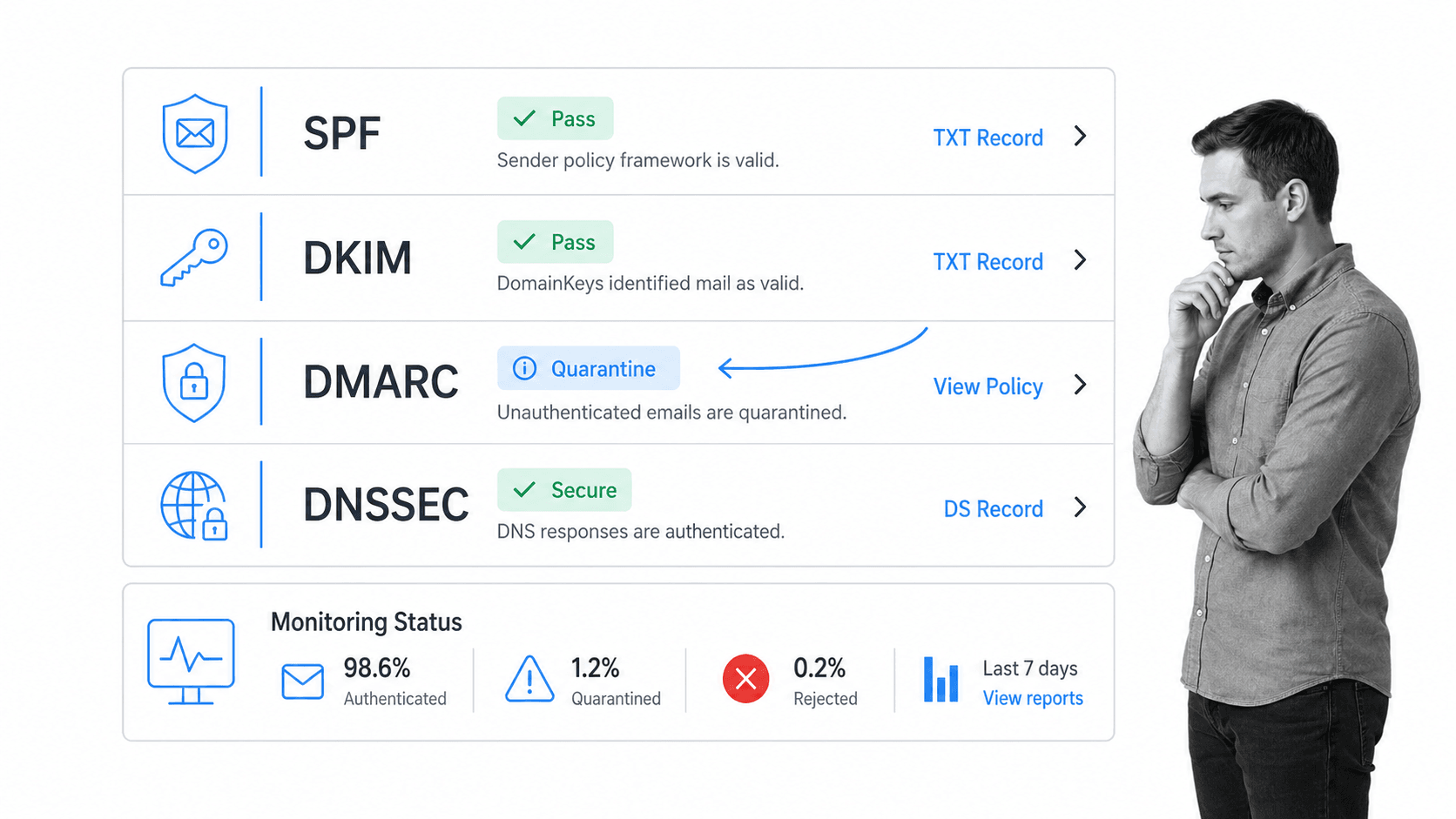
Email is one of the first ways anyone is going to try to get into your company. Fighting off phishing attacks and other malicious attempts to compromise your security relies on both strong technical resilience and regular training.
The Email Server Security checklist covers technical controls such as SPF, DKIM, DMARC, and DNSSEC. These controls help authenticate senders, reduce spoofing, and give your team a clearer view of whether messages are passing or being quarantined.
- Enable SPF
- Enable DKIM
- Enable DMARC
- Enable DNSSEC
Technical controls are only one side of the process. Staff training, phishing reporting, escalation procedures, and incident-response handoffs all matter. No matter how many technical barriers you put in place, careless downloads and missed warning signs can still create problems.
Penetration testing
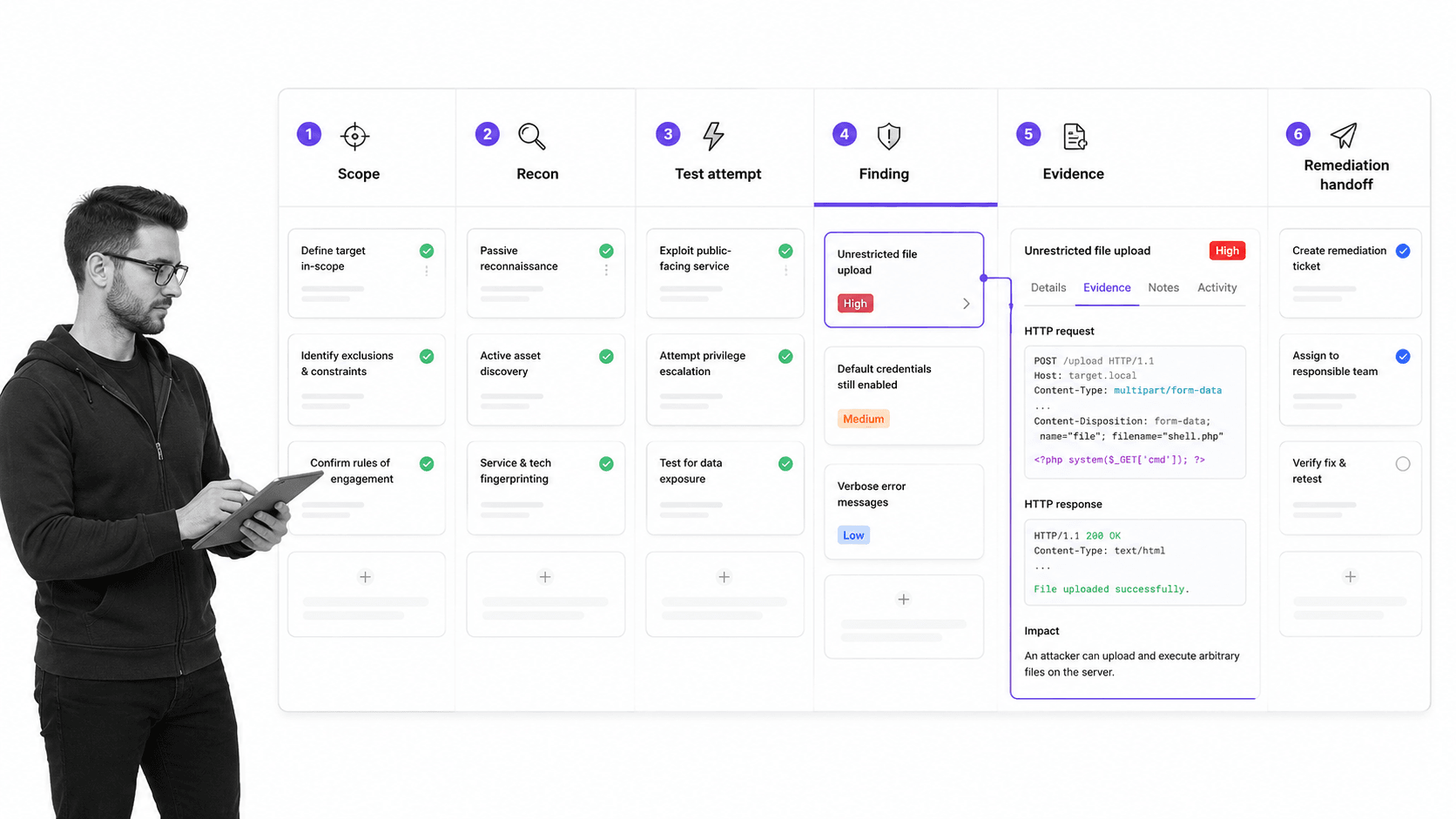
Penetration testing is like the cool side of IT security. It more closely resembles the kind of IT practices you might see in a film. Hollywood IT. Heart-racing soundtrack optional.
The serious goal is to test a system’s security by trying to break into it under controlled conditions. A penetration tester looks for vulnerabilities, attempts to exploit them, and documents how much damage those weaknesses could allow if a real attacker found them first.
The Penetration Testing process provides a step-by-step guide through the tasks involved in pen testing while giving the tester a place to record evidence, findings, impact, and remediation notes. Good documentation turns the test from an isolated exercise into a practical security improvement plan.
Conclusion
These eight templates give your team a practical starting point to protect systems, access, servers, email, networks, and audit evidence. You can run them as-is, adapt them to your environment, or combine them with broader security workflows such as incident response, vendor reviews, and change management.
Process Street is a Compliance Operations Platform for recurring work that needs control, visibility, and proof. Use Docs to standardize procedures, Ops to run assigned workflows and collect evidence, and built-in AI to help teams move faster without losing the structure that security work requires.
If you like these templates, you may also find these Process Street template packs useful:
- Client onboarding processes
- HR templates
- New employee onboarding processes
- Sales processes
- Design processes and checklists
- Accounting processes
- Electrical inspection checklists
FAQ
What is an IT security process?
An IT security process is a repeatable workflow for protecting systems, data, users, and networks. It defines who owns the work, what steps must happen, what evidence must be captured, and how exceptions or findings move to follow-up.
Which IT security processes should every company document?
Every company should document access management, daily administration, security audits, firewall reviews, remote access, server setup, email security, vulnerability management, incident response, and penetration testing where appropriate.
How does Process Street help with IT security workflows?
Process Street turns security procedures into assigned workflows with due dates, approvals, conditional logic, form fields, audit trails, and evidence capture. That helps teams run the same process consistently and prove what happened during reviews or audits.
The post 8 IT Security Processes to Protect Your Company Today! first appeared on Process Street | Compliance Operations Platform.


0 Commentaires