Nintex is a serious workflow automation platform. It can handle complex forms, approvals, document generation, robotic process automation, process intelligence, and enterprise workflow orchestration. For teams that have built a lot of work around Nintex, that breadth is useful.
It can also be more platform than many teams need. If you are looking for Nintex alternatives to systemize your workflows better, the right choice depends on what you are replacing: recurring operational workflows, SharePoint workflow automation, process mapping, app-to-app automation, procedure documentation, or a lighter request-management layer.
The strongest replacement is rarely a one-for-one clone. Most teams get better results by matching the tool to the job: use a platform like Process Street for recurring workflows and compliance operations, use diagramming software to map processes, and connect systems with automation tools where a full BPM suite would slow the team down.
Below are eight Nintex competitors and alternatives worth considering, with notes on where each one fits and where it falls short.
Process Street helps teams enforce recurring workflows
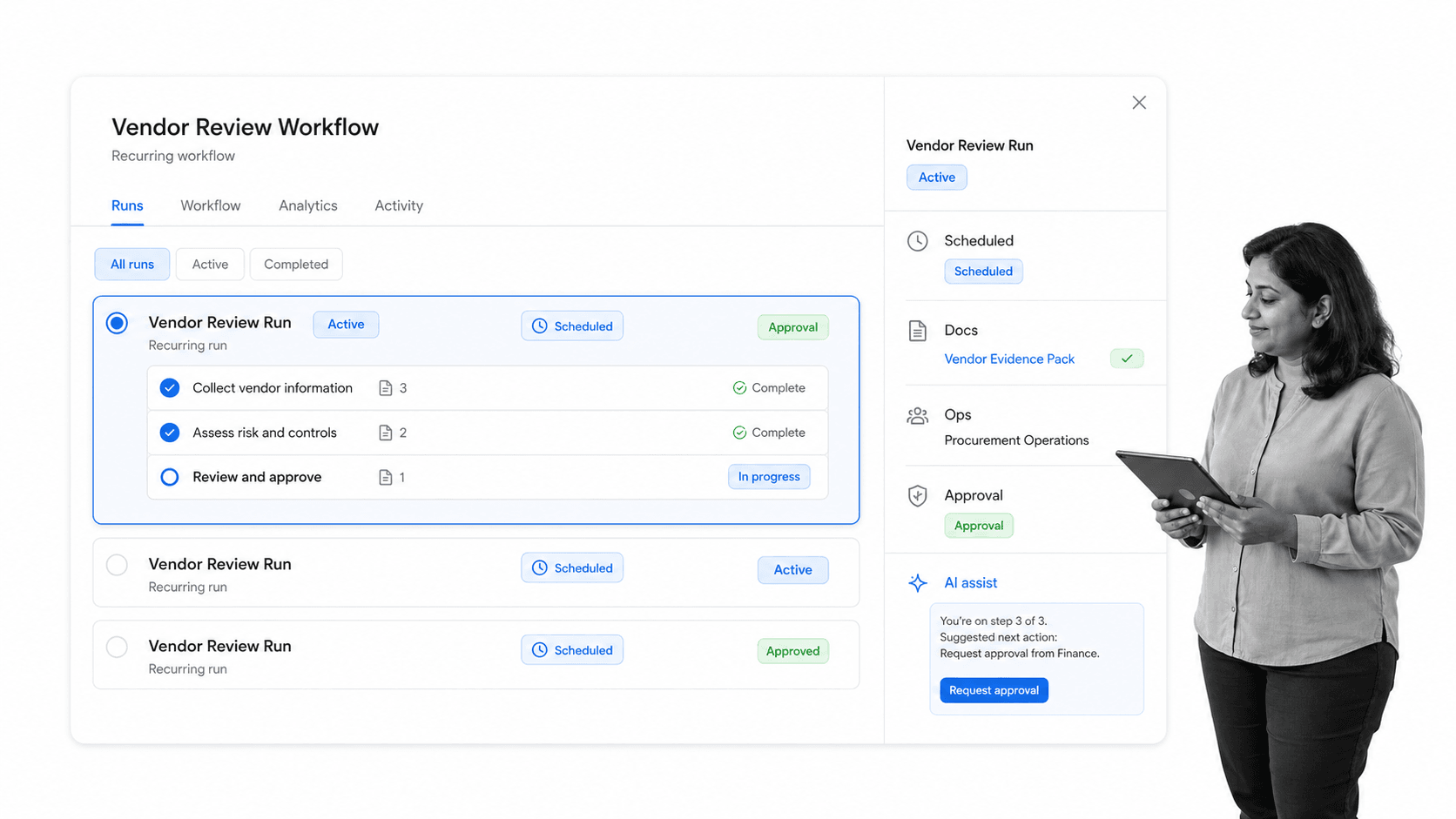
Process Street is a Compliance Operations Platform for teams that need recurring workflows to run the same way every time. It combines Docs for process knowledge, Ops for workflow execution, and built-in AI to help teams standardize approvals, handoffs, evidence collection, and exception handling.
That makes it a strong Nintex alternative when the real problem is not building a custom enterprise application, but getting people to follow the right process across departments. Teams can document a procedure, run it as a workflow, assign work through My Work, collect structured data, and automate steps through integrations.
Process Street is especially useful for compliance-heavy work: vendor reviews, employee onboarding, finance approvals, security checks, client implementation, quality control, and recurring audits. Instead of burying the process in email threads or one-off forms, teams get an operational record of who did what, when, and with which approvals.
If your current Nintex setup depends on deep custom SharePoint or highly specialized enterprise BPM logic, you may still need a heavier platform for that layer. But for recurring operational work, Process Street gives teams a faster way to launch, improve, and govern processes without making every change an IT project.
For teams comparing the broader category, Process Street also has a guide to workflow orchestration tools.
Lucidchart helps teams map processes before automation
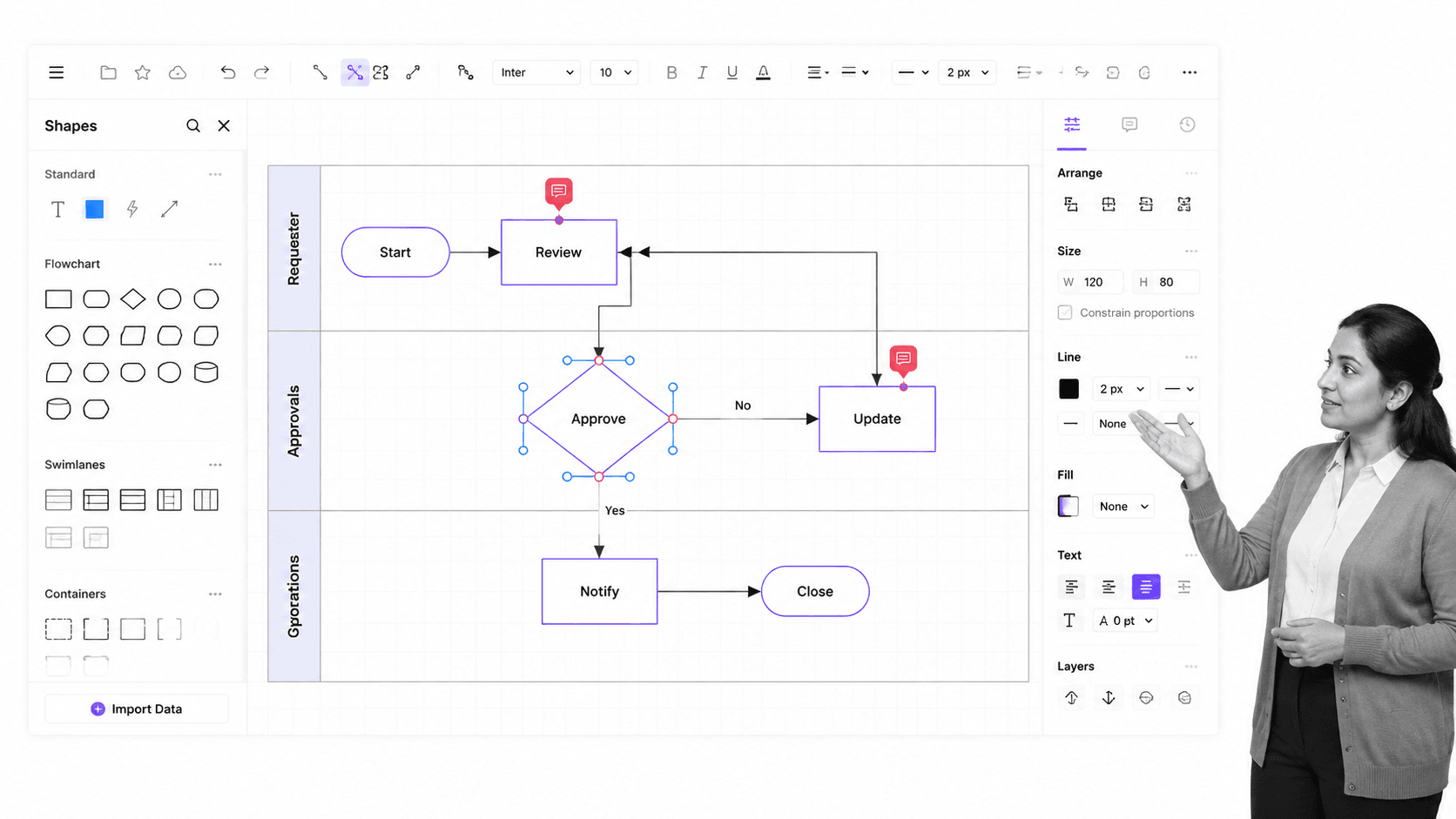
Lucidchart is not a full Nintex replacement. It is a visual process mapping tool, and that makes it useful before you automate anything. Teams can map a workflow, identify bottlenecks, agree on the future-state process, and then decide which parts should be automated.
This matters because many workflow automation projects fail before the software is even configured. The team automates an unclear process, then spends months arguing over exceptions. Lucidchart helps teams make the process visible first, which is valuable whether the automation layer ends up being Process Street, Power Automate, Zapier, or another workflow platform.
Lucidchart is best for teams that need swimlanes, flowcharts, handoff diagrams, and system maps. Its templates and collaboration features are useful for workshops and documentation, but it should be paired with an execution tool if you need task assignment, audit trails, conditional logic, or approval records.
Zapier connects apps and automates handoffs
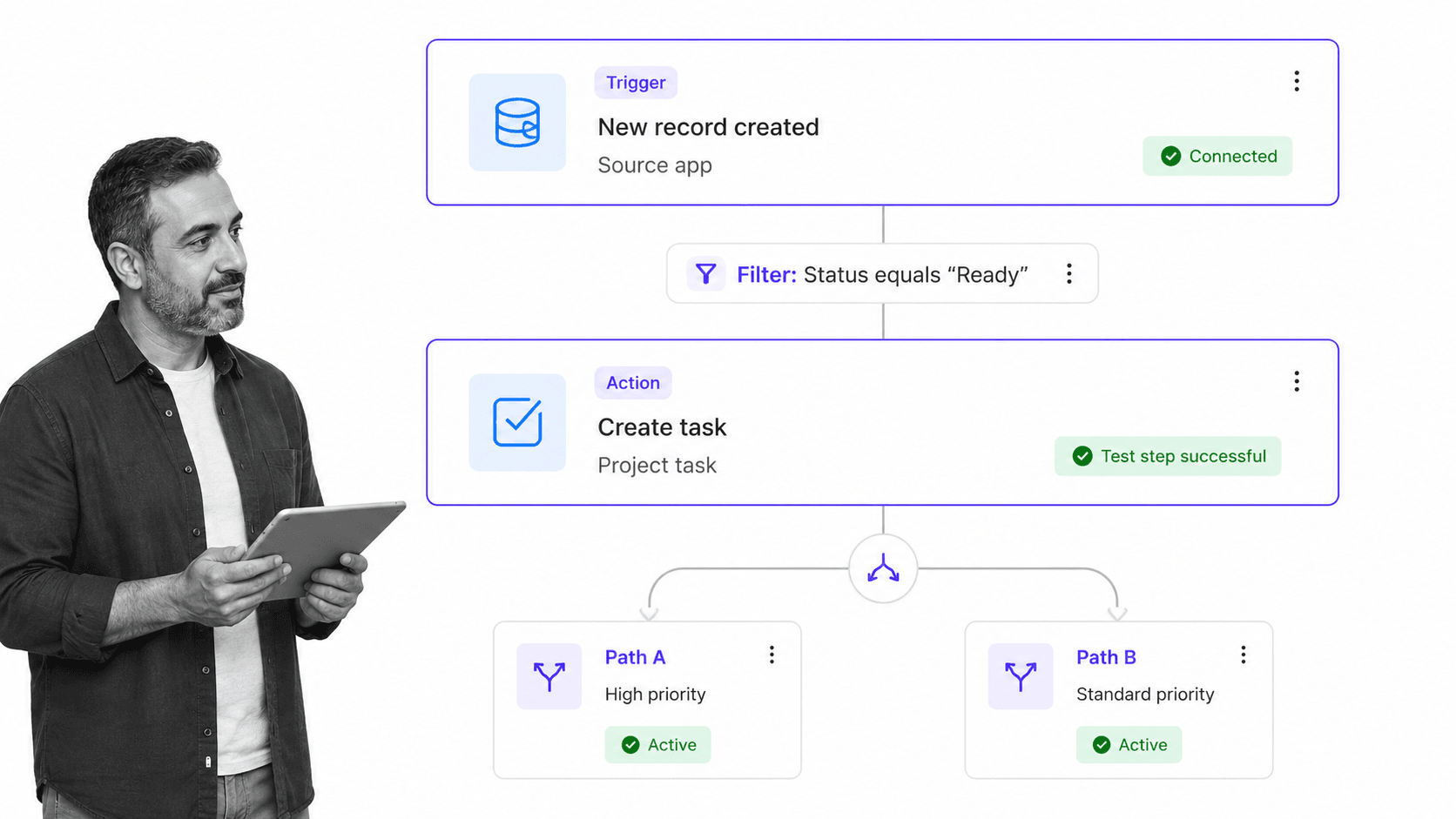
Zapier is a practical option when the Nintex use case is mostly app-to-app automation. It connects thousands of apps, so teams can move data between tools, trigger notifications, create tasks, update records, and reduce manual handoffs without building a custom integration from scratch.
Zapier is strongest when the workflow is event-driven: a form is submitted, a deal changes stage, a file lands in a folder, or a support ticket meets a condition. For those cases, a Zap can be much faster than configuring a full BPM platform.
It is weaker when the process requires a governed human workflow with recurring tasks, evidence, role-based approvals, or a complete operational history. In that case, Zapier works better as the automation layer around a workflow system. For example, Process Street’s Zapier integration can connect workflow runs to the rest of a team’s software stack.
Kissflow gives business teams low-code workflow automation
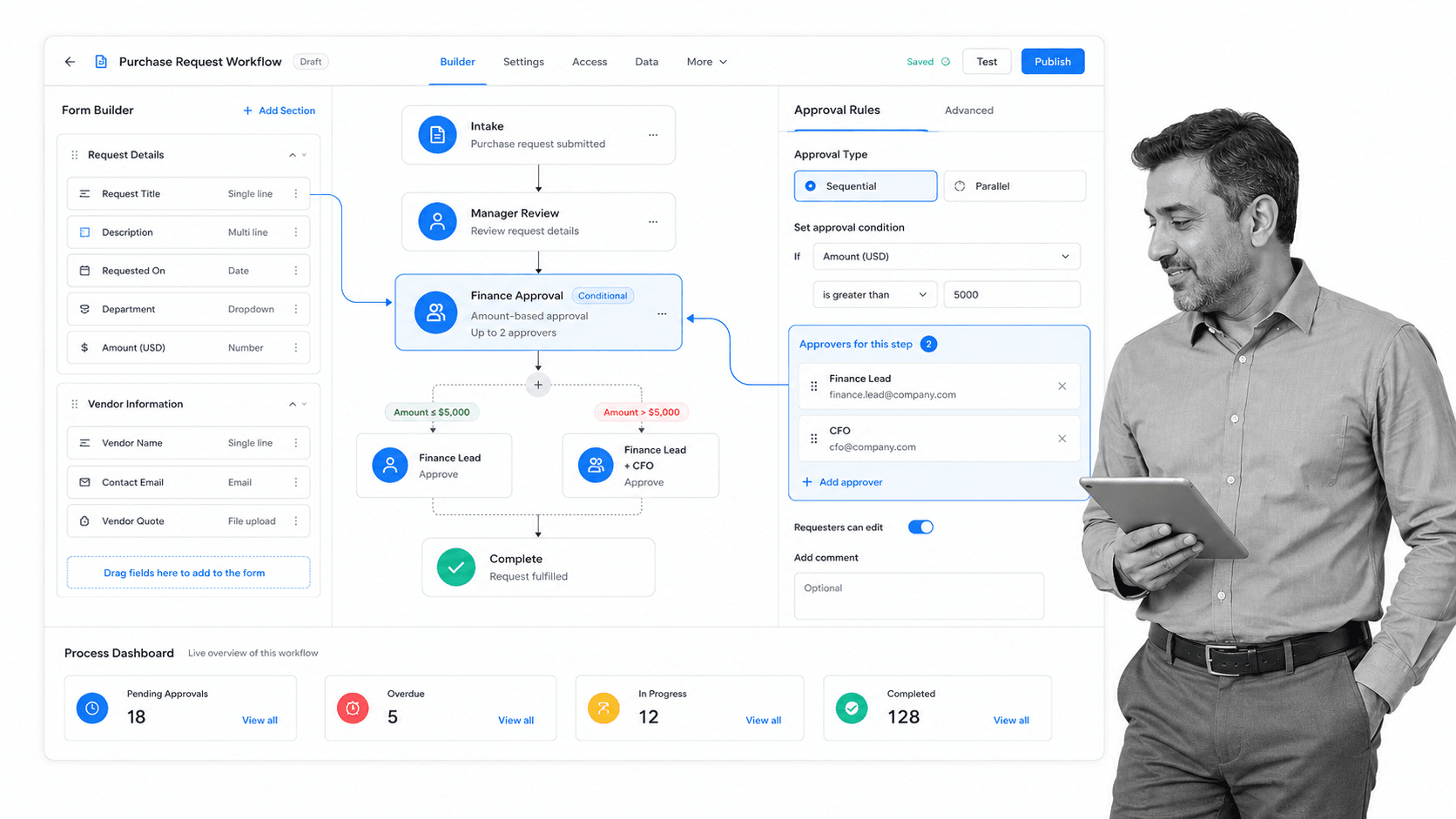
Kissflow is closer to Nintex than most lightweight tools on this list. It is a low-code workflow and app-building platform for teams that want business users to create forms, approvals, dashboards, and process apps without waiting on a traditional development backlog.
Kissflow fits purchase requests, employee services, IT requests, vendor onboarding, and other structured internal workflows. It gives teams more process-control depth than a simple checklist or Kanban board, while still aiming to be approachable for non-technical operators.
The tradeoff is that low-code platforms still require governance. If every team builds its own apps with different data structures and approval rules, the organization can recreate the same sprawl it was trying to escape. Kissflow works best when there is a clear owner for workflow design, naming, permissions, and reporting.
SweetProcess is best for lightweight procedure documentation
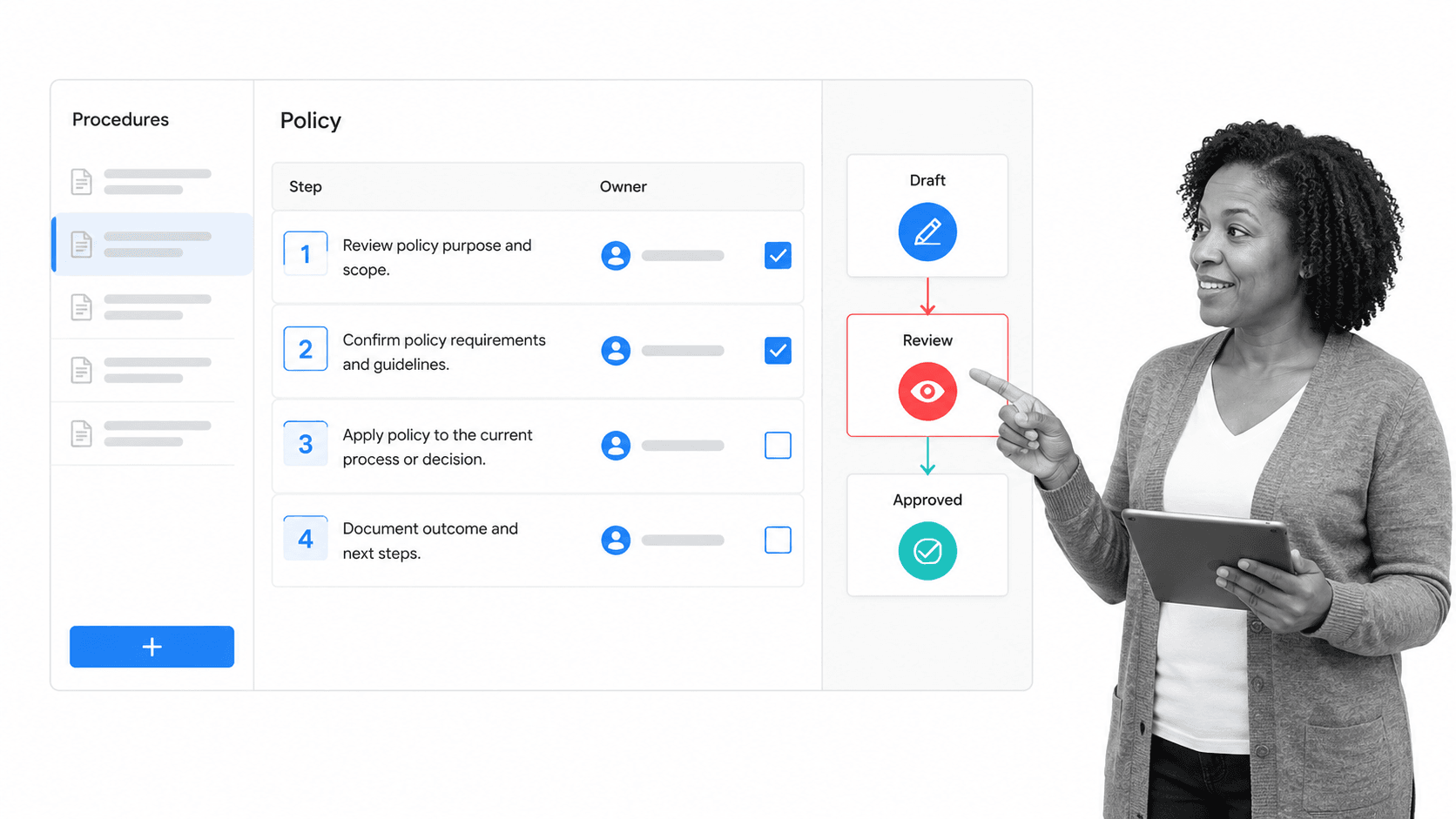
SweetProcess is for teams that need procedures, policies, and basic process documentation more than they need a full workflow automation suite. It helps teams write down how work should be done, assign procedure-related tasks, and keep operational knowledge in one place.
That makes SweetProcess useful for small businesses and teams moving away from scattered Google Docs, PDFs, or tribal knowledge. It can help with SOPs, onboarding material, recurring checklists, and policy documentation.
As a Nintex alternative, SweetProcess is a narrower fit. It does not aim to replace enterprise workflow orchestration, complex forms, or deep BPM logic. It is better when the pain is inconsistent documentation and informal procedures, not a need for advanced automation architecture.
Trello helps teams visualize lightweight work

Trello is a lightweight way to visualize work moving through stages. It is not a direct Nintex competitor, but it can replace simple approval queues, editorial workflows, request boards, and project tracking processes that do not need a heavy workflow engine.
The appeal is speed. A team can create a board, define columns, add cards, assign owners, attach files, and start working almost immediately. Trello’s automation features can also handle simple rules, reminders, and card movements.
The limits show up when a process needs strict compliance controls, complex branching, structured data capture, or detailed audit evidence. Trello is best for transparent coordination, not regulated workflow execution.
Microsoft Power Automate replaces SharePoint Designer workflows
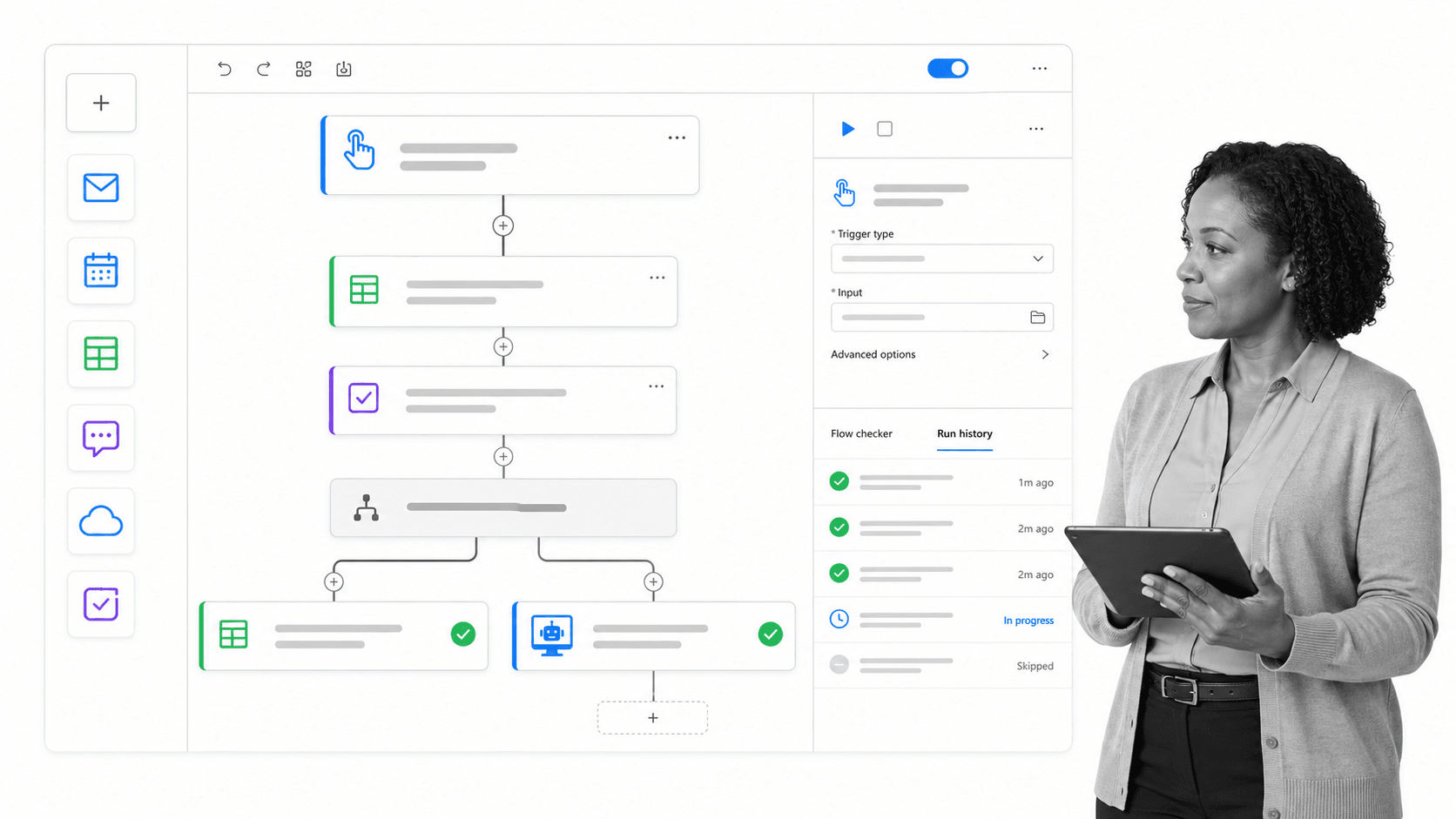
Microsoft Power Automate is the most natural Nintex alternative for teams already living in Microsoft 365, SharePoint, Teams, Dynamics, and Azure. It can automate cloud workflows, desktop actions, approvals, notifications, and business processes across Microsoft and non-Microsoft systems.
Power Automate is also the practical migration path for organizations still carrying old SharePoint Designer workflow logic. Microsoft retired SharePoint 2013 workflows from existing tenants on April 2, 2026, and SharePoint Designer 2013 support ends on July 14, 2026, so legacy SharePoint workflow automation needs a current home.
The fit is strongest when the process sits inside the Microsoft ecosystem. The main caution is operational complexity: licensing, connector limits, environment strategy, and governance can all matter. Power Automate can be powerful, but teams should define ownership and standards before rebuilding a large workflow estate.
Pipefy turns requests into AI-assisted workflows
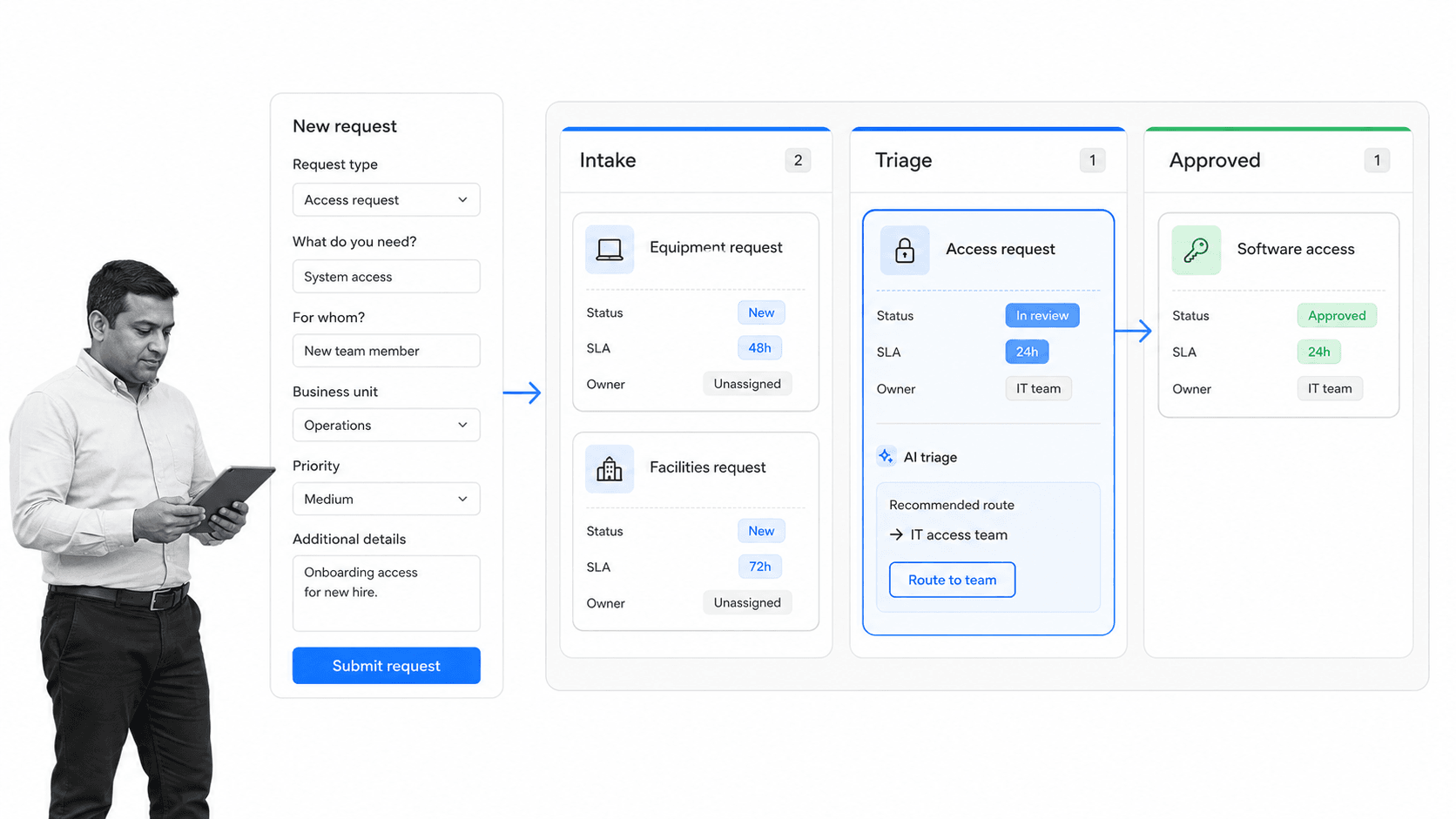
Pipefy is a workflow automation platform built around request intake, approvals, service delivery, and operational pipelines. It is a good fit when teams need structured forms, cards, SLAs, routing rules, and visibility across queues.
Pipefy works well for procurement, HR, finance, IT, legal, and shared-services workflows where requests arrive from many places and need to move through defined stages. Its AI-assisted workflow features can help teams classify requests, summarize context, and speed up triage.
Compared with Nintex, Pipefy is often easier for operations teams to understand because the work is visible as requests moving through a process. It is less suited to teams looking for a broad enterprise automation suite with every BPM, RPA, and document-generation capability in one estate.
What to look for before choosing
Nintex became one of the big tools in the workflow game because its advanced software could plot complex workflows, run intricate automations, create workflow diagrams, and integrate tightly with large corporate tools. That corporate depth is useful, but it is also why many small-to-medium business teams find the platform heavy, less agile, and harder to change than newer workflow software.
When comparing alternatives, start by separating process mapping from process management and automation. A visual aid like a flowchart, swimlane, or BPMN documented workflow can show a high level overview, but the team still needs a place where the process is actionable. The right system should help employees follow the process, enter information through form fields, assign work, receive notifications, and keep a record that can be acted upon again in the future.
Integrations matter because a workflow rarely lives in one product. A team may need to transfer data entered into a process into another SaaS platform, update an account record, schedule a meeting, create a task, or move information between Google Workspace, Microsoft Office, CRM, project management, and document management tools. Zapier-style triggers and actions are valuable because they let teams build rule-based business processes that run in the background without making every handoff manual.
Pricing and scope should also stay in view. Large corporate-focused products can carry restrictive pricing and advanced reporting features that only big enterprise firms use. A lighter stack can pair process libraries, checklists, templates, diagramming, and cloud integrations at a fraction of the cost, while still giving the business enough functionality to streamline work, ensure consistency, and organize teamwork.
Legacy context matters too. SharePoint Designer, SharePoint workflows, and older Oracle Business Process Management Suite deployments still exist inside large organizations because they became deeply embedded in the core of the business. Once a large company has many staff, document libraries, forms, approvals, and internal servers built around a tool, it is difficult to navigate away overnight. That does not mean every team should keep using a cumbersome system; it means migration should focus on the workflows that create the most friction.
Some project management tools can help around the edges. A Redmine-based product like Planio, a Kanban board, or a task management system can identify constituent tasks, create cards, track issues, store wiki-style documentation, and show progress through columns. Those tools are useful for teams that want broad scope, repositories, time trackers, comments, and collaboration, but they are not the same as governed workflow automation.
The practical question is whether the replacement will help people do their best work. Look for a user-friendly interface, templates that are easy to run, checklists that can be assigned, fields that capture the right information, conditional logic where it is needed, and integrations that connect the rest of the stack. The tool should make the process easier to follow, not just easier to draw.
A good workflow platform should be able to move from planning to execution. During planning, teams create process maps, share drafts, embed HTML diagrams, export PDFs or PowerPoint presentations, and collaborate on the design. During execution, the same process needs a template, a checklist, form fields, owners, notifications, and a dashboard that shows active workflow runs or active checklists.
Process Street’s strength has always been making recurring processes actionable. A team can create a process template, run that template whenever the task is undertaken, assign it to someone else, and have the work show up in that employee’s work queue. The editor can support simple form fields, images, videos, email-style handoffs, stop tasks, conditional logic, and structured data capture, so the process is not just a static document.
Automation tools should be judged by both sides of the connection. A trigger app starts the workflow when a specified task happens, and an action app performs the next step automatically. Filters, multi-step flows, team accounts, and paths make it possible to build more complex rule-based business processes, but the underlying structure should still be intuitive after a few minutes of use.
The McKinsey report on workplace automation is still a useful reminder that commercially available automation technologies can save meaningful labor time, especially when they handle data entry, database maintenance, meetings, scheduling, and repetitive updates. The goal is not automation for its own sake; the goal is to use automations where they reduce manual work and leave people more time for important work.
Document management and project management tools solve a different part of the problem. A repository, wiki, issue list, time tracker, Git repository, comments, and broad project dashboard can help a technical team organize work. A Kanban system can move cards through columns as progress occurs, and dragging and dropping cards can make the work feel visible. Those features help guide a team, but they do not always create the audit-ready workflow management layer that regulated operations need.
Large enterprise teams may also care about advanced reporting, predictive analytics, process modeling in diagram form, editable processes while work is still in action, and support for a processor license or named user model. Those features belong in a buying discussion for big enterprise firms, but they can be prohibitively expensive and unnecessarily complex for smaller businesses looking to systemize.
The lighter approach is to marry a few different tools together. Use Lucidchart for beautiful diagrams and full BPMN planning when needed, Process Street for actionable workflow management, Zapier for cloud integrations, and a project board for simple visibility. This kind of stack can offer greater automation potential than a single corporate bubble tool, while giving teams more flexibility as their processes change.
When people ask about Nintex, they are often comparing the ability to create and start workflows against the ability to run everyday work without a large implementation. The basic underlying question is whether the team needs an advanced platform, or whether it needs an agile process layer that can access the right systems, allow people to follow steps, and automatically perform the next action when a trigger occurs.
That distinction matters for budget as well as usability. Some vendors offer annual plans, discounts, add-ons, and basic document generation features that look attractive at first, but the real price is the labor required to build, maintain, and explain the system. A tool that is powerful but hard to use can become a barrier to the very process improvement it was meant to support.
Do not overlook appearance and daily experience. SweetProcess and Process Street share common ground around templates and checklists, but differences in form builder depth, integrations, reporting, and external services change how each platform feels in practice. Trello and other card-style tools are approachable, but the card might represent only one larger task inside a bigger process. Lucidchart can break down a process visually, but the diagram still needs an operational home.
For SharePoint-heavy organizations, the migration conversation can be difficult. SharePoint was flexible, customizable, and deeply tied to Microsoft Office, so many companies built accounts, document libraries, and internal workflows around it. Even if users dislike the cumbersome parts of the software, a replacement has to cover the actual use cases above the old system: approvals, document management, comments, notifications, and integration with the rest of the business.
For Oracle-style BPM suites, the same warning applies in a different way. A big enterprise system may provide process modeling, advanced reporting, predictive analytics, and strong market position among large firms, yet still be too much for a team that simply wants to build processes, run them, and get better visibility. The best alternative is the one that fits the organization’s real scope, not the one with the longest feature list.
The aim is to avoid paying for old guard complexity when a smaller stack can provide the same practical outcome: access to the right data, greater automation potential, and enough structure for employees to follow the process without fighting the tool.
The examples above point to the same decision: commercially available automation should save labor time for the average marketing executive, operations manager, or project lead without forcing the company into a costly contract against signing up for tools it does not need.
The bottom line
The best Nintex alternative depends on what your team actually needs to replace. If the goal is recurring operational workflows with clear ownership, evidence, approvals, and compliance visibility, Process Street is the strongest fit. If the problem is app-to-app handoffs, use Zapier. If the work belongs in Microsoft 365, evaluate Power Automate. If you need low-code apps or request pipelines, compare Kissflow and Pipefy.
For many teams, the better move is not to rebuild every old Nintex workflow exactly as it was. Map the process, remove unnecessary steps, choose the simplest tool that can govern the work, and connect the rest of the stack only where automation adds real value.
The post 8 Nintex Alternatives to Systemize Your Workflows Better This Year first appeared on Process Street | Compliance Operations Platform.


0 Commentaires