
Email still works for formal external messages, but it breaks down fast when a team tries to run projects from an inbox. Decisions get buried, files split across threads, and the person who missed one reply loses the context everyone else assumes they have.
These alternatives to email work best when you route each kind of conversation to the tool that fits the work. Use project workspaces for task context, chat and meetings for fast decisions, video collaboration for larger groups, and a governed workflow system when the conversation needs to become repeatable execution.
Asana
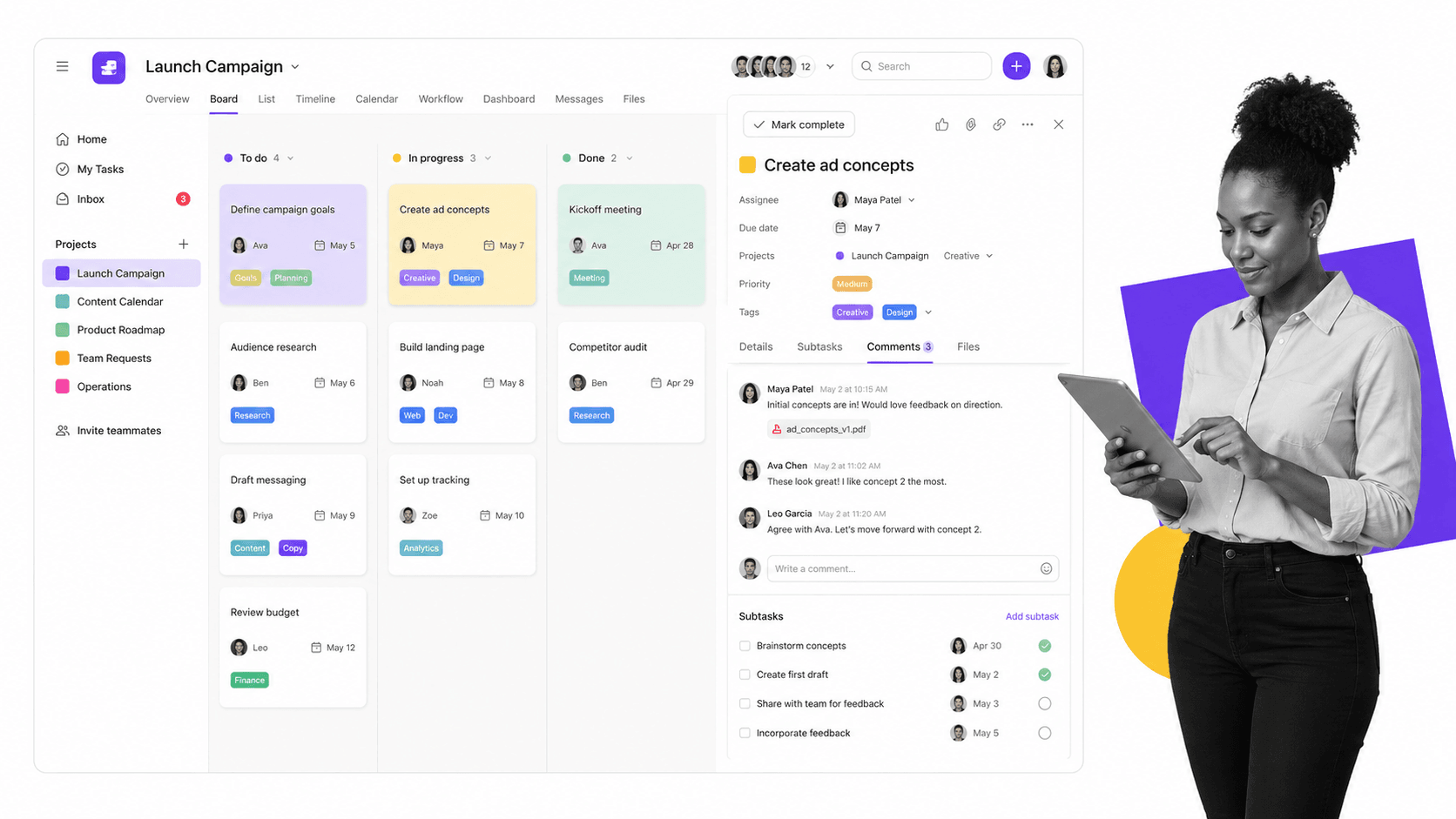
Asana is useful when the real problem is not communication volume, but communication without a home. Instead of letting every task create another thread, teams can keep the discussion attached to the work itself: the owner, due date, dependencies, files, decisions, and next step all sit in one project view.
That makes Asana a strong alternative to email for project communication. A task comment has more context than a reply-all thread, and a board or timeline gives managers a cleaner view of what is blocked, what is moving, and who owns the next action. Tools like Basecamp follow a similar principle: centralize the project conversation so the team does not have to reconstruct the project from scattered inbox history.
Useful tip: Do not treat the free plan as the operating model for a full team. Use it to test the workflow, then check the current Asana pricing and integration options before standardizing around it. Asana now connects with tools like Google Drive, Dropbox, Chrome, Slack, Microsoft Teams, calendars, reporting apps, and automation tools through its app directory. If your team also uses WordPress or another publishing system, treat the integration as part of the project workflow: capture the task, link the asset, and keep the status in the project instead of asking everyone to search old email.
The original appeal still holds: Asana puts conversations and tasks together so people can get more done with less effort. A task can carry the message, the file, the due date, the team member, the project data, and the full history of past communication. That is the part email rarely handles well.
Google Chat and Meet
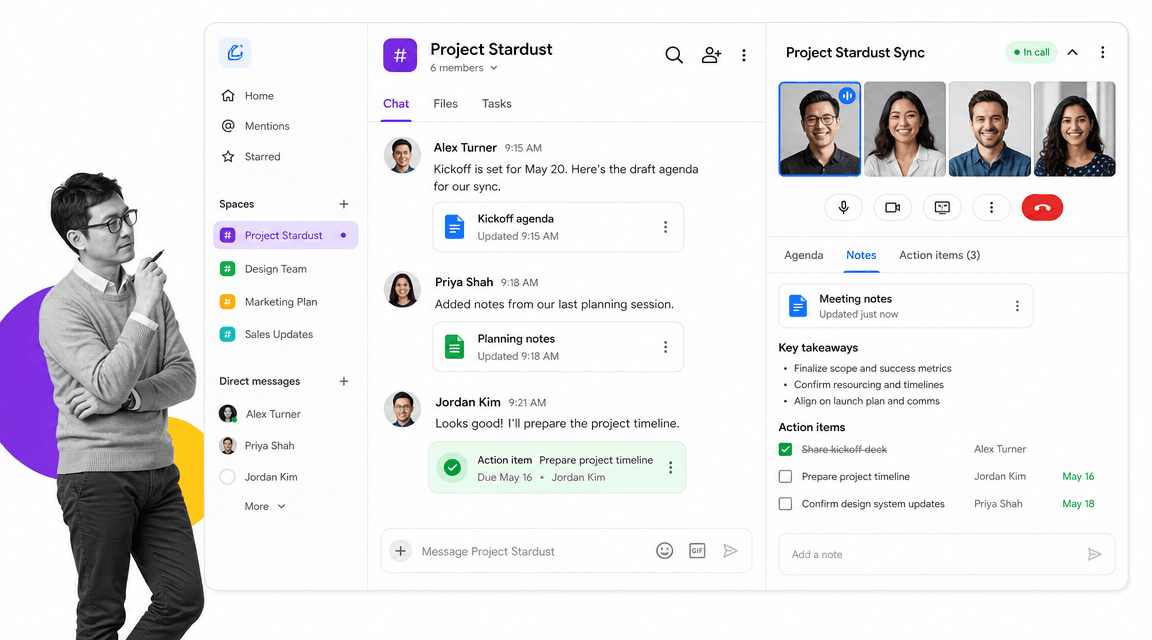
For teams already working inside Google Workspace, Google Chat and Google Meet are the natural replacement for many internal email threads. Chat handles persistent spaces, quick decisions, shared files, and lightweight updates. Meet handles the moments where tone, screen sharing, or a real-time decision matters more than another written reply.
The important shift is to stop treating every message like a standalone email. A project space can hold the running conversation. A meeting can settle the decision. Notes, recordings, and action items can then feed back into the team workspace instead of disappearing into one person’s inbox. If your team used Google Hangouts for this job in the past, the current Google Workspace path is Chat plus Meet. The old Google Plus and Hangouts on Air route is not the operating model anymore, but the underlying practice is still useful: bring remote employees into one meeting, make the conversation easy to access, and save the outcome so new team members can get context later.
Useful tip: Meetings only replace email when they produce a durable output. Capture the decision, owner, due date, and follow-up in the same place the team already works. When the discussion describes a repeatable process, turn it into a workflow or SOP instead of scheduling the same explanation again. A recorded conference call, video conversation, or shared agenda can become onboarding material, a training step, or an embedded reference in a process document through the Process Street Embed Widget.
Webex
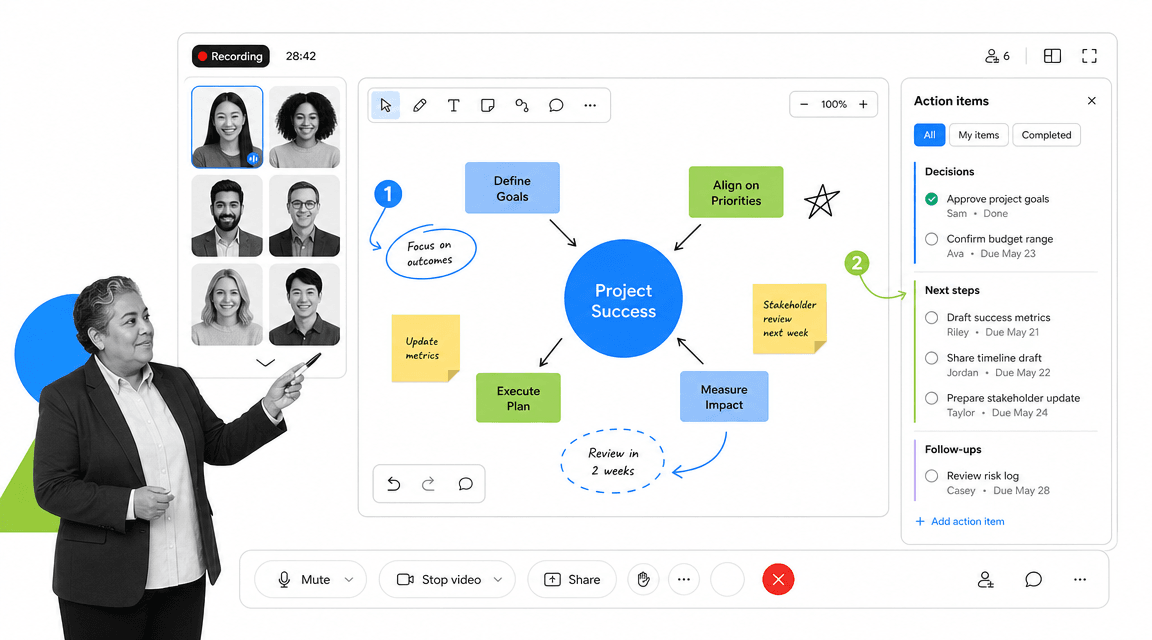
Webex is a stronger fit when the team needs structured meetings, larger groups, whiteboarding, recordings, and enterprise-grade meeting controls. It is less about replacing every email and more about replacing long, fragile coordination threads with a meeting space that can support decisions, documents, presentations, and follow-up work.
That makes Webex useful for cross-functional reviews, customer calls, training sessions, and project kickoffs where people need to see the same material at the same time. Current Webex plans are license-dependent, so check the latest participant limits and recording options before making it the default for large meetings. The old Premium100 account language is gone, but the use case remains: host a conference call, share a website or application, present documents, review a whiteboard, and keep enough meeting history for people who could not attend.
Useful tip: Test the meeting flow before using it for an important team session. Confirm screen sharing, desktop and document sharing, recording, whiteboarding, annotation tools, participant access, and in-app storage or cloud recording options in advance. Then use a simple meeting process so the call produces decisions instead of another round of follow-up emails.
Where Process Street Fits
Project tools, chat apps, and video meetings reduce email. They do not automatically make work repeatable. That is where workflow software matters.
Process Street is a Compliance Operations Platform for turning recurring work into governed execution. Docs keeps SOPs and policies controlled. Ops runs the workflow so owners, approvals, due dates, and records are enforced. Cora monitors the work, flags risk, and helps improve the process over time. If a conversation keeps producing the same action, checklist, approval, or handoff, it should not live only in email, chat, or a meeting note. It should become a process your team can run and prove.
Choosing the Right Alternative to Email
The right replacement depends on what the message is trying to do. Use a project workspace when the conversation belongs to a task. Use chat when speed matters and the decision is lightweight. Use a meeting tool when people need to resolve ambiguity together. Use Process Street when the outcome needs to become repeatable, auditable work.
When you compare alternatives, look for the practical details that decide whether the tool will actually replace email: the ability to add tasks quickly from a browser extension, display alerts and reminders, invite team members, filter information into a central dashboard, and provide a full clear history for each project. For storage and content work, check Dropbox and Google Drive support, calendar integration, mobile support, and whether the tool can connect content across the web without forcing everyone back into their inbox.
For meeting tools, check the capacity features before hosting presentations or conference calls. A useful conferencing tool should support group video, audio calls, screen sharing, desktop and document sharing, a whiteboard option for brainstorming sessions, recording conferences, sharing a website or application, and full annotation features when the team needs to work interactively. The free version is useful for experimenting before you buy, but the paid account details, storage limits, and participant limits can change.
For Google Workspace teams, Chat and Meet can still bring people together at a larger level across platforms, including mobile. They are especially useful when remote employees cannot meet in person, when you need to onboard new members, or when you want to save conversations for later review. If you need to broadcast live or share a copy with your network, use a current YouTube Live workflow rather than old Google Plus or Hangouts on Air pages.
- If the thread is about ownership, move it into a task or workflow run.
- If the thread is about a quick decision, move it into a shared chat space.
- If the thread is about confusion, schedule a short meeting and capture the outcome.
- If the same thread keeps happening, turn it into a documented process.
Email is still part of business communication. It just should not be the place your team runs its work. The practical test is simple: use Asana or a Basecamp-style project hub for project management, use Google Chat and Meet for team communication across mobile and desktop, use Webex when you need a stronger presentation or conference video call, and use Process Street when the workflow needs to be repeatable.
The post 3 More Alternatives to Email first appeared on Process Street | Compliance Operations Platform.


0 Commentaires