Workflow documentation could have saved me from drowning in paper. I was presenting an English lesson from a carefully mapped plan, but the supporting pages became harder to manage than the presentation itself. Anyone who works in a team-driven business knows the pattern: the work is easier when the process is clear, repeatable, and easy to improve.
Workflow documentation is a clear, maintained record of how work moves from start to finish. It captures the steps, owners, decisions, exceptions, approvals, tools, and evidence involved in a process. Done well, it helps teams work efficiently, reduce errors, train people faster, and focus on higher-impact tasks. That combination can skyrocket efficiency without sacrificing control.
- What is workflow documentation?
- Benefits of workflow documentation
- How to document your workflows
- Make things easy with workflow documentation software
What is workflow documentation?
Workflow documentation describes the steps and tasks involved in completing a specific business or organizational process. It shows how work should flow from start to finish, including the roles, responsibilities, resources, tools, decision points, exceptions, approvals, and evidence required at each stage. It should be treated as a living operational record with a clear owner and review cadence. There are many purposes of workflow documentation, including:
- Training new employees
- Improving efficiency
- Ensuring consistency
- Supporting process improvement initiatives
Workflow documentation is also helpful in identifying areas for optimization and automation within a process.
The final format can be a written procedure, a checklist, a process map, or an executable digital workflow. What matters is that the document reflects the real process, distinguishes normal work from exceptions, and tells the reader what a completed step should produce. Process documentation describes the broader operating method; workflow documentation focuses on how a specific sequence of work moves between people and systems.
Workflow Documentation Examples
Employee onboarding process:
Process overview: Introduce new employees to the company and their role.
Steps and tasks:
- Step 1: HR receives new hire information and prepares onboarding documents.
- Step 2: Schedule orientation and training sessions.
- Step 3: Provide necessary equipment and access credentials.
- Step 4: Conduct orientation session and introduce the team.
- Step 5: Complete necessary forms and paperwork.
Roles and responsibilities: HR staff, IT support, department manager, new employee.
Inputs and outputs:
- Inputs: Employee details, orientation materials, access forms.
- Outputs: Fully onboarded employee, completed forms.
Invoice processing:
Process overview: Manage the receipt, review, and approval of vendor invoices.
Steps and tasks:
- Step 1: Receive invoice from vendor.
- Step 2: Verify invoice details against purchase order and receipt of goods/services.
- Step 3: Obtain necessary approval(s).
- Step 4: Process payment.
- Step 5: File invoice and update records.
Roles and responsibilities: Accounts payable team, department manager.
Inputs and outputs:
- Inputs: Invoice, purchase order, delivery receipt.
- Outputs: Approved and processed invoice, payment record.
Software development life cycle:
Process overview: Manage the development and deployment of software projects.
Steps and tasks:
- Step 1: Plan and gather requirements.
- Step 2: Design software architecture and user interfaces.
- Step 3: Develop code and perform unit testing.
- Step 4: Conduct integration and system testing.
- Step 5: Deploy software to the production environment.
- Step 6: Monitor performance and address issues.
Roles and responsibilities: Project manager, developers, testers, operations team.
Inputs and outputs:
- Inputs: Project requirements, design documents, code.
- Outputs: Deployed software, test reports, updated project documentation.
Benefits of workflow documentation
Workflow documentation offers numerous benefits to organizations and teams across various industries and processes. Here are five key benefits:
Improved efficiency
Workflow documentation provides a clear and structured outline of how tasks should be completed, reducing ambiguity and streamlining the process. This helps employees complete their work more efficiently, saving time and resources.
Consistency and standardization
By documenting workflows, organizations ensure that tasks and processes are carried out in a consistent and standardized manner across the team or department. This leads to improved quality control and uniformity in the output.
Enhanced training and onboarding
New employees can quickly understand and learn processes through well-documented workflows. This accelerates onboarding and reduces the learning curve, allowing new team members to become productive sooner.
Process improvement and optimization
Documented workflows enable organizations to identify bottlenecks, inefficiencies, and areas for improvement. By analyzing the documentation, teams can redesign processes for better performance and productivity.
Knowledge retention and transfer
Workflow documentation helps capture and preserve institutional knowledge, which can be valuable for future reference or when experienced employees leave the organization. This ensures that critical knowledge and best practices are retained and can be passed on to new team members.
How to document your workflows
Choose the work to document
First, determine which workflow you want to document. This could be any process that is important to your business and occurs regularly, such as customer onboarding, order processing, or payroll management.
Start with a process that aligns with strategic business goals and consider its impact on operations. Defining the scope of the workflow will set clear objectives for what you aim to achieve through documentation, such as improving efficiency, training, or standardizing practices.
Gather information
Collect information about the workflow from employees who perform the process regularly. This may involve conducting interviews, shadowing employees, and observing the workflow in action.
Pay attention to the steps, roles involved, tools used, and any variations in the process. Be thorough in collecting details to ensure that the documentation is comprehensive and accurate. Additionally, gather existing documentation, reports, and data related to the process for further context.
Outline the sequence
Create an outline of the workflow by listing each step in sequential order. Identify key decisions, inputs, outputs, and any subprocesses or parallel tasks.
Include any exceptions or variations within the process in the outline. A clear outline serves as the foundation for the documentation, providing a roadmap for the steps involved.
Document each step
Write a detailed description of each step in the workflow. A practical business process documentation template can help you capture the owner, required inputs, instructions, expected outputs, and evidence for every step.
Specify the tools used, decision criteria, handoffs, approvals, and time expectations. Document common exceptions and roadblocks, along with the route for resolving or escalating them. This makes the workflow useful during normal work and when something does not go to plan.
Visualize the flow
Consider creating a visual representation of the workflow, such as a flowchart or process map. This can make the workflow easier to understand and follow. Use standard symbols and conventions to make the diagram clear and intuitive.
Provide a legend or key to explain symbols and any technical terms used, ensuring that the visualization is accessible to all stakeholders.
Review and refine
Share the documentation with employees who perform the workflow and with the people who approve or rely on its output. Gather feedback on accuracy, clarity, usability, controls, and exception handling.
Assign an owner and approver, record the current version, and set a review cadence. Then test the documentation by having a team member follow it during real work, noting any gaps between the written process and what happens in practice. Update the record when tools, responsibilities, policies, or risks change so it remains reliable over time.
Make things easy with workflow documentation software
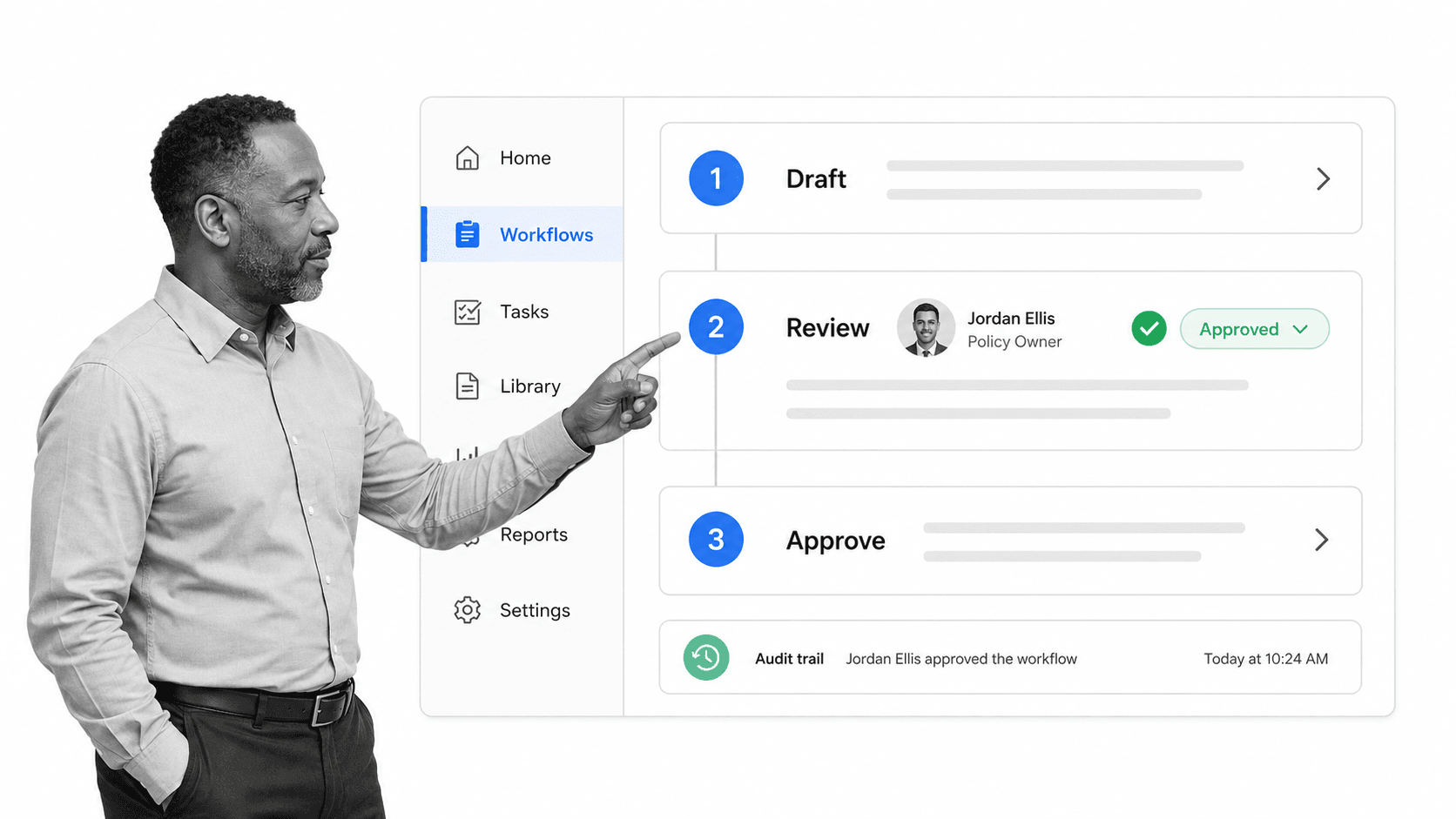
Workflow documentation software gives teams a shared place to create, run, and maintain their workflows. Instead of arranging paperwork for an audit or asking which file is current, people can follow the same approved instructions, complete assigned tasks, and leave a trace of what happened.
Easy to use
What do Canterbury and Madrid have in common? Not a great deal. For me, they are the locations where two content team members live. Oliver and Leks needed to collaborate on a new workflow, and they needed to do it quickly. If they had used paper documents, their choices might have included:
- Oliver riding from Madrid to Canterbury on a scooter while carrying a filing cabinet
- Leks flying first class to Madrid and booking an additional seat for a filing cabinet
- Both of them photocopying their work and wasting time posting it to one another
Those proposals are neither actionable nor affordable. With workflow management software, remote employees can work from a shared source, amend a process when they discover an error, and route changes for review. The short video below shows a current example of building and publishing a vendor security review workflow.
When a process changes, the workflow can change with it. Teams can start from a template gallery, add their own instructions and controls, and publish the result without rebuilding the process from scratch.
Scalable
The workflow Oliver and Leks built is scalable because every content team member can use the same controlled process. As process owners, they can maintain one workflow while each team member starts a separate workflow run.
- Monitor when an employee begins a workflow run.
- Record the progress made in each run.
- Use run data to identify bottlenecks and improve the process.
Workflow software helps teams grow without multiplying disconnected copies of the same instructions. Combined with digital document management, it supports efficient work, consistent execution, and better attention to high-impact tasks.
Documented processes also make it easier to see whether a repeatable operating model fits local conditions. The historical example below shows how Starbucks struggled in Australia when its expansion process did not align with the market.
Tracking the process of bug tracking
Quality control is a crucial aspect of project work. For testing teams, bug tracking is also a repeatable process that can become difficult to manage as products and teams grow.
Workflow documentation reduces that challenge by collating the tasks, owners, decisions, and evidence involved. Teams can use Reports to check whether work is on track and keep a reliable record of:
- The programmer responsible for investigating the bug
- Who noticed the bug, how it was reproduced, and what evidence was attached
- The tasks, review steps, and approval criteria required for a solution
The process is collaborative, too. In each workflow task, a team member can leave comments, mention a colleague, attach evidence, or point out a bottleneck. The workflow keeps those contributions with the work instead of scattering them across inboxes.
TechMD, now part of Integris, explains in the historical customer story below how Process Street helped the team manage repeatable processes while initiating projects.
From documentation to governed execution
Process Street brings documentation and execution into one Compliance Operations Platform. Its Docs and Ops capability areas help teams define policies and procedures, turn them into workflows, assign work, route approvals, and retain operational evidence. Built-in AI can assist with creating and improving workflows while people remain responsible for the controls, decisions, and outcomes.
You can explore Process Street with a 14-day Pro trial or request a demo to discuss your workflow documentation needs.
Which workflow would become easier to run if everyone had one clear, maintained source of truth?
The post A Guide to Workflow Documentation That Will Skyrocket Efficiency first appeared on Process Street | Compliance Operations Platform.


0 Commentaires