
Meeting minutes turn a conversation into a usable record of decisions, action items, owners, and deadlines. A consistent format makes that record easier to approve, share, and find when the team needs it.
This guide includes a free meeting minutes template from Process Street and a five-step method for preparing, recording, approving, and storing minutes. You will also learn how to effectively record meeting minutes, what belongs in the record, what to leave out, and how to make every action item clear enough to execute.
Use the template below to guide the full process, or jump to the section that answers your immediate question.
- Meeting Minutes Template
- What meeting minutes are and why they matter
- How to take effective meeting minutes with Process Street
- Meeting process templates
Start with the meeting minutes template below
The Process Street Meeting Minutes Template gives the note-taker one repeatable structure for preparation, live capture, review, approval, and storage. It prompts for meeting details, attendees, agenda items, decisions, and action items, so the final record does not depend on memory.
Assign an owner and due date to every action. Keep discussion notes brief enough to explain the decision without turning the minutes into a transcript. If your team needs related formats for other repeatable work, explore this workflow template guide.
Open the Meeting Minutes Template.
What meeting minutes are, how to take them, and why they are important
Meeting minutes are the official or agreed record of what happened in a meeting. They identify the meeting, record attendance, summarize the matters considered, state decisions, and list follow-up actions with owners and due dates. They are not a word-for-word transcript.
A useful meeting-notes format separates discussion from outcomes. Readers should be able to scan the record and answer four questions: What was decided? What must happen next? Who owns each action? When is it due?
How to record meeting minutes
Capture three kinds of information during the meeting:
- Decisions: the outcome, including any motion or vote that must be recorded.
- Accomplishments: the progress or result confirmed during the discussion.
- Actions: the next step, one accountable owner, and a clear due date.
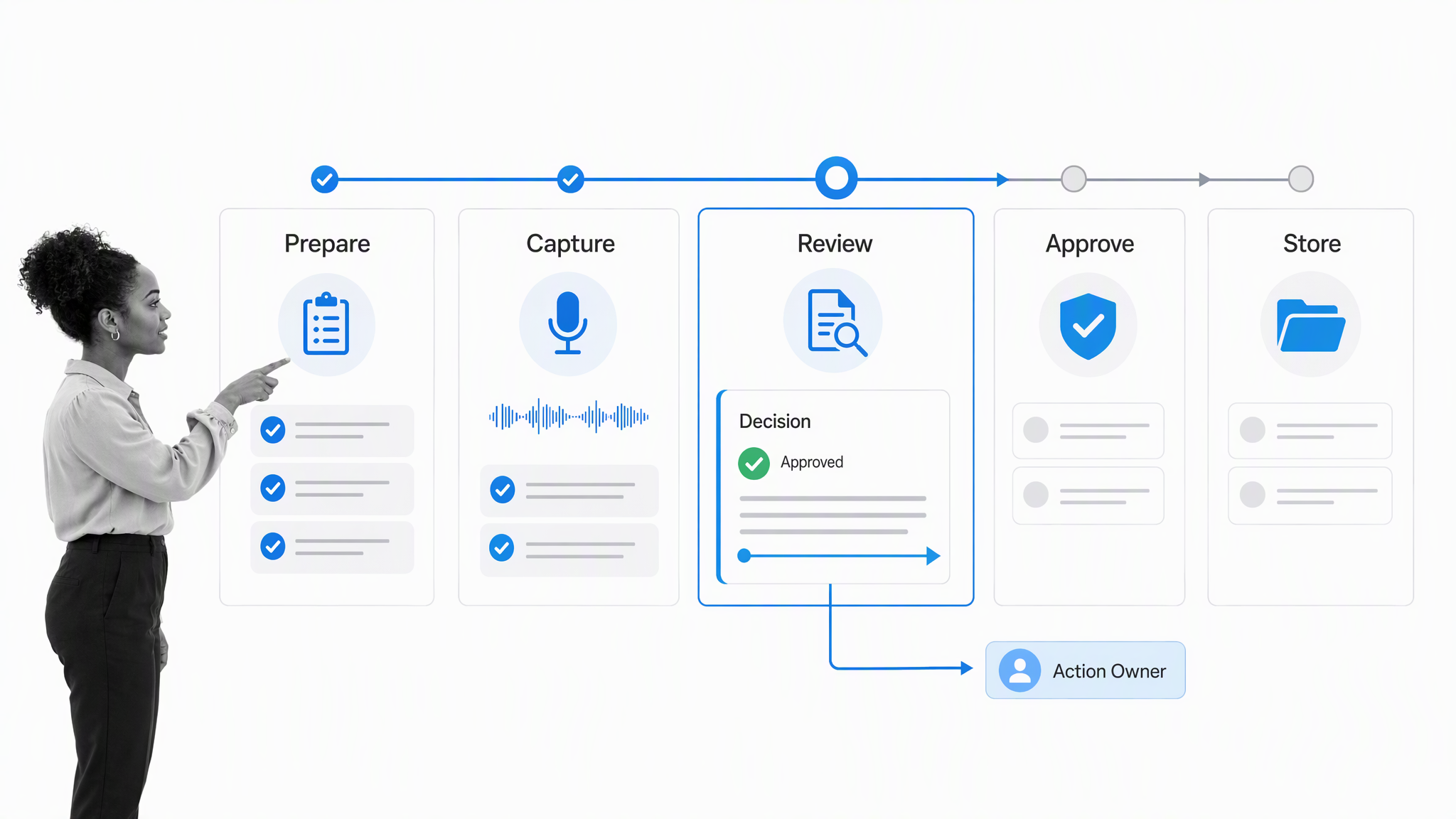
Use five stages to create a dependable record:
- Prepare: confirm the agenda, attendees, note-taker, meeting details, and relevant materials.
- Capture: record decisions and actions as they occur, asking for clarification when ownership or timing is unclear.
- Review: organize the notes, remove repetition, check facts, and distinguish an outcome from background discussion.
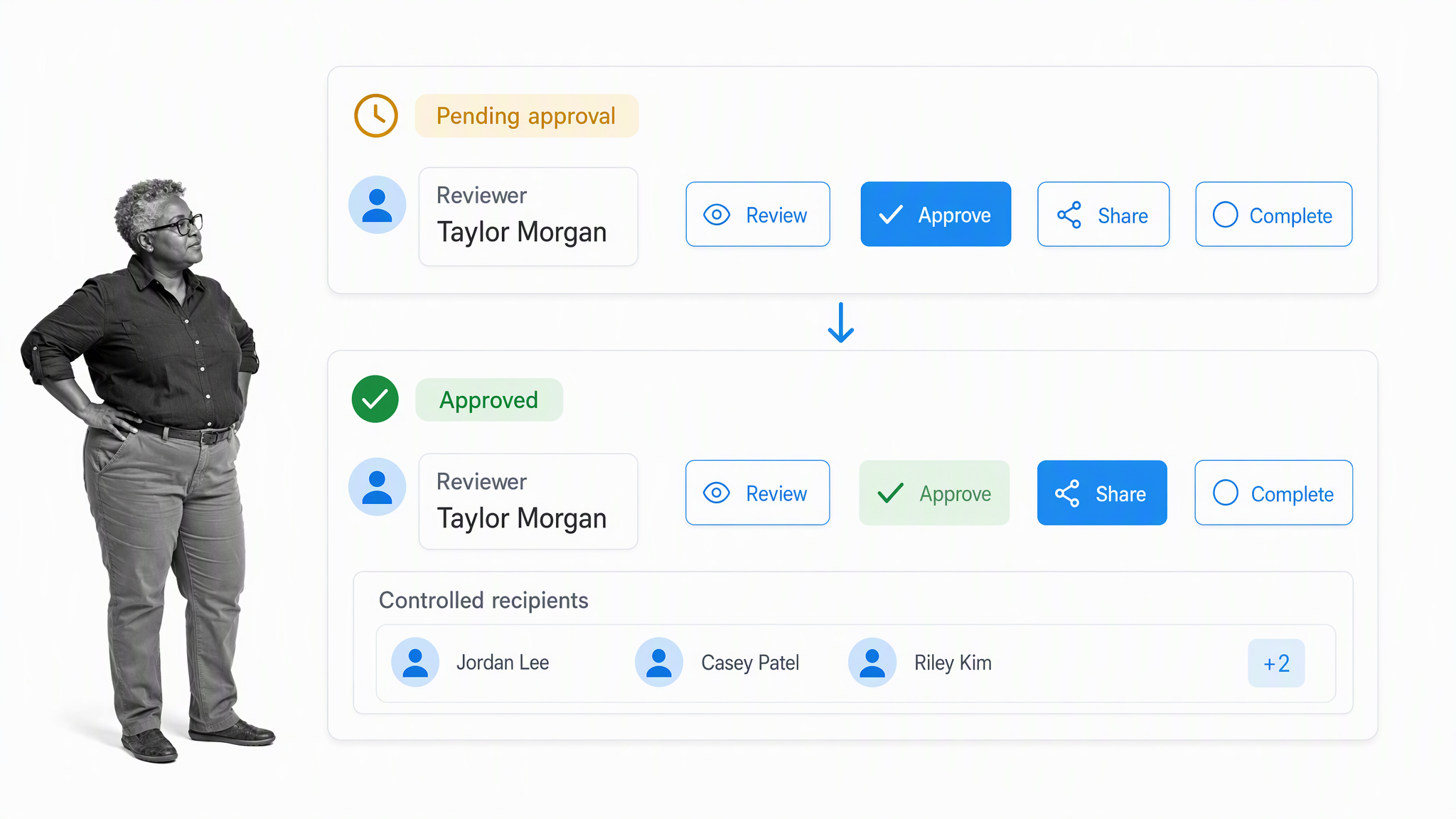
- Approve and share: route the draft to the correct reviewer and distribute the approved version to the intended audience.
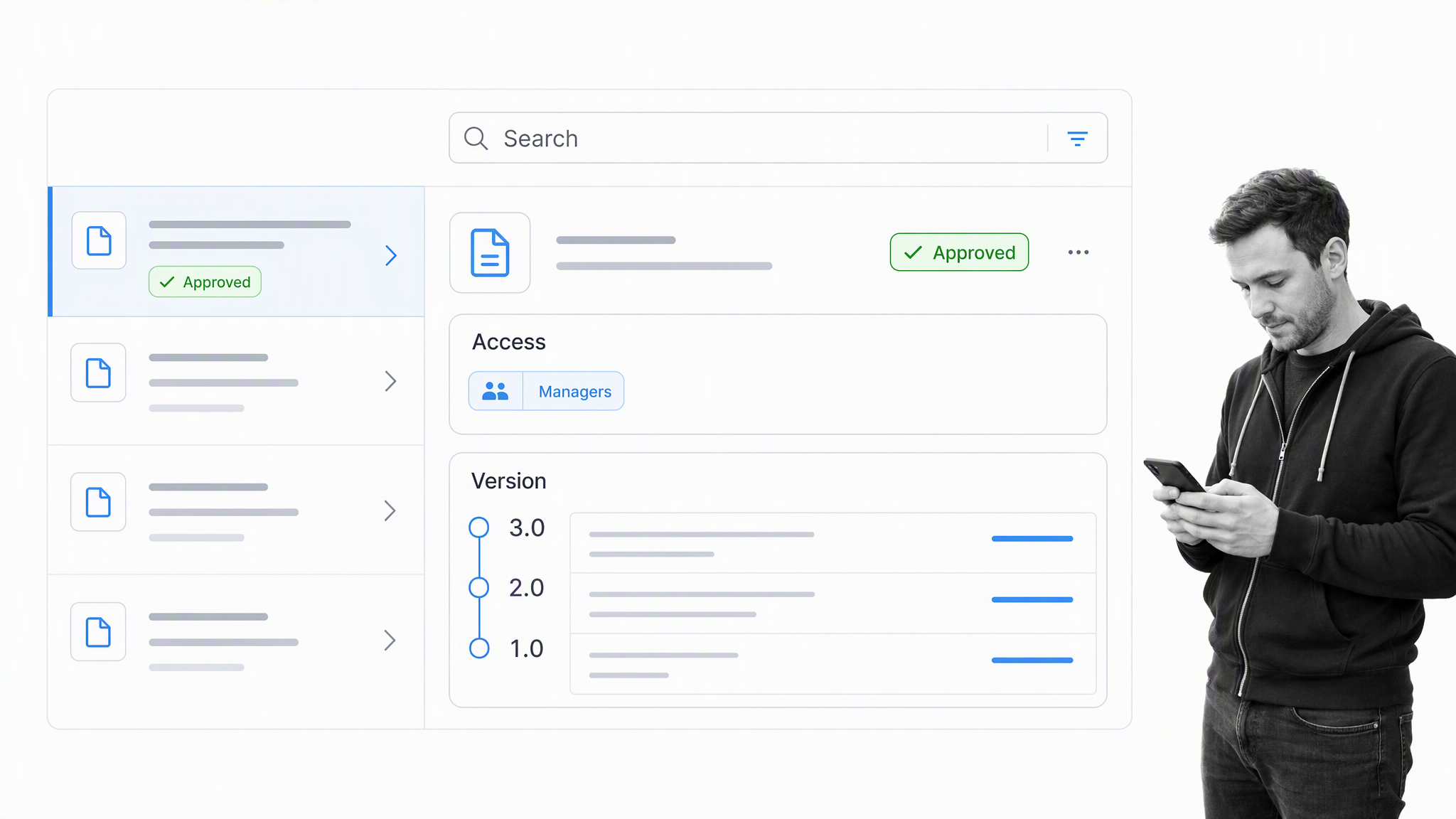
- Store: retain the record in a searchable location with appropriate access and version control.
Why a written meeting record matters
Minutes create a shared reference after people leave the room. They make ownership visible, reduce arguments about what was decided, help absent stakeholders catch up, and give the next meeting a reliable starting point.
- Accountability: named owners and deadlines make follow-through measurable.
- Continuity: a new or absent participant can understand the decision history.
- Efficiency: the team can revisit the record instead of reopening settled discussion.
- Governance: an approval trail and retained evidence can support audits, policies, or formal proceedings when required.
- Communication: one approved record gives stakeholders a consistent account of the meeting.
The level of formality depends on the meeting. Board, committee, regulated, or legal matters may have specific recording and retention requirements. Check the rules that apply to your organization and jurisdiction.
Meeting minutes format and example
A practical meeting minutes format starts with the meeting name, date, time, location or call link, chair, minute-taker, and attendees. Follow that header with the approved agenda. Under each agenda item, record the decision first, then add only the context needed to understand it. Finish with a consolidated action list, approval details, and the date or trigger for the next meeting.
For example, a project review might record: Decision: Launch moves to October 14 after security review. Action: Maya will submit the completed security evidence to Jordan by October 7. Context: The team needs five business days to resolve any findings. This is more useful than a long narrative because the outcome, owner, due date, and reason can be understood at a glance.
Use consistent labels for decisions and actions throughout the document. A short action register at the end makes commitments easier to scan across agenda items. If an agenda item produces no decision, say that it was discussed and note the next step. If an item is deferred, record who will bring it back and when. If someone joins or leaves during a formal meeting, capture that timing when it affects quorum or voting.
What to leave out of meeting minutes
Leave out side conversations, repeated arguments, personal commentary, and a word-for-word account unless a governing rule requires one. Do not guess at intent or rewrite disagreement as consensus. Avoid vague actions such as “the team will follow up.” Ask for one owner and a due date while everyone is present, then record the commitment in neutral language.
Sensitive matters may require restricted access or a separate record. Follow your policy for confidential, legal, personnel, or executive-session material, and do not include information merely because it was mentioned. The minutes should be accurate enough to support action and governance without collecting unnecessary detail.
How to take effective meeting minutes with Process Street
Process Street is a single Compliance Operations Platform for governing a meeting-minutes method and running it consistently. Docs supports the controlled procedure and guidance. Ops handles assignments, due dates, conditional routing, approvals, and evidence. Built-in AI can help draft or organize content inside the governed process, while a named human checks every decision, owner, and deadline.
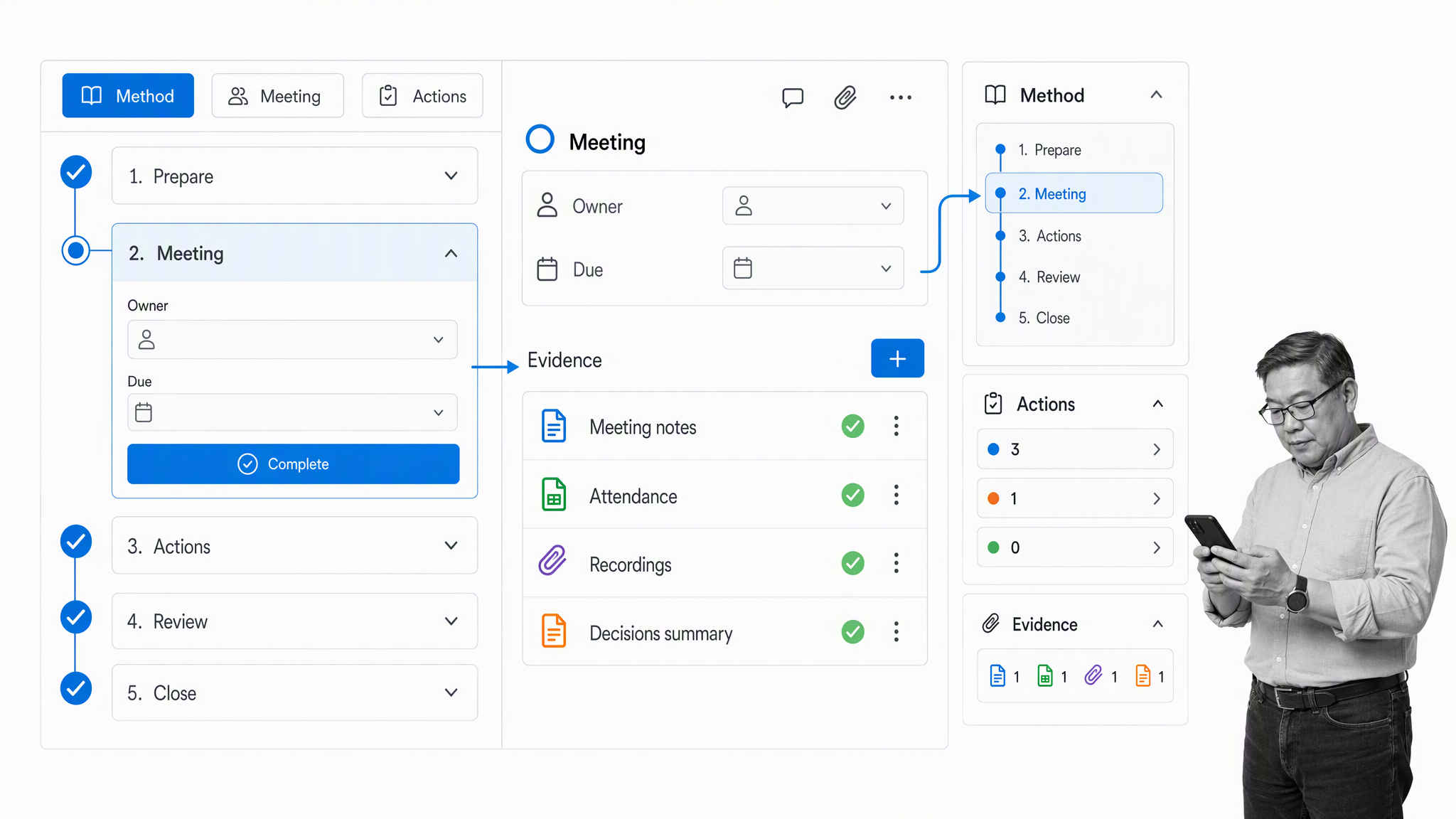
The template can adapt to the meeting without losing the required controls. Conditional logic can show the right questions for the meeting type. Task sequencing keeps the process in order. Dynamic due dates calculate review and follow-up deadlines. Approvals route the draft to the right reviewer before distribution.
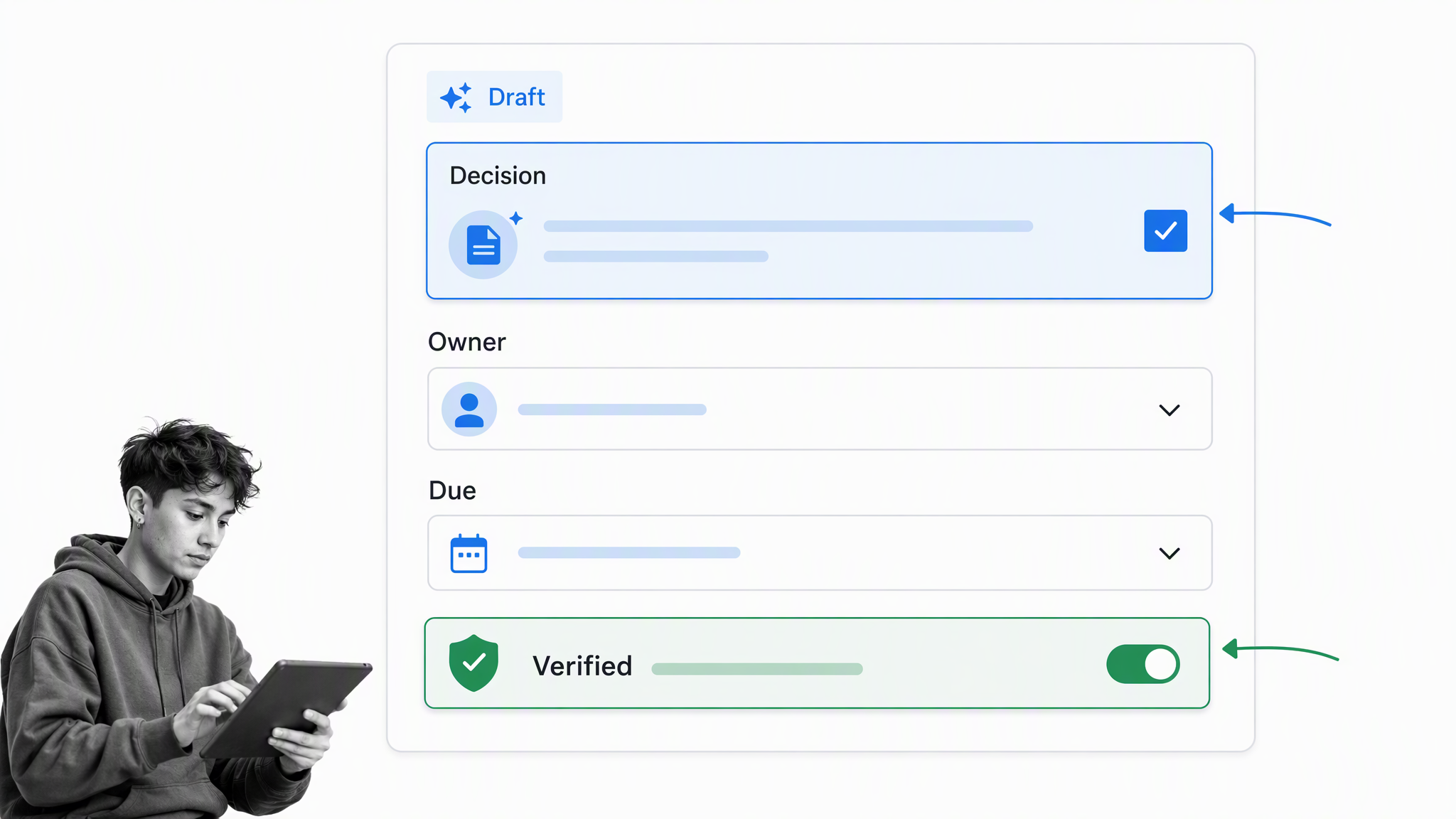
AI assistance should shorten the drafting step, not replace accountable review. Compare any generated summary with the notes, confirm exact names and dates, and resolve ambiguity with the meeting chair or action owner before approval.
The complete method has five stages:
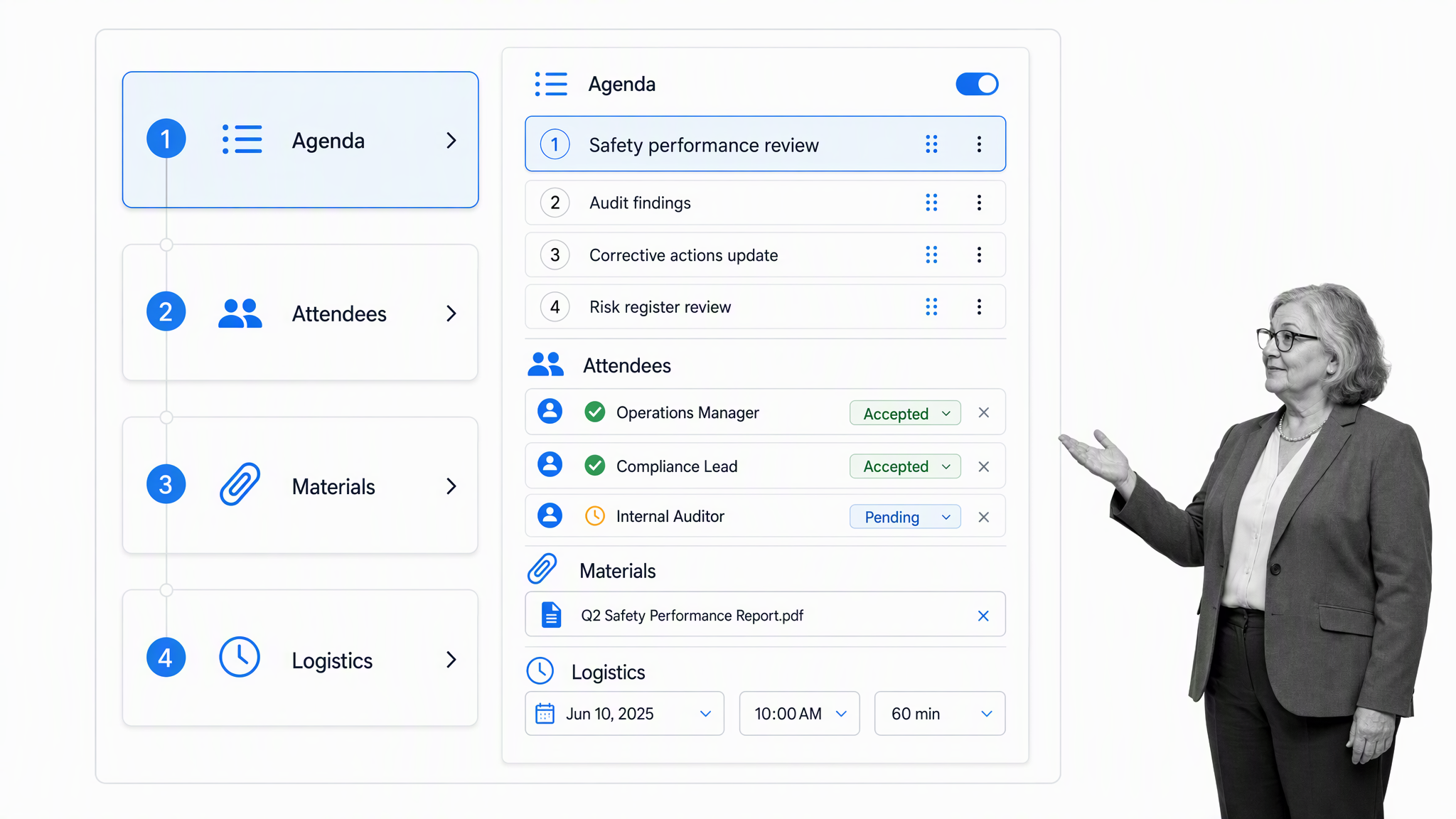
- Step 1: Pre-planning
- Step 2: Recording meeting notes during the meeting
- Step 3: Writing and reviewing the minutes
- Step 4: Approval, distribution, and sharing
- Step 5: Filing and storage for future reference
Writing meeting minutes, step #1: Pre-planning
Writing meeting minutes, step #2: Recording meeting notes at the meeting
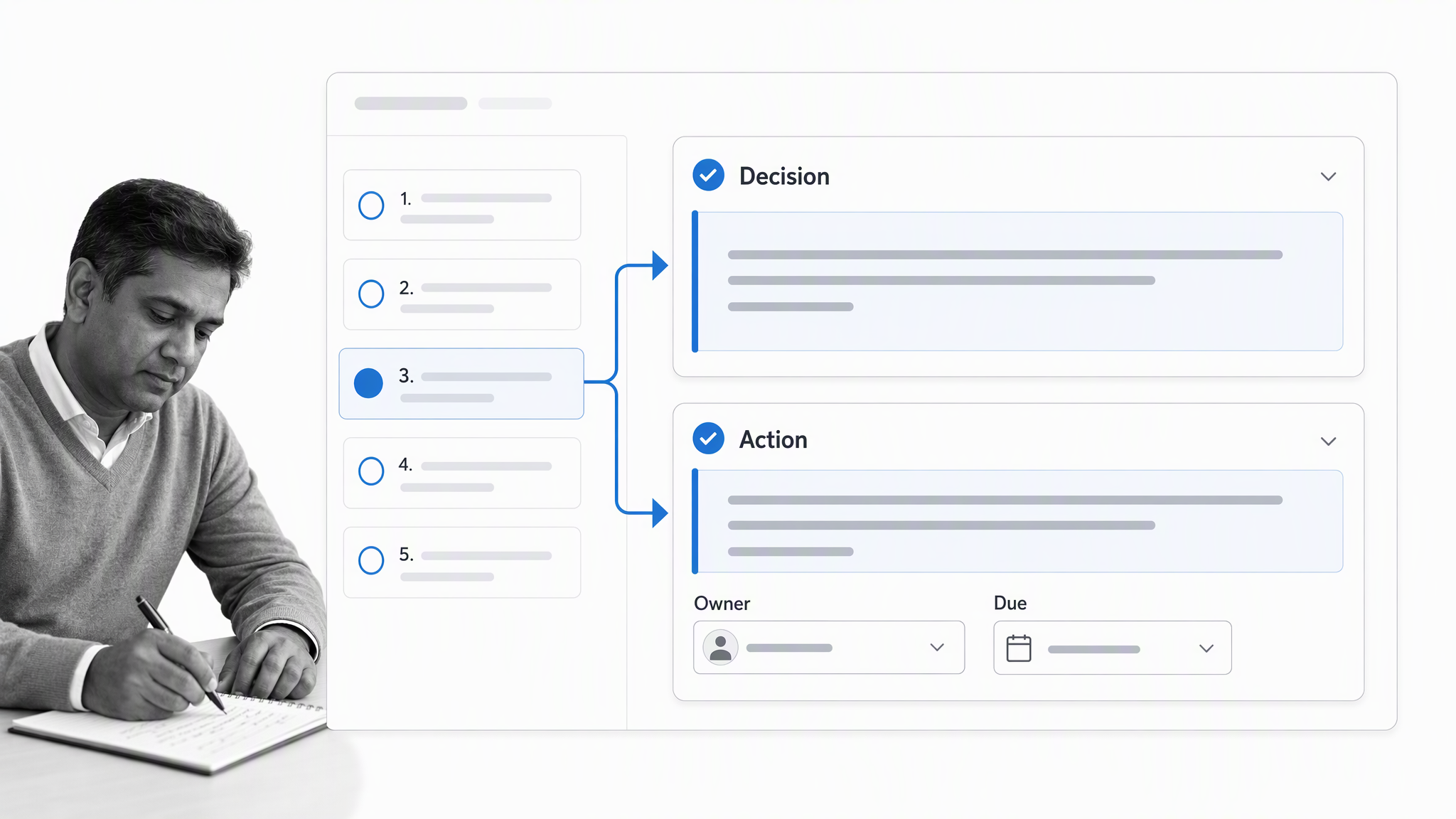
Writing meeting minutes, step #3
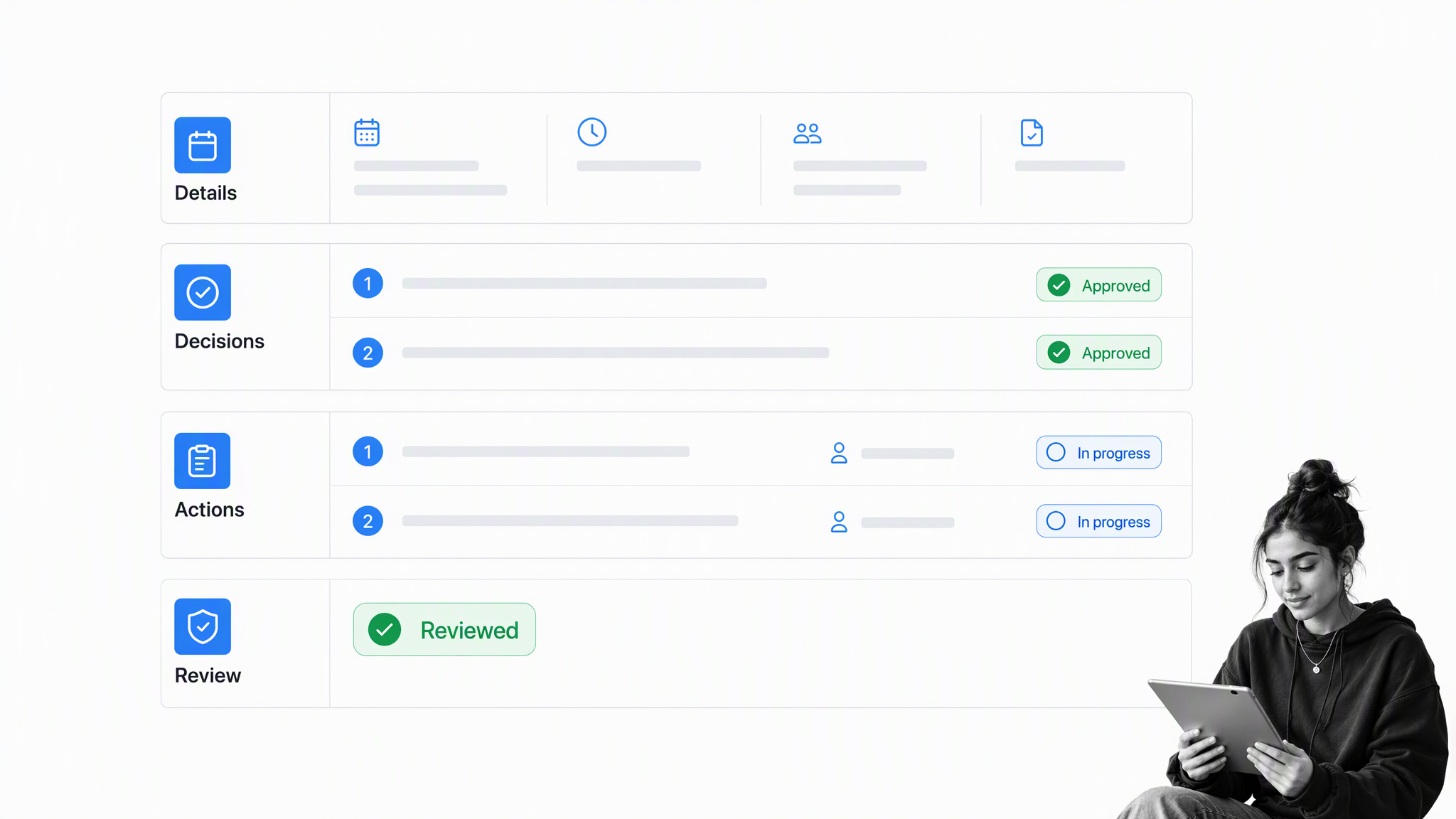
- Tip #1: Write the minutes as soon as possible while everything is fresh in your mind.
- Tip #2: Review the outline of your meeting minutes, adding additional notes and clarification points if necessary.
- Tip #3: Ensure you are including sufficient detail. For each action item, it is recommended to provide a description, as well as the rationale behind a given decision. If there was a lot of discussion for and against a given action item, make sure the major arguments are noted.
- Tip #4: Edit to ensure brevity and clarity so the minutes are easy to read.
- Tip #5: In terms of format, be objective, write with the same tense throughout and summarize other documents you reference or indicate where these documents can be found.
Writing meeting minutes, step #4: Meeting minutes are approved, distributed and shared
Writing meeting minutes, step #5: Filing or storage of minutes for future reference
How to take meeting minutes, top tips and tricks
Before you start, use these practical minute-taking tips:- Know how to identify what you should be making notes on: During the meeting, you shouldn’t constantly be making notes. Our Meeting Minutes Template will help you here, as it has been designed to focus your attention on meeting aspects that matter. Make sure you do your research to understand the meeting topic.
- Know when it is best to focus on listening: When you’re confident about what elements of the meeting to include in your notes, you can focus your attention accordingly: although your concentration is needed throughout the entire meeting.
- Take the time for advanced meeting preparation: It is likely, as the note-taker, you are responsible for preparing the agenda, outlining the meeting to be discussed. Underpreparation will be reflected in your notes. Luckily, our Meeting Minutes Template will help you organize and plan your meetings.
- Use templates: Using templates: such as our Meeting Minutes Template : helps ensure essential information is included in your meeting notes, in addition to providing professional consistency.
- Meet and discuss the meeting in advance: The meeting organizer and manager: known as the chairperson: will be your first point of contact for any queries or clarifications you may have. Be proactive and arrange a meeting in advance.
- Talk to attendees before the meeting: It is unlikely you already have comprehensive knowledge of the topics to be discussed in the meeting. Talking to attendees beforehand will give you valuable insight aiding your understanding and helping you formulate probing questions.
- Be prepared: Advanced preparation is needed for you to stay organized. Instances such as pens running out of ink, or laptop batteries dying can cause unnecessary disruption.
- Sit next to the chairperson: You want to hear what is being said during the meeting.
- Type up your notes into a final document: Typed up minutes will jog your memory. Using our Meeting Minutes Template allows you to type up your meeting minutes.
- Write objectively: The minutes must be neutral. That is, written minutes must provide an unbiased view of what has been discussed during the meeting.
Use Process Street to improve your meeting processes
Meeting minutes work best as part of a complete meeting process. The templates below help teams prepare a focused check-in, run a structured discussion, and support remote participation. Use them alongside the Meeting Minutes Template when the format fits your meeting.
Daily Standup Meeting
Run this Daily Standup Meeting checklist every business day to check in with your team’s progress. A stand-up meeting, or scrum, is a short check-in meeting that happens in the morning of each working day. The purpose of a daily standup is to review progress, state today’s plan, and surface blockers while the team can still act on them. Click here to access our Daily Standup Meeting!Ray Dalio’s approach to meetings
Ray Dalio is the founder of the world’s largest hedge fund, Bridgewater Associates. In this Ray Dalio’s Meeting Process, we turn Dalio’s tips on running a successful meeting into an actionable template. Click here to access Ray Dalio’s Meeting Process!A checklist for virtual meetings
The Virtual Meeting Checklist helps a remote team prepare the technology, participation rules, agenda, and follow-up for a virtual meeting. Click here to access our Virtual Meeting Checklist!Record clear meeting minutes with Process Street
Good meeting minutes make decisions, ownership, and follow-up easy to understand. A repeatable process also makes the record easier to review, approve, distribute, and retrieve.
Open the Meeting Minutes Template to prepare your next meeting, capture the decisions that matter, and turn every action item into accountable work.
The post Free Meeting Minutes Template and Top Tips to Effectively Record Your Meeting Minutes first appeared on Process Street | Compliance Operations Platform.


0 Commentaires